mirror of
https://github.com/thomasnordquist/MQTT-Explorer.git
synced 2026-09-14 02:24:33 +00:00
Compare commits
10
Commits
| Author | SHA1 | Date | |
|---|---|---|---|
 Thomas Nordquist Thomas Nordquist
|
d824c1618e | ||
|
Thomas Nordquist
|
e7a325b675 | ||
|
Thomas Nordquist
|
b0961be86d | ||
|
Thomas Nordquist
|
e39fcddc21 | ||
|
Thomas Nordquist
|
e3f5d22b1f | ||
|
Thomas Nordquist
|
3e2e08e2d4 | ||
|
Thomas Nordquist
|
d40565af05 | ||
|
Thomas Nordquist
|
4d9f556946 | ||
|
Thomas Nordquist
|
2ac272fc4c | ||
|
Thomas Nordquist
|
82a5fb1987 |
@@ -1,58 +0,0 @@
|
||||
{
|
||||
"import": [
|
||||
"@cspell/dict-typescript/cspell-ext.json"
|
||||
],
|
||||
"ignoreRegExpList": [
|
||||
"import(?:(?:(?:[ \\n\\t]+([^ *\\n\\t\\{\\},]+)[ \\n\\t]*(?:,|[ \\n\\t]+))?([ \\n\\t]*\\{(?:[ \\n\\t]*[^ \\n\\t\"'\\{\\}]+[ \\n\\t]*,?)+\\})?[ \\n\\t]*)|[ \n\\n\\t]*\\*[ \\n\\t]*as[ \\n\\t]+([^ \\n\\t\\{\\}]+)[ \\n\\t]+)from[ \\n\\t]*(?:['\"])([^'\"\\n]+)(['\"])\n",
|
||||
"^import\\s+(['\"]).*\\1$"
|
||||
],
|
||||
"language": "en",
|
||||
"words": [
|
||||
"Bbreak",
|
||||
"nodered",
|
||||
"goog",
|
||||
"thomasnordquist",
|
||||
"nowrap",
|
||||
"subheader",
|
||||
"basepath",
|
||||
"repo",
|
||||
"hexagonalize",
|
||||
"pixelize",
|
||||
"Transistions",
|
||||
"provisionprofile",
|
||||
"Nsis",
|
||||
"webdriverio",
|
||||
"Appx",
|
||||
"Hashable",
|
||||
"clickaway",
|
||||
"Resizer",
|
||||
"Subnodes",
|
||||
"Unmount",
|
||||
"Monokai",
|
||||
"plottable",
|
||||
"snackbar",
|
||||
"Nordquist",
|
||||
"debounced",
|
||||
"mosquitto",
|
||||
"snapcraft",
|
||||
"unsquashfs",
|
||||
"armv",
|
||||
"livingroom",
|
||||
"selectall",
|
||||
"toggledevtools",
|
||||
"Octo",
|
||||
"zigbee",
|
||||
"memoization",
|
||||
"submenu",
|
||||
"AGPL",
|
||||
"Oooooops",
|
||||
"DEVTOOLS",
|
||||
"mixins",
|
||||
"Explorerdmg",
|
||||
"heapsnapshot",
|
||||
"noconflict",
|
||||
"sparkplugb",
|
||||
"protojson",
|
||||
"typesafe"
|
||||
]
|
||||
}
|
||||
@@ -1,46 +0,0 @@
|
||||
{
|
||||
"name": "MQTT Explorer Development",
|
||||
"dockerComposeFile": "docker-compose.yml",
|
||||
"service": "app",
|
||||
"workspaceFolder": "/workspace",
|
||||
|
||||
"customizations": {
|
||||
"vscode": {
|
||||
"extensions": [
|
||||
"dbaeumer.vscode-eslint",
|
||||
"esbenp.prettier-vscode",
|
||||
"ms-vscode.vscode-typescript-next",
|
||||
"ms-azuretools.vscode-docker",
|
||||
"eamodio.gitlens"
|
||||
],
|
||||
"settings": {
|
||||
"editor.formatOnSave": true,
|
||||
"editor.defaultFormatter": "esbenp.prettier-vscode",
|
||||
"typescript.tsdk": "node_modules/typescript/lib",
|
||||
"editor.codeActionsOnSave": {
|
||||
"source.fixAll.eslint": "explicit"
|
||||
}
|
||||
}
|
||||
}
|
||||
},
|
||||
|
||||
"forwardPorts": [3000, 8080, 1883],
|
||||
"portsAttributes": {
|
||||
"3000": {
|
||||
"label": "MQTT Explorer Server",
|
||||
"onAutoForward": "notify"
|
||||
},
|
||||
"8080": {
|
||||
"label": "Webpack Dev Server",
|
||||
"onAutoForward": "notify"
|
||||
},
|
||||
"1883": {
|
||||
"label": "MQTT Broker",
|
||||
"onAutoForward": "ignore"
|
||||
}
|
||||
},
|
||||
|
||||
"postCreateCommand": "yarn install",
|
||||
|
||||
"remoteUser": "node"
|
||||
}
|
||||
@@ -1,21 +0,0 @@
|
||||
version: '3.8'
|
||||
|
||||
services:
|
||||
app:
|
||||
image: mcr.microsoft.com/devcontainers/javascript-node:20
|
||||
volumes:
|
||||
- ../..:/workspace:cached
|
||||
command: sleep infinity
|
||||
network_mode: service:mosquitto
|
||||
environment:
|
||||
- MQTT_EXPLORER_USERNAME=dev
|
||||
- MQTT_EXPLORER_PASSWORD=dev123
|
||||
|
||||
mosquitto:
|
||||
image: eclipse-mosquitto:2
|
||||
ports:
|
||||
- "1883:1883"
|
||||
- "3000:3000"
|
||||
- "8080:8080"
|
||||
volumes:
|
||||
- ./mosquitto.conf:/mosquitto/config/mosquitto.conf:ro
|
||||
@@ -1,4 +0,0 @@
|
||||
# Mosquitto configuration for development
|
||||
listener 1883
|
||||
allow_anonymous true
|
||||
persistence false
|
||||
@@ -1,3 +0,0 @@
|
||||
package.ts @thomasnordquist
|
||||
.github @thomasnordquist
|
||||
scripts @thomasnordquist
|
||||
@@ -1,5 +0,0 @@
|
||||
# These are supported funding model platforms
|
||||
|
||||
patreon: thomasnordquist
|
||||
custom: https://paypal.me/ThomasNordquist
|
||||
|
||||
@@ -1,383 +0,0 @@
|
||||
# GitHub Copilot Agent Instructions for MQTT Explorer
|
||||
|
||||
## Overview
|
||||
|
||||
MQTT Explorer is an Electron-based desktop application for exploring MQTT brokers. It provides a comprehensive UI for connecting to MQTT brokers, browsing topics, and analyzing message flows.
|
||||
|
||||
## Technology Stack
|
||||
|
||||
- **Frontend**: React 16.x with Material-UI
|
||||
- **Backend**: Node.js with TypeScript
|
||||
- **Desktop Framework**: Electron 29.x
|
||||
- **MQTT Client**: [mqttjs](https://github.com/mqttjs/MQTT.js) v4.x
|
||||
- **State Management**: Redux with redux-thunk
|
||||
- **Build Tools**: webpack, TypeScript compiler
|
||||
- **Testing**: Mocha + Chai for unit tests, Playwright for MCP introspection tests
|
||||
|
||||
## Project Setup
|
||||
|
||||
### Building and Running
|
||||
|
||||
```bash
|
||||
# Install dependencies
|
||||
yarn install
|
||||
|
||||
# Build the project
|
||||
yarn build
|
||||
|
||||
# Set password for browser testing
|
||||
export MQTT_EXPLORER_USERNAME=admin
|
||||
export MQTT_EXPLORER_PASSWORD=secretpassword
|
||||
|
||||
# Start the application
|
||||
yarn start
|
||||
|
||||
# Start in development mode
|
||||
yarn dev
|
||||
```
|
||||
|
||||
### Running with MCP Introspection (for testing)
|
||||
|
||||
```bash
|
||||
# Build first
|
||||
yarn build
|
||||
|
||||
# Start with MCP introspection enabled
|
||||
electron . --enable-mcp-introspection
|
||||
|
||||
# Or with custom port
|
||||
electron . --enable-mcp-introspection --remote-debugging-port=9223
|
||||
```
|
||||
|
||||
## Writing Tests
|
||||
|
||||
### Requirements for All Tests
|
||||
|
||||
1. **Tests MUST be deterministic** - They should produce the same results every time they run
|
||||
2. **Tests MUST be independent** - Each test should be able to run in isolation without depending on other tests
|
||||
3. **Include screenshots** - Visual verification is required for UI changes
|
||||
4. **Handle asynchronous operations properly** - This is an MQTT message queue tool
|
||||
|
||||
### Best Practices for UI Tests
|
||||
|
||||
#### 1. Use Given-When-Then Pattern
|
||||
Structure tests with clear Given-When-Then comments to make them readable:
|
||||
|
||||
```typescript
|
||||
it('Given a JSON message sent to topic foo/bar/baz, the tree should display nested topics', async function () {
|
||||
// Given: Mock MQTT publishes JSON to foo/bar/baz
|
||||
// When: We wait for the topic to appear in the tree
|
||||
// Then: Topic hierarchy should be visible (foo -> bar -> baz)
|
||||
})
|
||||
```
|
||||
|
||||
#### 2. Wait for Elements, Don't Use Fixed Delays
|
||||
Prefer `waitFor` over `sleep` whenever possible:
|
||||
|
||||
```typescript
|
||||
// ✓ Good: Wait for specific element
|
||||
const topic = await page.locator('span[data-test-topic="kitchen"]')
|
||||
await topic.waitFor({ state: 'visible', timeout: 5000 })
|
||||
|
||||
// ✗ Bad: Fixed delay without verification
|
||||
await sleep(5000)
|
||||
```
|
||||
|
||||
#### 3. Use Meaningful Assertions
|
||||
Every test should have explicit assertions that verify the expected state:
|
||||
|
||||
```typescript
|
||||
// ✓ Good: Explicit assertion with meaningful message
|
||||
const treeNodes = await page.locator('[class*="TreeNode"]')
|
||||
const count = await treeNodes.count()
|
||||
expect(count).to.be.greaterThan(0, 'Topic tree should contain nodes')
|
||||
|
||||
// ✗ Bad: No assertion, only screenshot
|
||||
await page.screenshot({ path: 'test.png' })
|
||||
```
|
||||
|
||||
#### 4. Test Data-Driven Scenarios
|
||||
Write tests that describe the data flow:
|
||||
|
||||
```typescript
|
||||
it('Given messages sent to livingroom/lamp/state and livingroom/lamp/brightness, both should appear under livingroom/lamp', async function () {
|
||||
// Test implementation verifies the specific data flow
|
||||
})
|
||||
```
|
||||
|
||||
#### 5. Use Data Test Attributes
|
||||
Leverage `data-test-*` attributes for reliable selectors:
|
||||
|
||||
```typescript
|
||||
// ✓ Good: Use data-test attributes
|
||||
const topic = await page.locator('span[data-test-topic="kitchen"]')
|
||||
|
||||
// ⚠ Acceptable: Use role/text when data attributes aren't available
|
||||
const button = await page.locator('//button/span[contains(text(),"Connect")]')
|
||||
|
||||
// ✗ Bad: Rely on CSS classes that may change
|
||||
const topic = await page.locator('.MuiTreeItem-label')
|
||||
```
|
||||
|
||||
#### 6. Verify Multiple Aspects
|
||||
Test should verify both state and UI:
|
||||
|
||||
```typescript
|
||||
// Verify the action completed
|
||||
const isVisible = await disconnectButton.isVisible()
|
||||
expect(isVisible).to.be.true
|
||||
|
||||
// Capture screenshot for visual verification
|
||||
await page.screenshot({ path: 'test-screenshot-connection.png' })
|
||||
```
|
||||
|
||||
#### 7. Handle MQTT Asynchronous Nature
|
||||
Account for message propagation time:
|
||||
|
||||
```typescript
|
||||
// Publish message
|
||||
await mockClient.publish('topic/name', 'value')
|
||||
|
||||
// Wait for UI to update
|
||||
await page.locator(`text="value"`).waitFor({ timeout: 5000 })
|
||||
|
||||
// Verify state
|
||||
const value = await page.textContent('.message-value')
|
||||
expect(value).toBe('value')
|
||||
```
|
||||
|
||||
### Handling MQTT Asynchronous Operations
|
||||
|
||||
MQTT is inherently asynchronous. When writing tests:
|
||||
|
||||
- **Wait for message propagation**: Use proper wait strategies (e.g., `await page.waitForSelector()`, `await sleep()`)
|
||||
- **Don't assume immediate updates**: Messages take time to send, receive, and update the UI
|
||||
- **Use event-based waiting**: Wait for specific UI elements or state changes rather than fixed timeouts when possible
|
||||
- **Account for network latency**: MQTT broker communication involves network round trips
|
||||
|
||||
### Example Test Pattern
|
||||
|
||||
```typescript
|
||||
// 1. Perform action (e.g., publish message)
|
||||
await publishMessage(topic, payload)
|
||||
|
||||
// 2. Wait for UI to update (not just arbitrary sleep)
|
||||
await page.waitForSelector(`text="${expectedValue}"`, { timeout: 5000 })
|
||||
|
||||
// 3. Verify state
|
||||
const value = await page.textContent('.message-value')
|
||||
expect(value).toBe(expectedValue)
|
||||
|
||||
// 4. Take screenshot for verification
|
||||
await page.screenshot({ path: 'test-result.png' })
|
||||
```
|
||||
|
||||
### Running Tests
|
||||
|
||||
```bash
|
||||
# Run all tests
|
||||
yarn test
|
||||
|
||||
# Run specific test suites
|
||||
yarn test:app
|
||||
yarn test:backend
|
||||
yarn test:mcp
|
||||
|
||||
# Run linters
|
||||
yarn lint
|
||||
yarn lint:fix
|
||||
```
|
||||
|
||||
### Running UI Tests (yarn test:ui)
|
||||
|
||||
The UI tests require specific setup in the test environment:
|
||||
|
||||
**Prerequisites:**
|
||||
1. **Xvfb (X Virtual Framebuffer)** - Required for headless Electron testing
|
||||
```bash
|
||||
# Start Xvfb on display :99
|
||||
Xvfb :99 -screen 0 1024x720x24 -ac &
|
||||
export DISPLAY=:99
|
||||
```
|
||||
|
||||
2. **Mosquitto MQTT Broker** - Required for MQTT message testing
|
||||
```bash
|
||||
# Install mosquitto
|
||||
sudo apt-get install -y mosquitto mosquitto-clients
|
||||
|
||||
# Start mosquitto service
|
||||
sudo systemctl start mosquitto
|
||||
|
||||
# Verify it's running on port 1883
|
||||
sudo systemctl status mosquitto
|
||||
```
|
||||
|
||||
3. **@types/node** - Required for TypeScript compilation
|
||||
```bash
|
||||
yarn add -D @types/node
|
||||
```
|
||||
|
||||
**Running UI Tests:**
|
||||
```bash
|
||||
# Build the application first
|
||||
yarn build
|
||||
|
||||
# Run UI tests with proper display
|
||||
DISPLAY=:99 yarn test:ui
|
||||
```
|
||||
|
||||
**Common Issues:**
|
||||
- **"Timeout exceeded" in before hook**: Mosquitto is not running or not accessible on port 1883
|
||||
- **"Cannot find type definition file for 'node'"**: Run `yarn add -D @types/node`
|
||||
- **Electron fails to launch**: Xvfb is not running or DISPLAY variable not set
|
||||
- **Tests hang**: Check if old Electron/mosquitto processes are still running and kill them
|
||||
|
||||
**Environment Cleanup:**
|
||||
```bash
|
||||
# Kill old Electron processes
|
||||
ps aux | grep electron | grep -v grep | awk '{print $2}' | xargs kill -9 2>/dev/null
|
||||
|
||||
# Kill old mosquitto processes (if running custom instance)
|
||||
ps aux | grep mosquitto | grep -v grep | awk '{print $2}' | xargs kill -9 2>/dev/null
|
||||
```
|
||||
|
||||
## MCP Introspection Testing
|
||||
|
||||
The project supports MCP (Model Context Protocol) for automated testing with Playwright:
|
||||
|
||||
- Use `yarn test:mcp` to run automated UI tests
|
||||
- Tests launch the app with remote debugging enabled on port 9222
|
||||
- Connect to `http://localhost:9222` via Chrome DevTools Protocol
|
||||
|
||||
## Project Structure
|
||||
|
||||
- `app/` - Frontend React application
|
||||
- `backend/` - Backend models, tests, and connection management
|
||||
- `src/` - Electron main process and bindings
|
||||
- `src/spec/` - Test specifications including MCP introspection tests
|
||||
|
||||
## Code Style and Formatting
|
||||
|
||||
### Linting
|
||||
|
||||
The project uses TSLint with Airbnb config and Prettier for code formatting:
|
||||
|
||||
```bash
|
||||
# Run all linters
|
||||
yarn lint
|
||||
|
||||
# Run linters individually
|
||||
yarn lint:prettier # Check Prettier formatting
|
||||
yarn lint:tslint # Check TSLint rules
|
||||
yarn lint:spellcheck # Check spelling in code
|
||||
|
||||
# Auto-fix issues
|
||||
yarn lint:fix # Fix TSLint and Prettier issues
|
||||
yarn lint:tslint:fix # Fix TSLint issues only
|
||||
yarn lint:prettier:fix # Fix Prettier issues only
|
||||
```
|
||||
|
||||
### Code Style Rules
|
||||
|
||||
- **Semicolons**: Never use semicolons (enforced by TSLint and Prettier)
|
||||
- **Quotes**: Single quotes for strings
|
||||
- **Indentation**: 2 spaces
|
||||
- **Line length**: Maximum 120 characters (Prettier) / 200 characters (TSLint)
|
||||
- **Arrow functions**: No parentheses for single parameters (`x => x + 1`)
|
||||
- **Trailing commas**: Required for multiline objects and arrays (ES5 compatible)
|
||||
|
||||
### TypeScript Guidelines
|
||||
|
||||
- Enable strict null checks and no implicit any
|
||||
- Use TypeScript interfaces for data structures
|
||||
- Prefer `const` over `let`, avoid `var`
|
||||
- Use type inference when possible, explicit types when clarity is needed
|
||||
|
||||
## Dependency Management
|
||||
|
||||
### Adding Dependencies
|
||||
|
||||
```bash
|
||||
# Add to root project
|
||||
yarn add <package-name>
|
||||
|
||||
# Add to app (frontend)
|
||||
cd app && yarn add <package-name>
|
||||
|
||||
# Add to backend
|
||||
cd backend && yarn add <package-name>
|
||||
|
||||
# Add dev dependencies
|
||||
yarn add -D <package-name>
|
||||
```
|
||||
|
||||
### Important Dependency Notes
|
||||
|
||||
- Main dependencies are in the root `package.json`
|
||||
- Frontend React app has its own dependencies in `app/package.json`
|
||||
- Backend models and logic have dependencies in `backend/package.json`
|
||||
- Always use `--frozen-lockfile` in CI to ensure reproducible builds
|
||||
- Run `yarn install` after pulling changes that modify `yarn.lock`
|
||||
|
||||
## Debugging
|
||||
|
||||
### Development Mode
|
||||
|
||||
```bash
|
||||
# Start with hot reload for frontend
|
||||
yarn dev
|
||||
|
||||
# This runs two processes in parallel:
|
||||
# 1. webpack-dev-server for the React app (port varies)
|
||||
# 2. Electron in development mode with the --development flag
|
||||
```
|
||||
|
||||
### Debugging TypeScript
|
||||
|
||||
- Source maps are enabled in `tsconfig.json`
|
||||
- Use `ts-node` for running TypeScript files directly
|
||||
- Backend tests can be debugged with: `cd backend && yarn test-inspect`
|
||||
|
||||
### Common Issues
|
||||
|
||||
- **Build fails**: Clear `dist/` and `app/build/` directories, then rebuild
|
||||
- **Electron won't start**: Ensure `yarn build` completed successfully
|
||||
- **Tests fail**: Check if MQTT broker (mosquitto) is running for integration tests
|
||||
- **UI not updating**: In dev mode, ensure webpack-dev-server is running
|
||||
|
||||
## Deployment and Packaging
|
||||
|
||||
### Creating Releases
|
||||
|
||||
```bash
|
||||
# Prepare release (updates version, changelog)
|
||||
yarn prepare-release
|
||||
|
||||
# Package the application for distribution
|
||||
yarn package
|
||||
|
||||
# Package with Docker (for consistent builds)
|
||||
yarn package-with-docker
|
||||
```
|
||||
|
||||
### Release Workflow
|
||||
|
||||
- **Beta releases**: Create PR to `beta` branch with "feat:" or "fix:" commits
|
||||
- **Production releases**: Create PR to `release` branch with "feat:" or "fix:" commits
|
||||
- Semantic release automatically handles versioning and changelog
|
||||
- Builds are created for Windows, macOS, and Linux
|
||||
|
||||
### Build Artifacts
|
||||
|
||||
- Output directory: `build/`
|
||||
- Supported formats: DMG (macOS), EXE/NSIS (Windows), AppImage/Snap (Linux), AppX (Windows Store)
|
||||
- Code signing is configured via `res/` directory certificates and provisioning profiles
|
||||
|
||||
## Important Notes
|
||||
|
||||
- Always run `yarn build` before starting the application
|
||||
- The app uses Electron (see `package.json` for version)
|
||||
- MQTT communication is handled via [mqttjs](https://github.com/mqttjs/MQTT.js)
|
||||
- All code changes should pass linting (`yarn lint`)
|
||||
- Node.js version requirement: >= 20
|
||||
- The project uses workspace-like structure with separate package.json files for app and backend
|
||||
@@ -1,29 +0,0 @@
|
||||
on:
|
||||
push:
|
||||
branches:
|
||||
- master
|
||||
- release
|
||||
- beta
|
||||
paths:
|
||||
- Dockerfile
|
||||
- .github
|
||||
|
||||
jobs:
|
||||
create-image:
|
||||
runs-on: ubuntu-latest
|
||||
steps:
|
||||
- uses: actions/checkout@v4
|
||||
- name: Set up Docker Buildx
|
||||
uses: docker/setup-buildx-action@v3
|
||||
- name: Login to Docker Hub
|
||||
uses: docker/login-action@v3
|
||||
with:
|
||||
registry: ghcr.io
|
||||
username: ${{ github.actor }}
|
||||
password: ${{ secrets.GITHUB_TOKEN }}
|
||||
- name: Build and push
|
||||
uses: docker/build-push-action@v5
|
||||
with:
|
||||
context: .
|
||||
push: true
|
||||
tags: ghcr.io/thomasnordquist/mqtt-explorer-ui-tests:latest
|
||||
@@ -1,39 +0,0 @@
|
||||
name: Copilot Agent Setup
|
||||
|
||||
on:
|
||||
workflow_call:
|
||||
|
||||
jobs:
|
||||
setup:
|
||||
runs-on: ubuntu-latest
|
||||
|
||||
steps:
|
||||
- name: Checkout code
|
||||
uses: actions/checkout@v4
|
||||
|
||||
- name: Setup Node.js
|
||||
uses: actions/setup-node@v4
|
||||
with:
|
||||
node-version: '20'
|
||||
|
||||
- name: Get yarn cache directory path
|
||||
id: yarn-cache-dir-path
|
||||
run: echo "dir=$(yarn cache dir)" >> $GITHUB_OUTPUT
|
||||
|
||||
- name: Cache yarn dependencies
|
||||
uses: actions/cache@v4
|
||||
id: yarn-cache
|
||||
with:
|
||||
path: |
|
||||
${{ steps.yarn-cache-dir-path.outputs.dir }}
|
||||
node_modules
|
||||
app/node_modules
|
||||
key: ${{ runner.os }}-yarn-${{ hashFiles('**/yarn.lock') }}
|
||||
restore-keys: |
|
||||
${{ runner.os }}-yarn-
|
||||
|
||||
- name: Install dependencies
|
||||
run: yarn install --frozen-lockfile
|
||||
|
||||
- name: Build project
|
||||
run: yarn build
|
||||
@@ -1,53 +0,0 @@
|
||||
name: Build
|
||||
|
||||
on:
|
||||
push:
|
||||
branches:
|
||||
- release
|
||||
- beta
|
||||
|
||||
concurrency:
|
||||
group: ${{ github.ref }}
|
||||
cancel-in-progress: false
|
||||
|
||||
jobs:
|
||||
build:
|
||||
strategy:
|
||||
matrix:
|
||||
build:
|
||||
- os: ubuntu-latest
|
||||
task: linux
|
||||
- os: windows-latest
|
||||
task: win
|
||||
- os: macos-latest
|
||||
task: mac
|
||||
runs-on: ${{ matrix.build.os }}
|
||||
steps:
|
||||
- if: matrix.build.os == 'ubuntu-latest'
|
||||
run: sudo snap install snapcraft --classic
|
||||
- uses: actions/checkout@v4
|
||||
- uses: actions/setup-node@v4
|
||||
with:
|
||||
node-version: 20
|
||||
- run: npm install -g yarn
|
||||
- run: yarn
|
||||
- id: create_token # get ReleaseBot access token
|
||||
uses: tibdex/github-app-token@v2
|
||||
with:
|
||||
app_id: ${{ secrets.RELEASE_BOT_APP_ID }}
|
||||
private_key: ${{ secrets.RELEASE_BOT_PRIVATE_KEY }}
|
||||
- name: Semantic Release
|
||||
uses: cycjimmy/semantic-release-action@v4
|
||||
id: semantic # Need an `id` for output variables
|
||||
env:
|
||||
GITHUB_TOKEN: ${{ steps.create_token.outputs.token }}
|
||||
- run: yarn build
|
||||
if: steps.semantic.outputs.new_release_published == 'true'
|
||||
- run: yarn prepare-release
|
||||
if: steps.semantic.outputs.new_release_published == 'true'
|
||||
- run: yarn package ${{ matrix.build.task }}
|
||||
if: steps.semantic.outputs.new_release_published == 'true'
|
||||
env:
|
||||
GH_TOKEN: ${{ secrets.GITHUB_TOKEN }}
|
||||
SNAPCRAFT_STORE_CREDENTIALS: ${{ secrets.SNAPCRAFT_STORE_CREDENTIALS }}
|
||||
|
||||
@@ -1,135 +0,0 @@
|
||||
on:
|
||||
pull_request_target: # Use pull_request_target
|
||||
branches: [master, beta, release]
|
||||
|
||||
jobs:
|
||||
test:
|
||||
runs-on: ubuntu-latest
|
||||
container:
|
||||
image: ghcr.io/thomasnordquist/mqtt-explorer-ui-tests:latest
|
||||
volumes:
|
||||
- ./:/app
|
||||
options: --user root
|
||||
steps:
|
||||
- uses: actions/checkout@v4
|
||||
with:
|
||||
ref: ${{ github.event.pull_request.head.sha }}
|
||||
- name: Install Packages
|
||||
run: yarn install --frozen-lockfile
|
||||
- name: Build
|
||||
run: yarn build
|
||||
- name: Test
|
||||
run: yarn test
|
||||
|
||||
ui-tests:
|
||||
runs-on: ubuntu-latest
|
||||
container:
|
||||
image: ghcr.io/thomasnordquist/mqtt-explorer-ui-tests:latest
|
||||
volumes:
|
||||
- ./:/app
|
||||
options: --user root
|
||||
steps:
|
||||
- uses: actions/checkout@v4
|
||||
with:
|
||||
ref: ${{ github.event.pull_request.head.sha }}
|
||||
- name: Install Packages
|
||||
run: yarn install --frozen-lockfile
|
||||
- name: Build
|
||||
run: yarn build
|
||||
- name: Run UI Tests
|
||||
timeout-minutes: 10
|
||||
run: ./scripts/runUiTests.sh
|
||||
- name: Upload Test Screenshots
|
||||
if: always()
|
||||
uses: actions/upload-artifact@v4
|
||||
with:
|
||||
name: ui-test-screenshots
|
||||
path: |
|
||||
test-screenshot-*.png
|
||||
retention-days: 30
|
||||
|
||||
demo-video:
|
||||
runs-on: ubuntu-latest
|
||||
container:
|
||||
image: ghcr.io/thomasnordquist/mqtt-explorer-ui-tests:latest
|
||||
volumes:
|
||||
- ./:/app
|
||||
options: --user root
|
||||
steps:
|
||||
- uses: actions/checkout@v4
|
||||
with:
|
||||
ref: ${{ github.event.pull_request.head.sha }}
|
||||
- name: Install Packages
|
||||
run: yarn install --frozen-lockfile
|
||||
- name: Build
|
||||
run: yarn build
|
||||
- name: Generate Demo Video
|
||||
run: yarn ui-test
|
||||
- name: Post-processing
|
||||
run: ./scripts/prepareVideo.sh
|
||||
- uses: hkusu/s3-upload-action@v2
|
||||
id: upload # specify some ID for use in subsequent steps
|
||||
with:
|
||||
aws-access-key-id: ${{ vars.AWS_KEY_ID }}
|
||||
aws-secret-access-key: ${{ secrets.AWS_SECRET_ACCESS_KEY }}
|
||||
aws-region: 'eu-central-1'
|
||||
aws-bucket: ${{ vars.AWS_BUCKET }}
|
||||
file-path: './ui-test.gif'
|
||||
content-type: image/gif
|
||||
output-file-url: 'true'
|
||||
- name: Show URL
|
||||
run: echo '${{ steps.upload.outputs.file-url }}'
|
||||
id: artifact-upload-step
|
||||
- run: echo '<picture><img src="${{ steps.upload.outputs.file-url }}"></picture>' >> $GITHUB_STEP_SUMMARY
|
||||
|
||||
test-browser:
|
||||
runs-on: ubuntu-latest
|
||||
services:
|
||||
mosquitto:
|
||||
image: eclipse-mosquitto:2
|
||||
ports:
|
||||
- 1883:1883
|
||||
options: >-
|
||||
--health-cmd "mosquitto_sub -t '$SYS/#' -C 1"
|
||||
--health-interval 10s
|
||||
--health-timeout 5s
|
||||
--health-retries 5
|
||||
steps:
|
||||
- uses: actions/checkout@v4
|
||||
with:
|
||||
ref: ${{ github.event.pull_request.head.sha }}
|
||||
- name: Setup Node.js
|
||||
uses: actions/setup-node@v4
|
||||
with:
|
||||
node-version: '20'
|
||||
- name: Install Dependencies
|
||||
run: yarn install --frozen-lockfile
|
||||
- name: Build Browser Mode
|
||||
run: yarn build:server
|
||||
- name: Test App
|
||||
run: yarn test:app
|
||||
- name: Test Backend
|
||||
run: yarn test:backend
|
||||
- name: Start Server in Background
|
||||
run: |
|
||||
yarn start:server &
|
||||
echo $! > server.pid
|
||||
env:
|
||||
MQTT_EXPLORER_USERNAME: test
|
||||
MQTT_EXPLORER_PASSWORD: test123
|
||||
PORT: 3000
|
||||
- name: Wait for Server
|
||||
run: |
|
||||
timeout 30 bash -c 'until curl -f http://localhost:3000; do sleep 1; done'
|
||||
- name: Browser Smoke Test
|
||||
run: |
|
||||
# Test server is running
|
||||
curl -f http://localhost:3000 || exit 1
|
||||
echo "Browser mode server is running successfully"
|
||||
- name: Stop Server
|
||||
if: always()
|
||||
run: |
|
||||
if [ -f server.pid ]; then
|
||||
kill $(cat server.pid) || true
|
||||
rm server.pid
|
||||
fi
|
||||
@@ -1,17 +0,0 @@
|
||||
name: Update Website
|
||||
|
||||
on: [release, workflow_dispatch]
|
||||
|
||||
jobs:
|
||||
update-website:
|
||||
runs-on: ubuntu-latest
|
||||
steps:
|
||||
- uses: actions/checkout@v4
|
||||
with:
|
||||
ref: gh-pages
|
||||
- uses: actions/setup-node@v4
|
||||
with:
|
||||
node-version: 20
|
||||
- run: npm install
|
||||
- run: npm run readme
|
||||
- uses: stefanzweifel/git-auto-commit-action@v5
|
||||
-10
@@ -7,13 +7,3 @@ build
|
||||
test.dot
|
||||
test.png
|
||||
.awcache
|
||||
.scannerwork
|
||||
screen*.png
|
||||
|
||||
# MCP introspection artifacts
|
||||
mqtt-explorer-mcp-screenshot.png
|
||||
screenshot-mcp-*.png
|
||||
test-mcp-introspection.js
|
||||
|
||||
/data
|
||||
test-screenshot-*.png
|
||||
|
||||
@@ -1,2 +0,0 @@
|
||||
node_modules
|
||||
build
|
||||
-30
@@ -1,30 +0,0 @@
|
||||
{
|
||||
"branches": [
|
||||
"release",
|
||||
{
|
||||
"name": "beta",
|
||||
"prerelease": true
|
||||
}
|
||||
],
|
||||
repositoryUrl: "git@github.com:thomasnordquist/MQTT-Explorer.git",
|
||||
"plugins": [
|
||||
"@semantic-release/commit-analyzer",
|
||||
"semantic-release-export-data",
|
||||
"@semantic-release/changelog",
|
||||
[
|
||||
"@semantic-release/npm",
|
||||
{
|
||||
"npmPublish": false
|
||||
}
|
||||
],
|
||||
[
|
||||
"@semantic-release/git",
|
||||
{
|
||||
"assets": [
|
||||
"package.json",
|
||||
"yarn.lock"
|
||||
]
|
||||
}
|
||||
]
|
||||
]
|
||||
}
|
||||
+37
@@ -0,0 +1,37 @@
|
||||
language: node_js
|
||||
|
||||
services:
|
||||
- xvfb
|
||||
|
||||
cache:
|
||||
directories:
|
||||
- node_modules
|
||||
- $HOME/.cache/electron
|
||||
- $HOME/.cache/electron-builder
|
||||
- $HOME/.npm/_prebuilds
|
||||
|
||||
node_js:
|
||||
- "10"
|
||||
|
||||
os:
|
||||
- linux
|
||||
- osx
|
||||
|
||||
dist: xenial
|
||||
|
||||
services:
|
||||
- docker
|
||||
|
||||
install:
|
||||
- yarn install
|
||||
- if [[ "$TRAVIS_OS_NAME" == "linux" ]]; then sudo apt-get update && sudo apt-get -y install snap squashfs-tools && sudo snap install snapcraft --classic; fi;
|
||||
|
||||
script:
|
||||
- yarn run build
|
||||
- yarn test
|
||||
- export TRAVIS_BUILD_NUMBER="" # Override travis build number since it is uses for tagging the binary version https://github.com/electron-userland/electron-builder/issues/3730
|
||||
- if [[ "$TRAVIS_OS_NAME" == "linux" ]]; then docker run -e GH_TOKEN=$GH_TOKEN -e GIT_TAG=$TRAVIS_TAG --rm -v `pwd`:/app thomasnordquist/ui-test-recording-env sh -c "cd app && docker/testMounted.sh"; fi
|
||||
- if [[ "$TRAVIS_TAG" != "" ]]; then yarn run prepare-release; fi
|
||||
- if [[ "$TRAVIS_OS_NAME" == "linux" ]] && [[ "$TRAVIS_TAG" != "" ]]; then yarn run package linux; fi
|
||||
- if [[ "$TRAVIS_OS_NAME" == "osx" ]] && [[ "$TRAVIS_TAG" != "" ]]; then yarn run package -- mac; fi
|
||||
- if [[ "$TRAVIS_OS_NAME" == "osx" ]] && [[ "$TRAVIS_TAG" != "" ]]; then yarn run package -- win; fi
|
||||
Vendored
-7
@@ -1,7 +0,0 @@
|
||||
{
|
||||
"editor.formatOnSave": true,
|
||||
"files.exclude": {
|
||||
"**/node_modules": true,
|
||||
"build/": true
|
||||
}
|
||||
}
|
||||
-193
@@ -1,193 +0,0 @@
|
||||
# Browser Mode Documentation
|
||||
|
||||
MQTT Explorer now supports running as a web application served by a Node.js server, in addition to the existing Electron desktop app.
|
||||
|
||||
## Running in Browser Mode
|
||||
|
||||
### Quick Start
|
||||
|
||||
1. Build the application for browser mode:
|
||||
```bash
|
||||
yarn build:server
|
||||
```
|
||||
|
||||
2. Start the server:
|
||||
```bash
|
||||
yarn start:server
|
||||
```
|
||||
|
||||
3. Open your browser and navigate to `http://localhost:3000`
|
||||
|
||||
4. You'll be prompted to log in with credentials that were generated on server startup.
|
||||
|
||||
### Development Mode
|
||||
|
||||
To run in development mode with hot reload:
|
||||
|
||||
```bash
|
||||
yarn dev:server
|
||||
```
|
||||
|
||||
This starts both the webpack dev server and the backend server.
|
||||
|
||||
## Authentication
|
||||
|
||||
### Environment Variables
|
||||
|
||||
You can set custom authentication credentials using environment variables:
|
||||
|
||||
```bash
|
||||
export MQTT_EXPLORER_USERNAME=admin
|
||||
export MQTT_EXPLORER_PASSWORD=secretpassword
|
||||
yarn start:server
|
||||
```
|
||||
|
||||
### Generated Credentials
|
||||
|
||||
If no environment variables are set, the server will generate credentials on first startup and save them to `data/credentials.json`. The generated credentials will be printed to the console:
|
||||
|
||||
```
|
||||
============================================================
|
||||
Generated new credentials:
|
||||
Username: user-abc123
|
||||
Password: 123e4567-e89b-12d3-a456-426614174000
|
||||
============================================================
|
||||
Please save these credentials. They will be persisted to:
|
||||
/path/to/data/credentials.json
|
||||
============================================================
|
||||
```
|
||||
|
||||
## Features
|
||||
|
||||
### Certificate Upload
|
||||
|
||||
In browser mode, certificate files are uploaded directly through the browser using the HTML5 File API. The certificates are:
|
||||
- Read client-side as base64
|
||||
- Stored in the connection configuration
|
||||
- Used when establishing MQTT connections
|
||||
|
||||
### Data Storage
|
||||
|
||||
In browser mode, all data is stored on the server:
|
||||
- Credentials: `data/credentials.json`
|
||||
- Uploaded certificates: `data/certificates/`
|
||||
- File uploads: `data/uploads/`
|
||||
|
||||
### Port Configuration
|
||||
|
||||
The default port is 3000. You can change it using the `PORT` environment variable:
|
||||
|
||||
```bash
|
||||
PORT=8080 yarn start:server
|
||||
```
|
||||
|
||||
## Architecture
|
||||
|
||||
### Client-Server Communication
|
||||
|
||||
- **Electron Mode**: Uses Electron IPC for communication between renderer and main process
|
||||
- **Browser Mode**: Uses Socket.io WebSockets for real-time communication between browser and server
|
||||
|
||||
The application automatically detects the environment and uses the appropriate transport layer.
|
||||
|
||||
### Event Bus Abstraction
|
||||
|
||||
Both Electron IPC and Socket.io implement the same `EventBusInterface`, allowing the application code to work seamlessly in both modes without modification.
|
||||
|
||||
## Differences from Electron Mode
|
||||
|
||||
### Browser Mode Limitations
|
||||
|
||||
1. **File System Access**: Limited to server-side operations
|
||||
2. **Native Dialogs**: File selection uses browser file input instead of native dialogs
|
||||
3. **Auto-Updates**: Not available in browser mode
|
||||
4. **Tray Icon**: Not available in browser mode
|
||||
|
||||
### Browser Mode Advantages
|
||||
|
||||
1. **No Installation**: Access from any browser
|
||||
2. **Cross-Platform**: Works on any device with a modern browser
|
||||
3. **Remote Access**: Can be deployed on a server for remote access
|
||||
4. **Multi-User**: Can support authentication for multiple users
|
||||
|
||||
## Security Considerations
|
||||
|
||||
1. **HTTPS**: For production, always use HTTPS to encrypt credentials and MQTT data
|
||||
2. **Authentication**: Keep credentials secure and rotate them regularly
|
||||
3. **Network**: Ensure the server is on a trusted network or behind a firewall
|
||||
4. **Environment Variables**: Use environment variables for production credentials, not the generated ones
|
||||
|
||||
## Deployment
|
||||
|
||||
For production deployment:
|
||||
|
||||
1. Build the application:
|
||||
```bash
|
||||
yarn build:server
|
||||
```
|
||||
|
||||
2. Set environment variables:
|
||||
```bash
|
||||
export MQTT_EXPLORER_USERNAME=your_username
|
||||
export MQTT_EXPLORER_PASSWORD=your_secure_password
|
||||
export PORT=3000
|
||||
```
|
||||
|
||||
3. Start the server:
|
||||
```bash
|
||||
yarn start:server
|
||||
```
|
||||
|
||||
4. Use a reverse proxy (nginx, Apache) to add HTTPS and additional security features
|
||||
|
||||
## Troubleshooting
|
||||
|
||||
### Debugging
|
||||
|
||||
Enable detailed Socket.IO connection and lifecycle debugging:
|
||||
|
||||
```bash
|
||||
DEBUG=mqtt-explorer:socketio* yarn start:server
|
||||
```
|
||||
|
||||
Available debug namespaces:
|
||||
- `mqtt-explorer:socketio` - General Socket.IO events and metrics
|
||||
- `mqtt-explorer:socketio:connect` - Client connection events
|
||||
- `mqtt-explorer:socketio:disconnect` - Client disconnection and cleanup
|
||||
- `mqtt-explorer:socketio:subscriptions` - Subscription lifecycle tracking
|
||||
- `mqtt-explorer:socketio:connections` - MQTT connection ownership
|
||||
|
||||
This will log:
|
||||
- Client connect/disconnect events
|
||||
- Subscription counts per socket
|
||||
- MQTT connection ownership tracking
|
||||
- Memory leak detection metrics (subscriptions, handlers, connections)
|
||||
|
||||
Example output:
|
||||
```
|
||||
mqtt-explorer:socketio:connect Client connected: abc123de
|
||||
mqtt-explorer:socketio [connect] clients=1 subscriptions=8 mqttConns=0 | socket[abc123de]: subs=8 conns=0
|
||||
mqtt-explorer:socketio:connections Connection my-mqtt owned by socket abc123de (total: 1)
|
||||
mqtt-explorer:socketio:disconnect Client disconnected: abc123de
|
||||
mqtt-explorer:socketio:subscriptions Removed 8 subscriptions for socket abc123de
|
||||
mqtt-explorer:socketio [disconnect] clients=0 subscriptions=0 mqttConns=0 | socket[abc123de]: subs=0 conns=0
|
||||
```
|
||||
|
||||
### Authentication Fails
|
||||
|
||||
1. Check the console output for the generated credentials
|
||||
2. Clear browser session storage: `sessionStorage.clear()` in browser console
|
||||
3. Restart the server to regenerate credentials
|
||||
|
||||
### Connection Issues
|
||||
|
||||
1. Check that the server is running: `http://localhost:3000`
|
||||
2. Check browser console for Socket.io connection errors
|
||||
3. Verify firewall rules allow the port
|
||||
|
||||
### Certificate Upload Issues
|
||||
|
||||
In browser mode, certificates are handled differently:
|
||||
- Use the file upload button to select certificate files
|
||||
- Files are read and encoded client-side
|
||||
- Large certificate files (>16KB) will be rejected
|
||||
@@ -1,149 +0,0 @@
|
||||
# CI/CD Pipeline Documentation
|
||||
|
||||
## Overview
|
||||
|
||||
MQTT Explorer uses GitHub Actions for continuous integration and testing. The pipeline tests both Electron (desktop) and browser modes.
|
||||
|
||||
## Workflows
|
||||
|
||||
### Test Workflow (`.github/workflows/tests.yml`)
|
||||
|
||||
This workflow runs on pull requests to `master`, `beta`, and `release` branches.
|
||||
|
||||
#### Jobs
|
||||
|
||||
##### 1. `test` - Electron Mode Tests
|
||||
|
||||
Tests the traditional Electron desktop application:
|
||||
|
||||
- **Environment**: Custom Docker container (`ghcr.io/thomasnordquist/mqtt-explorer-ui-tests:latest`)
|
||||
- **Steps**:
|
||||
1. Install dependencies with frozen lockfile
|
||||
2. Build the Electron application
|
||||
3. Run unit tests (app + backend)
|
||||
4. Run UI tests with video recording
|
||||
5. Upload test video to S3
|
||||
6. Display test results in GitHub summary
|
||||
|
||||
**Artifacts**: UI test video (GIF format) uploaded to S3
|
||||
|
||||
##### 2. `test-browser` - Browser Mode Tests
|
||||
|
||||
Tests the new browser/server mode:
|
||||
|
||||
- **Environment**: Ubuntu latest with Node.js 20
|
||||
- **Services**:
|
||||
- **Mosquitto MQTT Broker**: Eclipse Mosquitto v2 on port 1883
|
||||
- Health checks enabled
|
||||
- Anonymous connections allowed
|
||||
- **Steps**:
|
||||
1. Setup Node.js 20
|
||||
2. Install dependencies
|
||||
3. Build browser mode (`yarn build:server`)
|
||||
4. Run unit tests (app + backend)
|
||||
5. Start server in background with test credentials
|
||||
6. Wait for server to be ready
|
||||
7. Run browser smoke tests
|
||||
8. Clean up server process
|
||||
|
||||
**Environment Variables**:
|
||||
- `MQTT_EXPLORER_USERNAME=test`
|
||||
- `MQTT_EXPLORER_PASSWORD=test123`
|
||||
- `PORT=3000`
|
||||
|
||||
## Test Commands
|
||||
|
||||
The following npm scripts are used in CI/CD:
|
||||
|
||||
```bash
|
||||
# Unit tests
|
||||
yarn test # Run all tests (app + backend)
|
||||
yarn test:app # Frontend tests only
|
||||
yarn test:backend # Backend tests only
|
||||
|
||||
# Build
|
||||
yarn build # Build Electron mode
|
||||
yarn build:server # Build browser mode
|
||||
|
||||
# UI Tests (Electron only)
|
||||
yarn ui-test # Run UI tests with video recording
|
||||
```
|
||||
|
||||
## Adding New Tests
|
||||
|
||||
### For Electron Mode
|
||||
|
||||
Add tests to the `test` job. UI tests should be added to the test suite that `yarn ui-test` runs.
|
||||
|
||||
### For Browser Mode
|
||||
|
||||
Browser-specific tests should:
|
||||
1. Use the pre-configured Mosquitto service
|
||||
2. Connect to `mqtt://mosquitto:1883`
|
||||
3. Test server endpoints at `http://localhost:3000`
|
||||
|
||||
Example:
|
||||
```yaml
|
||||
- name: Browser Integration Test
|
||||
run: |
|
||||
# Test MQTT connection through server
|
||||
curl -X POST http://localhost:3000/api/test
|
||||
```
|
||||
|
||||
## Local Testing
|
||||
|
||||
### Electron Mode
|
||||
|
||||
```bash
|
||||
yarn build
|
||||
yarn test
|
||||
yarn ui-test
|
||||
```
|
||||
|
||||
### Browser Mode
|
||||
|
||||
```bash
|
||||
# Start Mosquitto in Docker
|
||||
docker run -d -p 1883:1883 eclipse-mosquitto:2
|
||||
|
||||
# Build and test
|
||||
yarn build:server
|
||||
yarn test
|
||||
|
||||
# Start server
|
||||
MQTT_EXPLORER_USERNAME=test MQTT_EXPLORER_PASSWORD=test123 yarn start:server
|
||||
|
||||
# Run manual tests
|
||||
curl http://localhost:3000
|
||||
```
|
||||
|
||||
## GitHub Codespaces / Devcontainer
|
||||
|
||||
The repository includes a devcontainer configuration that automatically sets up:
|
||||
- Node.js 20
|
||||
- MQTT broker (Mosquitto)
|
||||
- All development dependencies
|
||||
- Port forwarding for development
|
||||
|
||||
See [.devcontainer/README.md](.devcontainer/README.md) for details.
|
||||
|
||||
## Troubleshooting
|
||||
|
||||
### Browser Tests Failing
|
||||
|
||||
1. **Server won't start**: Check if port 3000 is already in use
|
||||
2. **MQTT connection fails**: Ensure Mosquitto service is healthy
|
||||
3. **Timeout errors**: Increase timeout in "Wait for Server" step
|
||||
|
||||
### Electron Tests Failing
|
||||
|
||||
1. **UI tests timeout**: Check if the Docker container has display access
|
||||
2. **Build fails**: Verify all dependencies are in yarn.lock
|
||||
|
||||
## Future Improvements
|
||||
|
||||
- [ ] Add E2E browser tests with Playwright
|
||||
- [ ] Test WebSocket connections in browser mode
|
||||
- [ ] Add performance benchmarks
|
||||
- [ ] Test with different MQTT broker versions
|
||||
- [ ] Add security scanning for browser mode
|
||||
+24
-39
@@ -1,10 +1,10 @@
|
||||
When redistributing, the attribution page may not be altered or made less accessible without explicit approval.
|
||||
## creative commons
|
||||
|
||||
# Creative Commons Attribution-ShareAlike 4.0 International
|
||||
# Attribution-NoDerivatives 4.0 International
|
||||
|
||||
Creative Commons Corporation (“Creative Commons”) is not a law firm and does not provide legal services or legal advice. Distribution of Creative Commons public licenses does not create a lawyer-client or other relationship. Creative Commons makes its licenses and related information available on an “as-is” basis. Creative Commons gives no warranties regarding its licenses, any material licensed under their terms and conditions, or any related information. Creative Commons disclaims all liability for damages resulting from their use to the fullest extent possible.
|
||||
|
||||
**Using Creative Commons Public Licenses**
|
||||
### Using Creative Commons Public Licenses
|
||||
|
||||
Creative Commons public licenses provide a standard set of terms and conditions that creators and other rights holders may use to share original works of authorship and other material subject to copyright and certain other rights specified in the public license below. The following considerations are for informational purposes only, are not exhaustive, and do not form part of our licenses.
|
||||
|
||||
@@ -12,37 +12,31 @@ Creative Commons public licenses provide a standard set of terms and conditions
|
||||
|
||||
* __Considerations for the public:__ By using one of our public licenses, a licensor grants the public permission to use the licensed material under specified terms and conditions. If the licensor’s permission is not necessary for any reason–for example, because of any applicable exception or limitation to copyright–then that use is not regulated by the license. Our licenses grant only permissions under copyright and certain other rights that a licensor has authority to grant. Use of the licensed material may still be restricted for other reasons, including because others have copyright or other rights in the material. A licensor may make special requests, such as asking that all changes be marked or described. Although not required by our licenses, you are encouraged to respect those requests where reasonable. [More considerations for the public](http://wiki.creativecommons.org/Considerations_for_licensors_and_licensees#Considerations_for_licensees).
|
||||
|
||||
## Creative Commons Attribution-ShareAlike 4.0 International Public License
|
||||
## Creative Commons Attribution-NoDerivatives 4.0 International Public License
|
||||
|
||||
By exercising the Licensed Rights (defined below), You accept and agree to be bound by the terms and conditions of this Creative Commons Attribution-ShareAlike 4.0 International Public License ("Public License"). To the extent this Public License may be interpreted as a contract, You are granted the Licensed Rights in consideration of Your acceptance of these terms and conditions, and the Licensor grants You such rights in consideration of benefits the Licensor receives from making the Licensed Material available under these terms and conditions.
|
||||
By exercising the Licensed Rights (defined below), You accept and agree to be bound by the terms and conditions of this Creative Commons Attribution-NoDerivatives 4.0 International Public License ("Public License"). To the extent this Public License may be interpreted as a contract, You are granted the Licensed Rights in consideration of Your acceptance of these terms and conditions, and the Licensor grants You such rights in consideration of benefits the Licensor receives from making the Licensed Material available under these terms and conditions.
|
||||
|
||||
### Section 1 – Definitions.
|
||||
|
||||
a. __Adapted Material__ means material subject to Copyright and Similar Rights that is derived from or based upon the Licensed Material and in which the Licensed Material is translated, altered, arranged, transformed, or otherwise modified in a manner requiring permission under the Copyright and Similar Rights held by the Licensor. For purposes of this Public License, where the Licensed Material is a musical work, performance, or sound recording, Adapted Material is always produced where the Licensed Material is synched in timed relation with a moving image.
|
||||
|
||||
b. __Adapter's License__ means the license You apply to Your Copyright and Similar Rights in Your contributions to Adapted Material in accordance with the terms and conditions of this Public License.
|
||||
b. __Copyright and Similar Rights__ means copyright and/or similar rights closely related to copyright including, without limitation, performance, broadcast, sound recording, and Sui Generis Database Rights, without regard to how the rights are labeled or categorized. For purposes of this Public License, the rights specified in Section 2(b)(1)-(2) are not Copyright and Similar Rights.
|
||||
|
||||
c. __BY-SA Compatible License__ means a license listed at [creativecommons.org/compatiblelicenses](http://creativecommons.org/compatiblelicenses), approved by Creative Commons as essentially the equivalent of this Public License.
|
||||
c. __Effective Technological Measures__ means those measures that, in the absence of proper authority, may not be circumvented under laws fulfilling obligations under Article 11 of the WIPO Copyright Treaty adopted on December 20, 1996, and/or similar international agreements.
|
||||
|
||||
d. __Copyright and Similar Rights__ means copyright and/or similar rights closely related to copyright including, without limitation, performance, broadcast, sound recording, and Sui Generis Database Rights, without regard to how the rights are labeled or categorized. For purposes of this Public License, the rights specified in Section 2(b)(1)-(2) are not Copyright and Similar Rights.
|
||||
d. __Exceptions and Limitations__ means fair use, fair dealing, and/or any other exception or limitation to Copyright and Similar Rights that applies to Your use of the Licensed Material.
|
||||
|
||||
e. __Effective Technological Measures__ means those measures that, in the absence of proper authority, may not be circumvented under laws fulfilling obligations under Article 11 of the WIPO Copyright Treaty adopted on December 20, 1996, and/or similar international agreements.
|
||||
e. __Licensed Material__ means the artistic or literary work, database, or other material to which the Licensor applied this Public License.
|
||||
|
||||
f. __Exceptions and Limitations__ means fair use, fair dealing, and/or any other exception or limitation to Copyright and Similar Rights that applies to Your use of the Licensed Material.
|
||||
f. __Licensed Rights__ means the rights granted to You subject to the terms and conditions of this Public License, which are limited to all Copyright and Similar Rights that apply to Your use of the Licensed Material and that the Licensor has authority to license.
|
||||
|
||||
g. __License Elements__ means the license attributes listed in the name of a Creative Commons Public License. The License Elements of this Public License are Attribution and ShareAlike.
|
||||
g. __Licensor__ means the individual(s) or entity(ies) granting rights under this Public License.
|
||||
|
||||
h. __Licensed Material__ means the artistic or literary work, database, or other material to which the Licensor applied this Public License.
|
||||
h. __Share__ means to provide material to the public by any means or process that requires permission under the Licensed Rights, such as reproduction, public display, public performance, distribution, dissemination, communication, or importation, and to make material available to the public including in ways that members of the public may access the material from a place and at a time individually chosen by them.
|
||||
|
||||
i. __Licensed Rights__ means the rights granted to You subject to the terms and conditions of this Public License, which are limited to all Copyright and Similar Rights that apply to Your use of the Licensed Material and that the Licensor has authority to license.
|
||||
i. __Sui Generis Database Rights__ means rights other than copyright resulting from Directive 96/9/EC of the European Parliament and of the Council of 11 March 1996 on the legal protection of databases, as amended and/or succeeded, as well as other essentially equivalent rights anywhere in the world.
|
||||
|
||||
j. __Licensor__ means the individual(s) or entity(ies) granting rights under this Public License.
|
||||
|
||||
k. __Share__ means to provide material to the public by any means or process that requires permission under the Licensed Rights, such as reproduction, public display, public performance, distribution, dissemination, communication, or importation, and to make material available to the public including in ways that members of the public may access the material from a place and at a time individually chosen by them.
|
||||
|
||||
l. __Sui Generis Database Rights__ means rights other than copyright resulting from Directive 96/9/EC of the European Parliament and of the Council of 11 March 1996 on the legal protection of databases, as amended and/or succeeded, as well as other essentially equivalent rights anywhere in the world.
|
||||
|
||||
m. __You__ means the individual or entity exercising the Licensed Rights under this Public License. __Your__ has a corresponding meaning.
|
||||
j. __You__ means the individual or entity exercising the Licensed Rights under this Public License. Your has a corresponding meaning.
|
||||
|
||||
### Section 2 – Scope.
|
||||
|
||||
@@ -52,7 +46,7 @@ a. ___License grant.___
|
||||
|
||||
A. reproduce and Share the Licensed Material, in whole or in part; and
|
||||
|
||||
B. produce, reproduce, and Share Adapted Material.
|
||||
B. produce and reproduce, but not Share, Adapted Material.
|
||||
|
||||
2. __Exceptions and Limitations.__ For the avoidance of doubt, where Exceptions and Limitations apply to Your use, this Public License does not apply, and You do not need to comply with its terms and conditions.
|
||||
|
||||
@@ -64,9 +58,7 @@ a. ___License grant.___
|
||||
|
||||
A. __Offer from the Licensor – Licensed Material.__ Every recipient of the Licensed Material automatically receives an offer from the Licensor to exercise the Licensed Rights under the terms and conditions of this Public License.
|
||||
|
||||
B. __Additional offer from the Licensor – Adapted Material.__ Every recipient of Adapted Material from You automatically receives an offer from the Licensor to exercise the Licensed Rights in the Adapted Material under the conditions of the Adapter’s License You apply.
|
||||
|
||||
C. __No downstream restrictions.__ You may not offer or impose any additional or different terms or conditions on, or apply any Effective Technological Measures to, the Licensed Material if doing so restricts exercise of the Licensed Rights by any recipient of the Licensed Material.
|
||||
B. __No downstream restrictions.__ You may not offer or impose any additional or different terms or conditions on, or apply any Effective Technological Measures to, the Licensed Material if doing so restricts exercise of the Licensed Rights by any recipient of the Licensed Material.
|
||||
|
||||
6. __No endorsement.__ Nothing in this Public License constitutes or may be construed as permission to assert or imply that You are, or that Your use of the Licensed Material is, connected with, or sponsored, endorsed, or granted official status by, the Licensor or others designated to receive attribution as provided in Section 3(a)(1)(A)(i).
|
||||
|
||||
@@ -84,7 +76,7 @@ Your exercise of the Licensed Rights is expressly made subject to the following
|
||||
|
||||
a. ___Attribution.___
|
||||
|
||||
1. If You Share the Licensed Material (including in modified form), You must:
|
||||
1. If You Share the Licensed Material, You must:
|
||||
|
||||
A. retain the following if it is supplied by the Licensor with the Licensed Material:
|
||||
|
||||
@@ -102,27 +94,19 @@ a. ___Attribution.___
|
||||
|
||||
C. indicate the Licensed Material is licensed under this Public License, and include the text of, or the URI or hyperlink to, this Public License.
|
||||
|
||||
For the avoidance of doubt, You do not have permission under this Public License to Share Adapted Material.
|
||||
|
||||
2. You may satisfy the conditions in Section 3(a)(1) in any reasonable manner based on the medium, means, and context in which You Share the Licensed Material. For example, it may be reasonable to satisfy the conditions by providing a URI or hyperlink to a resource that includes the required information.
|
||||
|
||||
3. If requested by the Licensor, You must remove any of the information required by Section 3(a)(1)(A) to the extent reasonably practicable.
|
||||
|
||||
b. ___ShareAlike.___
|
||||
|
||||
In addition to the conditions in Section 3(a), if You Share Adapted Material You produce, the following conditions also apply.
|
||||
|
||||
1. The Adapter’s License You apply must be a Creative Commons license with the same License Elements, this version or later, or a BY-SA Compatible License.
|
||||
|
||||
2. You must include the text of, or the URI or hyperlink to, the Adapter's License You apply. You may satisfy this condition in any reasonable manner based on the medium, means, and context in which You Share Adapted Material.
|
||||
|
||||
3. You may not offer or impose any additional or different terms or conditions on, or apply any Effective Technological Measures to, Adapted Material that restrict exercise of the rights granted under the Adapter's License You apply.
|
||||
|
||||
### Section 4 – Sui Generis Database Rights.
|
||||
|
||||
Where the Licensed Rights include Sui Generis Database Rights that apply to Your use of the Licensed Material:
|
||||
|
||||
a. for the avoidance of doubt, Section 2(a)(1) grants You the right to extract, reuse, reproduce, and Share all or a substantial portion of the contents of the database;
|
||||
a. for the avoidance of doubt, Section 2(a)(1) grants You the right to extract, reuse, reproduce, and Share all or a substantial portion of the contents of the database, provided You do not Share Adapted Material;
|
||||
|
||||
b. if You include all or a substantial portion of the database contents in a database in which You have Sui Generis Database Rights, then the database in which You have Sui Generis Database Rights (but not its individual contents) is Adapted Material, including for purposes of Section 3(b); and
|
||||
b. if You include all or a substantial portion of the database contents in a database in which You have Sui Generis Database Rights, then the database in which You have Sui Generis Database Rights (but not its individual contents) is Adapted Material; and
|
||||
|
||||
c. You must comply with the conditions in Section 3(a) if You Share all or a substantial portion of the contents of the database.
|
||||
|
||||
@@ -168,6 +152,7 @@ c. No term or condition of this Public License will be waived and no failure to
|
||||
|
||||
d. Nothing in this Public License constitutes or may be interpreted as a limitation upon, or waiver of, any privileges and immunities that apply to the Licensor or You, including from the legal processes of any jurisdiction or authority.
|
||||
|
||||
> Creative Commons is not a party to its public licenses. Notwithstanding, Creative Commons may elect to apply one of its public licenses to material it publishes and in those instances will be considered the “Licensor.” The text of the Creative Commons public licenses is dedicated to the public domain under the [CC0 Public Domain Dedication](https://creativecommons.org/publicdomain/zero/1.0/legalcode). Except for the limited purpose of indicating that material is shared under a Creative Commons public license or as otherwise permitted by the Creative Commons policies published at [creativecommons.org/policies](http://creativecommons.org/policies), Creative Commons does not authorize the use of the trademark “Creative Commons” or any other trademark or logo of Creative Commons without its prior written consent including, without limitation, in connection with any unauthorized modifications to any of its public licenses or any other arrangements, understandings, or agreements concerning use of licensed material. For the avoidance of doubt, this paragraph does not form part of the public licenses.
|
||||
> Creative Commons is not a party to its public licenses. Notwithstanding, Creative Commons may elect to apply one of its public licenses to material it publishes and in those instances will be considered the “Licensor.” Except for the limited purpose of indicating that material is shared under a Creative Commons public license or as otherwise permitted by the Creative Commons policies published at [creativecommons.org/policies](http://creativecommons.org/policies), Creative Commons does not authorize the use of the trademark “Creative Commons” or any other trademark or logo of Creative Commons without its prior written consent including, without limitation, in connection with any unauthorized modifications to any of its public licenses or any other arrangements, understandings, or agreements concerning use of licensed material. For the avoidance of doubt, this paragraph does not form part of the public licenses.
|
||||
>
|
||||
> Creative Commons may be contacted at creativecommons.org.
|
||||
> Creative Commons may be contacted at creativecommons.org
|
||||
|
||||
|
||||
@@ -6,146 +6,61 @@
|
||||
[](https://ci.appveyor.com/project/thomasnordquist/mqtt-explorer/branch/master)
|
||||
[](https://app.codacy.com/app/thomasnordquist/MQTT-Explorer?utm_source=github.com&utm_medium=referral&utm_content=thomasnordquist/MQTT-Explorer&utm_campaign=Badge_Grade_Dashboard)
|
||||
|
||||
| | | |
|
||||
| :---------------------------------------------------------------------------------------------------------------------------------: | :------------------------------------------------------------------------------------------------------------: | :------------------------------------------------------------------------------------------------------------: |
|
||||
| [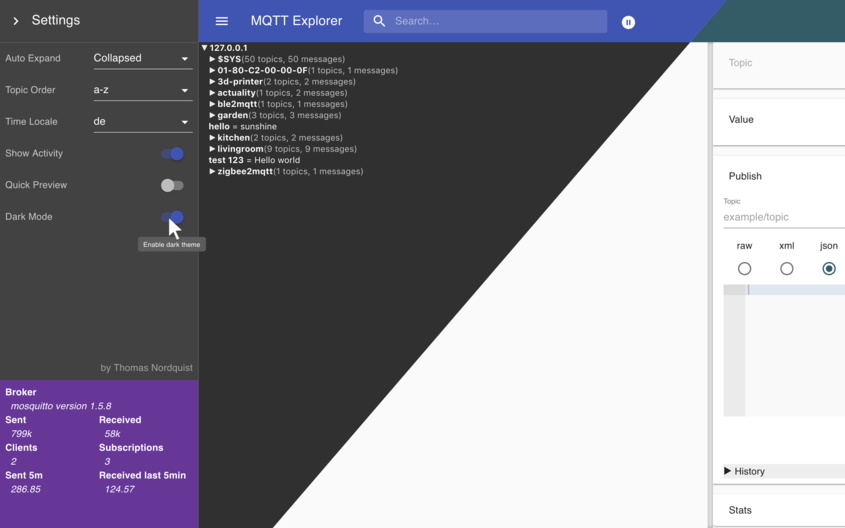](https://mqtt-explorer.com/img/screen-composite.png) | [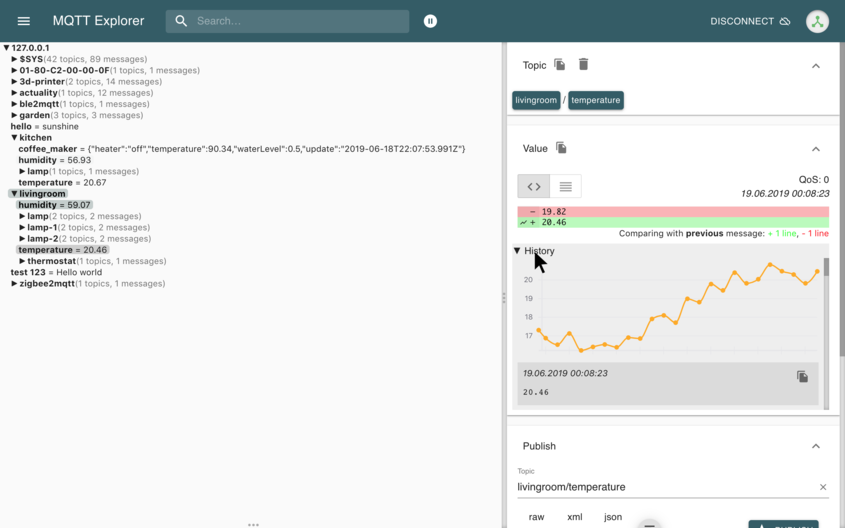](https://mqtt-explorer.com/img/screen2.png) | [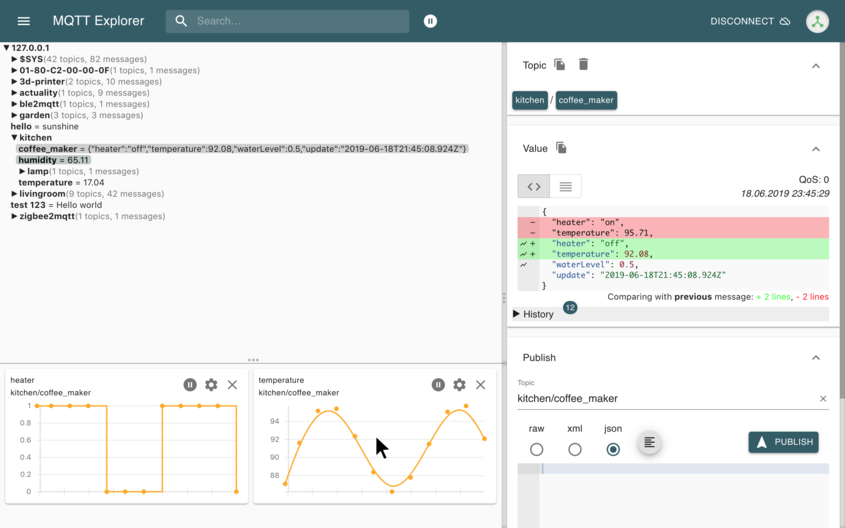](https://mqtt-explorer.com/img/screen3.png) |
|
||||
| | | |
|
||||
|:---:|:---:|:---:|
|
||||
|[](https://user-images.githubusercontent.com/7721625/53954364-52551f00-40d6-11e9-93cf-d5a9601897ea.png)|[](https://user-images.githubusercontent.com/7721625/53954365-52551f00-40d6-11e9-823f-afd66f19ed01.png)|[](https://user-images.githubusercontent.com/7721625/53954366-52551f00-40d6-11e9-9738-74db830d03ac.png)|
|
||||
|
||||
# The App has moved to [mqtt-explorer.com](https://mqtt-explorer.com)
|
||||
|
||||
MQTT Explorer is a comprehensive and easy-to-use MQTT Client.
|
||||
Downloads can be found at the link above.
|
||||
|
||||
This page is dedicated to its development.
|
||||
Pull-Requests and error reports are welcome.
|
||||
|
||||
## Quick Start with GitHub Codespaces
|
||||
|
||||
The fastest way to start developing is with GitHub Codespaces:
|
||||
|
||||
1. Click the green "Code" button above
|
||||
2. Select "Codespaces" tab
|
||||
3. Click "Create codespace on [branch]"
|
||||
4. Wait for the environment to set up (includes Node.js and MQTT broker)
|
||||
5. Run `yarn dev:server` to start development
|
||||
|
||||
The devcontainer includes a pre-configured MQTT broker and all development tools. See [.devcontainer/README.md](.devcontainer/README.md) for details.
|
||||
|
||||
## Run from sources
|
||||
|
||||
### Desktop Application (Electron)
|
||||
|
||||
```bash
|
||||
npm install -g yarn
|
||||
yarn
|
||||
yarn build
|
||||
yarn start
|
||||
```
|
||||
|
||||
### Browser Mode (Web Application)
|
||||
|
||||
MQTT Explorer can also run as a web application served by a Node.js server:
|
||||
|
||||
```bash
|
||||
npm install -g yarn
|
||||
yarn
|
||||
yarn build:server
|
||||
yarn start:server
|
||||
```
|
||||
|
||||
Then open your browser to `http://localhost:3000`. For more details, see [BROWSER_MODE.md](BROWSER_MODE.md).
|
||||
|
||||
## Develop
|
||||
|
||||
### Desktop Application
|
||||
|
||||
Launch Application
|
||||
|
||||
```bash
|
||||
npm install -g yarn
|
||||
yarn
|
||||
yarn dev
|
||||
```
|
||||
|
||||
### Browser Mode
|
||||
|
||||
Launch in development mode with hot reload:
|
||||
|
||||
```bash
|
||||
npm install -g yarn
|
||||
yarn
|
||||
yarn dev:server
|
||||
```
|
||||
|
||||
The `app` directory contains all the rendering logic, the `backend` directory currently contains the models, tests, connection management, `src` contains all the electron bindings. [mqttjs](https://github.com/mqttjs/MQTT.js) is used to facilitate communication to MQTT brokers.
|
||||
|
||||
## Automated Tests
|
||||
|
||||
To achieve a reliable product automated tests run regularly on CI.
|
||||
To achieve a reliable product automated tests run regularly on travis.
|
||||
|
||||
- **Data model tests**: `yarn test:backend`
|
||||
- **App tests**: `yarn test:app`
|
||||
- **UI test suite**: `yarn test:ui` (independent, deterministic tests)
|
||||
- **Demo video**: `yarn ui-test` (UI test recording for documentation)
|
||||
- Data model
|
||||
- MQTT integration
|
||||
- UI-Tests (The demo is a recorded ui test)
|
||||
|
||||
### Run UI Test Suite
|
||||
|
||||
The UI test suite validates core functionality through automated browser tests. Each test is independent and deterministic.
|
||||
## Run UI-tests
|
||||
A [mosquitto](https://mosquitto.org/) MQTT broker is required to run the ui-tests.
|
||||
|
||||
Run tests with
|
||||
```bash
|
||||
# Run with automated setup (recommended)
|
||||
./scripts/runUiTests.sh
|
||||
|
||||
# Or run directly (requires manual MQTT broker setup)
|
||||
yarn build
|
||||
yarn test:ui
|
||||
# Run chromedriver in a separate terminal session
|
||||
./node_modules/.bin/chromedriver --url-base=wd/hub --port=9515 --verbose
|
||||
```
|
||||
|
||||
See [docs/UI-TEST-SUITE.md](docs/UI-TEST-SUITE.md) for more details.
|
||||
|
||||
### Run Demo Video Generation
|
||||
|
||||
A [mosquitto](https://mosquitto.org/) MQTT broker is required to generate the demo video.
|
||||
|
||||
Compile and execute tests
|
||||
```bash
|
||||
yarn build
|
||||
yarn ui-test
|
||||
npm run build
|
||||
node dist/src/spec/webdriverio.js
|
||||
```
|
||||
|
||||
## Create a release
|
||||
|
||||
Create a PR to `release` branch.
|
||||
There needs to be a "feat: some new feature" or "fix: some bugfix" commit for a new release to be created
|
||||
|
||||
## Create a beta release
|
||||
|
||||
Create a PR to `beta` branch. A "feat" or "fix" commit is necessary to create a new version.
|
||||
|
||||
## Write docs
|
||||
|
||||
```
|
||||
git clone --single-branch -b gh-pages https://github.com/thomasnordquist/MQTT-Explorer.git mqtt-explorer-pages
|
||||
cd mqtt-explorer-pages
|
||||
bundle install
|
||||
bundle exec jekyll serve --incremental
|
||||
```
|
||||
|
||||
Readme file: `Readme.tpl.md`
|
||||
|
||||
Preview is available at
|
||||
http://localhost:4000/Readme.tpl
|
||||
|
||||
## Update docs
|
||||
|
||||
```
|
||||
npm install
|
||||
./updateReadme.ts
|
||||
```
|
||||
|
||||
The readme will be generated from the docs.
|
||||
|
||||
## License
|
||||
|
||||

|
||||
[CC-BY-Nc 4.0](https://creativecommons.org/licenses/by-nC/4.0/)
|
||||

|
||||
[CC-BY-ND 4.0](https://creativecommons.org/licenses/by-nd/4.0/)
|
||||
|
||||
The license allows for anyone to adapt, share, and redistribute the material, as long as it is non-commercial.
|
||||
The license is a little restrictive to distributing derived work, this may change in the future if the interest arises or more people work on this project.
|
||||
|
||||
+108
-180
@@ -1,197 +1,125 @@
|
||||
<!DOCTYPE html>
|
||||
<html>
|
||||
<head>
|
||||
<meta charset="UTF-8" />
|
||||
<meta
|
||||
name="viewport"
|
||||
content="minimum-scale=1, initial-scale=1, width=device-width, shrink-to-fit=no"
|
||||
>
|
||||
<title>MQTT Explorer</title>
|
||||
<script src="./bugtracking.bundle.js"></script>
|
||||
|
||||
<head>
|
||||
<meta charset="UTF-8" />
|
||||
<meta name="viewport" content="minimum-scale=1, initial-scale=1, width=device-width, shrink-to-fit=no" />
|
||||
<title>MQTT Explorer</title>
|
||||
<script src="./bugtracking.bundle.js"></script>
|
||||
<style>
|
||||
body, html {
|
||||
margin: 0;
|
||||
padding: 0;
|
||||
}
|
||||
|
||||
<style>
|
||||
body,
|
||||
html {
|
||||
margin: 0;
|
||||
padding: 0;
|
||||
}
|
||||
[tabindex] {
|
||||
outline: none;
|
||||
}
|
||||
|
||||
[tabindex] {
|
||||
outline: none;
|
||||
}
|
||||
@keyframes updateDark {
|
||||
0% {background-color: none;}
|
||||
25% {background-color: #3f51b5;}
|
||||
50% {background-color: #3f51b5;}
|
||||
100% {background-color: none;}
|
||||
}
|
||||
|
||||
@keyframes updateDark {
|
||||
0% {
|
||||
background-color: none;
|
||||
}
|
||||
@keyframes updateLight {
|
||||
0% {background-color: none; color: inherit}
|
||||
25% {background-color: #bfc9c8; color: #000}
|
||||
50% {background-color: #bfc9c8; color: #000}
|
||||
100% {background-color: none; color: inherit}
|
||||
}
|
||||
|
||||
25% {
|
||||
background-color: #595585;
|
||||
}
|
||||
::-webkit-scrollbar {
|
||||
width: 8px;
|
||||
height: 8px;
|
||||
}
|
||||
|
||||
50% {
|
||||
background-color: #595585;
|
||||
}
|
||||
::-webkit-scrollbar-corner {
|
||||
background-color: rgba(0, 0, 0, 0.0);
|
||||
}
|
||||
|
||||
100% {
|
||||
background-color: none;
|
||||
}
|
||||
}
|
||||
::-webkit-scrollbar-track {
|
||||
-webkit-box-shadow: inset 0 0 6px rgba(60,60,60,0.5);
|
||||
background-color: rgba(140,140,140,0.1);
|
||||
}
|
||||
|
||||
@keyframes updateLight {
|
||||
0% {
|
||||
background-color: none;
|
||||
color: inherit;
|
||||
}
|
||||
::-webkit-scrollbar-thumb {
|
||||
background-color: rgba(140,140,140,0.8);
|
||||
}
|
||||
</style>
|
||||
<style>
|
||||
.Resizer {
|
||||
background: #eee;
|
||||
opacity: .2;
|
||||
z-index: 1;
|
||||
-moz-box-sizing: border-box;
|
||||
-webkit-box-sizing: border-box;
|
||||
box-sizing: border-box;
|
||||
-moz-background-clip: padding;
|
||||
-webkit-background-clip: padding;
|
||||
background-clip: padding-box;
|
||||
}
|
||||
|
||||
25% {
|
||||
background-color: #c0c8c0;
|
||||
}
|
||||
.Resizer:hover {
|
||||
-webkit-transition: all 0.3s ease-out;
|
||||
transition: all 0.3s ease-out;
|
||||
}
|
||||
|
||||
50% {
|
||||
background-color: #c0c8c0;
|
||||
}
|
||||
.Resizer.horizontal {
|
||||
height: 11px;
|
||||
margin: -5px 0;
|
||||
border-top: 5px solid rgba(255, 255, 255, 0);
|
||||
border-bottom: 5px solid rgba(255, 255, 255, 0);
|
||||
cursor: row-resize;
|
||||
width: 100%;
|
||||
}
|
||||
|
||||
100% {
|
||||
background-color: none;
|
||||
color: inherit;
|
||||
}
|
||||
}
|
||||
.Resizer.horizontal:hover {
|
||||
border-top: 5px solid rgba(120, 120, 120, 0.5);
|
||||
border-bottom: 5px solid rgba(120, 120, 120, 0.5);
|
||||
}
|
||||
|
||||
::-webkit-scrollbar {
|
||||
width: 8px;
|
||||
height: 8px;
|
||||
}
|
||||
.Resizer.vertical {
|
||||
width: 2px;
|
||||
margin: 0px -8px 0px 0px;
|
||||
border-left: 4px solid rgba(128, 128, 128, 0);
|
||||
border-right: 4px solid rgba(128, 128, 128, 0);
|
||||
cursor: col-resize;
|
||||
}
|
||||
|
||||
::-webkit-scrollbar-corner {
|
||||
background-color: rgba(0, 0, 0, 0);
|
||||
}
|
||||
.Resizer.vertical:hover {
|
||||
border-left: 4px solid rgba(130, 130, 130, 1);
|
||||
border-right: 4px solid rgba(140, 140, 140, 1);
|
||||
}
|
||||
|
||||
::-webkit-scrollbar-track {
|
||||
-webkit-box-shadow: inset 0 0 6px rgba(60, 60, 60, 0.5);
|
||||
background-color: rgba(140, 140, 140, 0.1);
|
||||
}
|
||||
.Resizer.disabled {
|
||||
cursor: not-allowed;
|
||||
}
|
||||
.Resizer.disabled:hover {
|
||||
border-color: transparent;
|
||||
}
|
||||
|
||||
::-webkit-scrollbar-thumb {
|
||||
background-color: rgba(140, 140, 140, 0.8);
|
||||
}
|
||||
</style>
|
||||
<style>
|
||||
.Resizer {
|
||||
background: rgba(200, 200, 200, 0);
|
||||
z-index: 10;
|
||||
-moz-box-sizing: border-box;
|
||||
-webkit-box-sizing: border-box;
|
||||
box-sizing: border-box;
|
||||
-moz-background-clip: padding;
|
||||
-webkit-background-clip: padding;
|
||||
background-clip: padding-box;
|
||||
}
|
||||
|
||||
.Resizer:hover {
|
||||
-webkit-transition: all 0.3s ease-out;
|
||||
transition: all 0.3s ease-out;
|
||||
}
|
||||
|
||||
.Resizer.horizontal {
|
||||
height: 10px;
|
||||
margin: -10px 0 0 0;
|
||||
border-top: 5px solid rgba(255, 255, 255, 0);
|
||||
border-bottom: 5px solid rgba(255, 255, 255, 0);
|
||||
cursor: row-resize;
|
||||
width: 100%;
|
||||
}
|
||||
|
||||
.Resizer.horizontal::before {
|
||||
content: '•••';
|
||||
display: inline-block;
|
||||
vertical-align: middle;
|
||||
text-align: center;
|
||||
width: 100%;
|
||||
margin-top: -22px;
|
||||
color: #aaa;
|
||||
opacity: 1;
|
||||
}
|
||||
|
||||
.Resizer.horizontal:hover {
|
||||
border-top: 5px solid rgba(120, 120, 120, 0.3);
|
||||
border-bottom: 5px solid rgba(120, 120, 120, 0.3);
|
||||
}
|
||||
|
||||
.Resizer.vertical {
|
||||
width: 2px;
|
||||
margin: 0px -8px 0px 0px;
|
||||
border-left: 0px solid rgba(128, 128, 128, 0);
|
||||
border-right: 8px solid rgba(128, 128, 128, 0);
|
||||
cursor: col-resize;
|
||||
}
|
||||
|
||||
.Resizer.vertical::before {
|
||||
content: '•••';
|
||||
margin-left: -11px;
|
||||
height: 3em;
|
||||
margin-top: calc(50vh - 32px);
|
||||
display: inline-block;
|
||||
vertical-align: middle;
|
||||
text-align: center;
|
||||
color: #aaa;
|
||||
opacity: 1;
|
||||
writing-mode: vertical-lr;
|
||||
text-orientation: sideways;
|
||||
}
|
||||
|
||||
.Resizer.vertical:hover {
|
||||
border-left: 0px solid rgba(130, 130, 130, 0.3);
|
||||
border-right: 8px solid rgba(140, 140, 140, 0.3);
|
||||
}
|
||||
|
||||
.Resizer.disabled {
|
||||
cursor: not-allowed;
|
||||
}
|
||||
|
||||
.Resizer.disabled:hover {
|
||||
border-color: transparent;
|
||||
}
|
||||
|
||||
.example-enter {
|
||||
opacity: 0;
|
||||
}
|
||||
|
||||
.example-enter-active {
|
||||
opacity: 1;
|
||||
transition: opacity 300ms ease-in;
|
||||
}
|
||||
|
||||
.example-exit {
|
||||
opacity: 1;
|
||||
}
|
||||
|
||||
.example-exit-active {
|
||||
opacity: 0;
|
||||
transition: opacity 300ms ease-in;
|
||||
}
|
||||
</style>
|
||||
<script>
|
||||
global = globalThis //<- this should be enough
|
||||
</script>
|
||||
</head>
|
||||
|
||||
<body>
|
||||
<div id="app" style="font: -webkit-control;"></div>
|
||||
<script>
|
||||
function loadScript(path) {
|
||||
var script = document.createElement('script')
|
||||
script.src = path
|
||||
document.head.appendChild(script)
|
||||
}
|
||||
|
||||
document.addEventListener('DOMContentLoaded', onLoad(), false)
|
||||
function onLoad() {
|
||||
// <% _.forEach(htmlWebpackPlugin.files.js, function(file) { %>loadScript("<%- file %>");<% }); %>
|
||||
// loadScript("<%= JSON.stringify(htmlWebpackPlugin) %>")
|
||||
}
|
||||
</script>
|
||||
<% _.forEach(htmlWebpackPlugin.files.js, function(file) { %>
|
||||
<script src="<%- file %>"></script>
|
||||
<% }); %>
|
||||
</body>
|
||||
|
||||
</html>
|
||||
</style>
|
||||
</head>
|
||||
<body>
|
||||
<div id="app" style="font:-webkit-control"></div>
|
||||
<script>
|
||||
function loadScript(path) {
|
||||
var script = document.createElement("script");
|
||||
script.src = path
|
||||
document.head.appendChild(script);
|
||||
}
|
||||
|
||||
document.addEventListener('DOMContentLoaded', onLoad(), false);
|
||||
function onLoad() {
|
||||
// <% _.forEach(htmlWebpackPlugin.files.js, function(file) { %>loadScript("<%- file %>");<% }); %>
|
||||
// loadScript("<%= JSON.stringify(htmlWebpackPlugin) %>")
|
||||
}
|
||||
</script>
|
||||
<% _.forEach(htmlWebpackPlugin.files.js, function(file) { %><script src="<%- file %>"></script><% }); %>
|
||||
</body>
|
||||
</html>
|
||||
|
||||
+36
-58
@@ -4,94 +4,72 @@
|
||||
"description": "",
|
||||
"main": "index.js",
|
||||
"scripts": {
|
||||
"build": "webpack --mode production",
|
||||
"build": "yarn rebuild && webpack --mode production",
|
||||
"dev": "node_modules/.bin/webpack-dev-server --mode development --progress",
|
||||
"test": "cross-env TS_NODE_PROJECT=test/tsconfig.json yarn mochatest",
|
||||
"mochatest": "mocha --require ts-node/register --require source-map-support/register --recursive src/*/**/*.spec.ts"
|
||||
},
|
||||
"engines": {
|
||||
"node": ">=20"
|
||||
"rebuild": "cd node_modules/heapdump && node-gyp rebuild --target=5.0.0 --arch=x64 --dist-url=https://atom.io/download/electron || echo Could not build heapdump; cd -"
|
||||
},
|
||||
"author": "",
|
||||
"license": "CC-BY-ND-4.0",
|
||||
"dependencies": {
|
||||
"@material-ui/core": "4.12",
|
||||
"@material-ui/icons": "^4",
|
||||
"@material-ui/lab": "^4.0.0-alpha",
|
||||
"@material-ui/styles": "4.11",
|
||||
"@types/react-transition-group": "^4",
|
||||
"ace-builds": "^1.4.11",
|
||||
"axios": "^0.28.0",
|
||||
"compare-versions": "^3.5.0",
|
||||
"copy-text-to-clipboard": "^2.1.0",
|
||||
"d3": "^5.9.7",
|
||||
"d3-shape": "^1.3.5",
|
||||
"@material-ui/core": "^4.0.0-alpha.6",
|
||||
"@material-ui/icons": "^4.0.0-alpha.1",
|
||||
"@material-ui/lab": "^4.0.0-alpha.6",
|
||||
"@material-ui/styles": "^4.0.0-alpha.6",
|
||||
"brace": "^0.11.1",
|
||||
"compare-versions": "^3.4.0",
|
||||
"copy-text-to-clipboard": "^1.0.4",
|
||||
"diff": "^4.0.1",
|
||||
"dot-prop": "^5.0.0",
|
||||
"events": "^3.3.0",
|
||||
"electron-telemetry": "git+https://github.com/thomasnordquist/electron-telemetry.git#dist",
|
||||
"file-loader": "^3.0.1",
|
||||
"get-value": "^3.0.1",
|
||||
"immutable": "^4.0.0-rc.12",
|
||||
"in-viewport": "^3.6.0",
|
||||
"js-base64": "^2.5.1",
|
||||
"json-to-ast": "^2.1.0",
|
||||
"lodash.debounce": "^4.0.8",
|
||||
"lodash.throttle": "^4.1.1",
|
||||
"moment": "^2.24.0",
|
||||
"moving-average": "^1.0.0",
|
||||
"number-abbreviate": "^2.0.0",
|
||||
"os-browserify": "^0.3.0",
|
||||
"parse-duration": "^0.1.1",
|
||||
"path-browserify": "^1.0.1",
|
||||
"prismjs": "^1.15.0",
|
||||
"react": "^16.11",
|
||||
"react-ace": "^8",
|
||||
"react": "16.8",
|
||||
"react-ace": "^6.3.2",
|
||||
"react-dom": "^16.7.0",
|
||||
"react-redux": "^7.0.3",
|
||||
"react-resize-detector": "^4.1.4",
|
||||
"react-redux": "^6.0.0",
|
||||
"react-resize-detector": "^3.4.0",
|
||||
"react-split-pane": "^0.1.85",
|
||||
"react-transition-group": "^4",
|
||||
"react-vis": "^1.11.6",
|
||||
"redux": "^4.0.1",
|
||||
"redux-batched-actions": "0.5",
|
||||
"redux-batched-actions": "^0.4.1",
|
||||
"redux-thunk": "^2.3.0",
|
||||
"sha1": "^1.1.1",
|
||||
"socket.io-client": "^4.8.1",
|
||||
"url": "^0.11.4",
|
||||
"uuid": "7"
|
||||
"socket.io-client": "^2.2.0",
|
||||
"uuid": "^3.3.2"
|
||||
},
|
||||
"devDependencies": {
|
||||
"@babel/runtime": "^7.17.2",
|
||||
"@types/d3": "^5.7.2",
|
||||
"@types/diff": "^4.0.1",
|
||||
"@types/get-value": "^3.0.1",
|
||||
"@types/node": "^12.7.8",
|
||||
"@types/node": "^10.12.18",
|
||||
"@types/prismjs": "^1.9.1",
|
||||
"@types/react": "^16.9.4",
|
||||
"@types/react": "^16.7.18",
|
||||
"@types/react-dom": "^16.0.11",
|
||||
"@types/react-redux": "^7.0.9",
|
||||
"@types/react-resize-detector": "^4.0.1",
|
||||
"@types/react-redux": "^6.0.12",
|
||||
"@types/react-resize-detector": "^3.1.0",
|
||||
"@types/sha1": "^1.1.1",
|
||||
"@types/socket.io-client": "^3.0.0",
|
||||
"@types/uuid": "^7.0.2",
|
||||
"@types/socket.io-client": "^1.4.32",
|
||||
"@types/uuid": "^3.4.4",
|
||||
"@types/vis": "^4.21.9",
|
||||
"chai": "^4.2.0",
|
||||
"cross-env": "^7.0.2",
|
||||
"css-loader": "^3.0.0",
|
||||
"file-loader": "^6.2.0",
|
||||
"html-webpack-plugin": "^5.5.0",
|
||||
"lodash": "^4.17.21",
|
||||
"mocha": "^10.4.0",
|
||||
"moment": "^2.29.1",
|
||||
"awesome-typescript-loader": "^5.2.1",
|
||||
"css-loader": "^2.1.0",
|
||||
"hard-source-webpack-plugin": "^0.13.1",
|
||||
"heapdump": "^0.3.12",
|
||||
"html-webpack-plugin": "^4.0.0-beta.5",
|
||||
"node-loader": "^0.6.0",
|
||||
"source-map-loader": "^0.2.4",
|
||||
"style-loader": "^1",
|
||||
"ts-loader": "^9.5.1",
|
||||
"typescript": "^4.5.5",
|
||||
"webpack": "^5.91.0",
|
||||
"webpack-bundle-analyzer": "^4.5.0",
|
||||
"webpack-cli": "^5.1.4",
|
||||
"webpack-dev-server": "^5.0.4"
|
||||
},
|
||||
"peerDependencies": {
|
||||
"electron": "^39"
|
||||
"style-loader": "^0.23.1",
|
||||
"typescript": "^3.2.2",
|
||||
"webpack": "^4.28.2",
|
||||
"webpack-bundle-analyzer": "^3.0.3",
|
||||
"webpack-cli": "^3.1.2",
|
||||
"webpack-dev-server": "^3.1.14"
|
||||
}
|
||||
}
|
||||
|
||||
@@ -1,118 +0,0 @@
|
||||
import { Action, ActionTypes, ChartParameters } from '../reducers/Charts'
|
||||
import { AppState } from '../reducers'
|
||||
import { default as persistentStorage, StorageIdentifier } from '../utils/PersistentStorage'
|
||||
import { Dispatch } from 'redux'
|
||||
import { showError, showNotification } from './Global'
|
||||
|
||||
interface ConnectionViewState {
|
||||
charts: Array<ChartParameters>
|
||||
}
|
||||
|
||||
interface ConnectionViewStateDictionary {
|
||||
[s: string]: ConnectionViewState
|
||||
}
|
||||
const connectionViewStateIdentifier: StorageIdentifier<ConnectionViewStateDictionary> = {
|
||||
id: 'connection_view_state',
|
||||
}
|
||||
|
||||
export const loadCharts = () => async (dispatch: Dispatch<any>, getState: () => AppState) => {
|
||||
const connectionId = getState().connection.connectionId
|
||||
if (!connectionId) {
|
||||
return
|
||||
}
|
||||
|
||||
let viewStates: ConnectionViewStateDictionary | undefined
|
||||
try {
|
||||
viewStates = await persistentStorage.load(connectionViewStateIdentifier)
|
||||
} catch (error) {
|
||||
dispatch(showError(error))
|
||||
}
|
||||
|
||||
if (!viewStates || !viewStates[connectionId]) {
|
||||
dispatch(setCharts([]))
|
||||
return
|
||||
}
|
||||
|
||||
const viewState = viewStates[connectionId]
|
||||
if (viewState) {
|
||||
dispatch(setCharts(viewState.charts))
|
||||
}
|
||||
}
|
||||
|
||||
export const saveCharts = () => async (dispatch: Dispatch<any>, getState: () => AppState) => {
|
||||
const connectionId = getState().connection.connectionId
|
||||
if (!connectionId) {
|
||||
return
|
||||
}
|
||||
|
||||
const charts = getState().charts.get('charts').toArray()
|
||||
|
||||
let viewStates: ConnectionViewStateDictionary | undefined
|
||||
try {
|
||||
viewStates = (await persistentStorage.load(connectionViewStateIdentifier)) || {}
|
||||
const state: ConnectionViewState = viewStates[connectionId] || { charts: [] }
|
||||
state.charts = charts
|
||||
|
||||
viewStates[connectionId] = state
|
||||
await persistentStorage.store(connectionViewStateIdentifier, viewStates)
|
||||
} catch (error) {
|
||||
dispatch(showError(error))
|
||||
}
|
||||
}
|
||||
|
||||
export const addChart =
|
||||
(chartParameters: ChartParameters) => async (dispatch: Dispatch<any>, getState: () => AppState) => {
|
||||
const chartExists = Boolean(
|
||||
getState()
|
||||
.charts.get('charts')
|
||||
.find(chart => chart.topic === chartParameters.topic && chart.dotPath === chartParameters.dotPath)
|
||||
)
|
||||
if (chartExists) {
|
||||
dispatch(showNotification('Already added'))
|
||||
return
|
||||
}
|
||||
|
||||
dispatch({
|
||||
type: ActionTypes.CHARTS_ADD,
|
||||
chart: chartParameters,
|
||||
})
|
||||
dispatch(saveCharts())
|
||||
dispatch(showNotification('Added to chart panel'))
|
||||
}
|
||||
|
||||
export const updateChart =
|
||||
(chartParameters: ChartParameters) => async (dispatch: Dispatch<any>, getState: () => AppState) => {
|
||||
dispatch({
|
||||
type: ActionTypes.CHARTS_UPDATE,
|
||||
topic: chartParameters.topic,
|
||||
dotPath: chartParameters.dotPath,
|
||||
parameters: chartParameters,
|
||||
})
|
||||
dispatch(saveCharts())
|
||||
}
|
||||
|
||||
export const removeChart =
|
||||
(chartParameters: ChartParameters) => async (dispatch: Dispatch<any>, getState: () => AppState) => {
|
||||
dispatch({
|
||||
chart: chartParameters,
|
||||
type: ActionTypes.CHARTS_REMOVE,
|
||||
})
|
||||
dispatch(saveCharts())
|
||||
}
|
||||
|
||||
export const moveChartUp =
|
||||
(parameters: { topic: string; dotPath?: string }) => async (dispatch: Dispatch<any>, getState: () => AppState) => {
|
||||
dispatch({
|
||||
topic: parameters.topic,
|
||||
dotPath: parameters.dotPath,
|
||||
type: ActionTypes.CHARTS_MOVE_UP,
|
||||
})
|
||||
dispatch(saveCharts())
|
||||
}
|
||||
|
||||
export const setCharts = (charts: Array<ChartParameters>): Action => {
|
||||
return {
|
||||
charts,
|
||||
type: ActionTypes.CHARTS_SET,
|
||||
}
|
||||
}
|
||||
@@ -9,31 +9,36 @@ import { globalActions } from '.'
|
||||
import { resetStore as resetTreeStore, showTree } from './Tree'
|
||||
import { showError } from './Global'
|
||||
import { TopicViewModel } from '../model/TopicViewModel'
|
||||
import { addMqttConnectionEvent, makeConnectionStateEvent, removeConnection, rendererEvents } from '../../../events'
|
||||
import {
|
||||
addMqttConnectionEvent,
|
||||
makeConnectionStateEvent,
|
||||
removeConnection,
|
||||
rendererEvents,
|
||||
} from '../../../events'
|
||||
|
||||
export const connect =
|
||||
(options: MqttOptions, connectionId: string) => (dispatch: Dispatch<any>, getState: () => AppState) => {
|
||||
dispatch(connecting(connectionId))
|
||||
rendererEvents.emit(addMqttConnectionEvent, { options, id: connectionId })
|
||||
const event = makeConnectionStateEvent(connectionId)
|
||||
const host = url.parse(options.url).hostname
|
||||
export const connect = (options: MqttOptions, connectionId: string) => (dispatch: Dispatch<any>, getState: () => AppState) => {
|
||||
dispatch(connecting(connectionId))
|
||||
rendererEvents.emit(addMqttConnectionEvent, { options, id: connectionId })
|
||||
const event = makeConnectionStateEvent(connectionId)
|
||||
const host = url.parse(options.url).hostname
|
||||
|
||||
rendererEvents.subscribe(event, dataSourceState => {
|
||||
if (dataSourceState.connected) {
|
||||
const didReconnect = Boolean(getState().connection.tree)
|
||||
if (!didReconnect) {
|
||||
const tree = new q.Tree<TopicViewModel>()
|
||||
tree.updateWithConnection(rendererEvents, connectionId)
|
||||
dispatch(showTree(tree))
|
||||
dispatch(connected(tree, host!))
|
||||
}
|
||||
} else if (dataSourceState.error) {
|
||||
dispatch(showError(dataSourceState.error))
|
||||
dispatch(disconnect())
|
||||
rendererEvents.subscribe(event, (dataSourceState) => {
|
||||
console.log(dataSourceState)
|
||||
if (dataSourceState.connected) {
|
||||
const didReconnect = Boolean(getState().connection.tree)
|
||||
if (!didReconnect) {
|
||||
const tree = new q.Tree<TopicViewModel>()
|
||||
tree.updateWithConnection(rendererEvents, connectionId)
|
||||
dispatch(showTree(tree))
|
||||
dispatch(connected(tree, host!))
|
||||
}
|
||||
dispatch(updateHealth(dataSourceState))
|
||||
})
|
||||
}
|
||||
} else if (dataSourceState.error) {
|
||||
dispatch(showError(dataSourceState.error))
|
||||
dispatch(disconnect())
|
||||
}
|
||||
dispatch(updateHealth(dataSourceState))
|
||||
})
|
||||
}
|
||||
|
||||
const updateHealth = (dataSourceState: DataSourceState) => (dispatch: Dispatch<any>, getState: () => AppState) => {
|
||||
let state
|
||||
@@ -54,10 +59,7 @@ const updateHealth = (dataSourceState: DataSourceState) => (dispatch: Dispatch<a
|
||||
})
|
||||
}
|
||||
|
||||
export const connected: (tree: q.Tree<TopicViewModel>, host: string) => Action = (
|
||||
tree: q.Tree<TopicViewModel>,
|
||||
host: string
|
||||
) => ({
|
||||
export const connected: (tree: q.Tree<TopicViewModel>, host: string) => Action = (tree: q.Tree<TopicViewModel>, host: string) => ({
|
||||
tree,
|
||||
host,
|
||||
type: ActionTypes.CONNECTION_SET_CONNECTED,
|
||||
|
||||
@@ -1,25 +1,19 @@
|
||||
import { AppState } from '../reducers'
|
||||
import { clearLegacyConnectionOptions, loadLegacyConnectionOptions } from '../model/LegacyConnectionSettings'
|
||||
import {
|
||||
ConnectionOptions,
|
||||
createEmptyConnection,
|
||||
makeDefaultConnections,
|
||||
CertificateParameters,
|
||||
} from '../model/ConnectionOptions'
|
||||
import { ConnectionOptions, createEmptyConnection, makeDefaultConnections, CertificateParameters } from '../model/ConnectionOptions'
|
||||
import { default as persistentStorage, StorageIdentifier } from '../utils/PersistentStorage'
|
||||
import { Dispatch } from 'redux'
|
||||
import { showError } from './Global'
|
||||
import { remote } from 'electron'
|
||||
import * as fs from 'fs'
|
||||
import * as path from 'path'
|
||||
import { ActionTypes, Action } from '../reducers/ConnectionManager'
|
||||
import { Subscription } from '../../../backend/src/DataSource/MqttSource'
|
||||
import { connectionsMigrator } from './migrations/Connection'
|
||||
import { rendererRpc, readFromFile } from '../../../events'
|
||||
import { makeOpenDialogRpc } from '../../../events/OpenDialogRequest'
|
||||
|
||||
export interface ConnectionDictionary {
|
||||
[s: string]: ConnectionOptions
|
||||
}
|
||||
const storedConnectionsIdentifier: StorageIdentifier<ConnectionDictionary> = {
|
||||
import {
|
||||
ActionTypes,
|
||||
Action,
|
||||
} from '../reducers/ConnectionManager'
|
||||
|
||||
const storedConnectionsIdentifier: StorageIdentifier<{[s: string]: ConnectionOptions}> = {
|
||||
id: 'ConnectionManager_connections',
|
||||
}
|
||||
|
||||
@@ -28,12 +22,6 @@ export const loadConnectionSettings = () => async (dispatch: Dispatch<any>, getS
|
||||
try {
|
||||
await ensureConnectionsHaveBeenInitialized()
|
||||
connections = await persistentStorage.load(storedConnectionsIdentifier)
|
||||
|
||||
// Apply migrations
|
||||
if (connections && connectionsMigrator.isMigrationNecessary(connections)) {
|
||||
connections = connectionsMigrator.applyMigrations(connections)
|
||||
await persistentStorage.store(storedConnectionsIdentifier, connections)
|
||||
}
|
||||
} catch (error) {
|
||||
dispatch(showError(error))
|
||||
}
|
||||
@@ -49,20 +37,18 @@ export const loadConnectionSettings = () => async (dispatch: Dispatch<any>, getS
|
||||
}
|
||||
}
|
||||
|
||||
export type CertificateTypes = 'selfSignedCertificate' | 'clientCertificate' | 'clientKey'
|
||||
export const selectCertificate =
|
||||
(type: CertificateTypes, connectionId: string) => async (dispatch: Dispatch<any>, getState: () => AppState) => {
|
||||
try {
|
||||
const certificate = await openCertificate()
|
||||
dispatch(
|
||||
updateConnection(connectionId, {
|
||||
[type]: certificate,
|
||||
})
|
||||
)
|
||||
} catch (error) {
|
||||
dispatch(showError(error))
|
||||
}
|
||||
export const selectCertificate = (connectionId: string) => async (dispatch: Dispatch<any>, getState: () => AppState) => {
|
||||
try {
|
||||
const certificate = await openCertificate()
|
||||
console.log(certificate)
|
||||
dispatch(updateConnection(connectionId, {
|
||||
selfSignedCertificate: certificate,
|
||||
}))
|
||||
} catch (error) {
|
||||
console.log(error)
|
||||
dispatch(showError(error))
|
||||
}
|
||||
}
|
||||
|
||||
async function openCertificate(): Promise<CertificateParameters> {
|
||||
const rejectReasons = {
|
||||
@@ -70,25 +56,32 @@ async function openCertificate(): Promise<CertificateParameters> {
|
||||
certificateSizeDoesNotMatch: 'Certificate size larger/smaller then expected.',
|
||||
}
|
||||
|
||||
const openDialogReturnValue = await rendererRpc.call(makeOpenDialogRpc(), {
|
||||
properties: ['openFile'],
|
||||
securityScopedBookmarks: true,
|
||||
return new Promise((resolve, reject) => {
|
||||
remote.dialog.showOpenDialog({ properties: ['openFile'], securityScopedBookmarks: true }, (filePaths?: Array<string>) => {
|
||||
const selectedFile = filePaths && filePaths[0]
|
||||
if (!selectedFile) {
|
||||
reject(rejectReasons.noCertificateSelected)
|
||||
return
|
||||
}
|
||||
|
||||
fs.readFile(selectedFile, (error, data) => {
|
||||
if (error) {
|
||||
reject(error)
|
||||
return
|
||||
}
|
||||
|
||||
if (data.length > 16_384 || data.length < 128) {
|
||||
reject(rejectReasons.certificateSizeDoesNotMatch)
|
||||
return
|
||||
}
|
||||
|
||||
resolve({
|
||||
data: data.toString('base64'),
|
||||
name: path.basename(selectedFile),
|
||||
})
|
||||
})
|
||||
})
|
||||
})
|
||||
|
||||
const selectedFile = openDialogReturnValue.filePaths && openDialogReturnValue.filePaths[0]
|
||||
if (!selectedFile) {
|
||||
throw rejectReasons.noCertificateSelected
|
||||
}
|
||||
|
||||
const data = await rendererRpc.call(readFromFile, { filePath: selectedFile })
|
||||
if (data.length > 16_384 || data.length < 64) {
|
||||
throw rejectReasons.certificateSizeDoesNotMatch
|
||||
}
|
||||
|
||||
return {
|
||||
data: data.toString('base64'),
|
||||
name: path.basename(selectedFile),
|
||||
}
|
||||
}
|
||||
|
||||
export const saveConnectionSettings = () => async (dispatch: Dispatch<any>, getState: () => AppState) => {
|
||||
@@ -106,13 +99,13 @@ export const updateConnection = (connectionId: string, changeSet: Partial<Connec
|
||||
type: ActionTypes.CONNECTION_MANAGER_UPDATE_CONNECTION,
|
||||
})
|
||||
|
||||
export const addSubscription = (subscription: Subscription, connectionId: string): Action => ({
|
||||
export const addSubscription = (subscription: string, connectionId: string): Action => ({
|
||||
connectionId,
|
||||
subscription,
|
||||
type: ActionTypes.CONNECTION_MANAGER_ADD_SUBSCRIPTION,
|
||||
})
|
||||
|
||||
export const deleteSubscription = (subscription: Subscription, connectionId: string): Action => ({
|
||||
export const deleteSubscription = (subscription: string, connectionId: string): Action => ({
|
||||
connectionId,
|
||||
subscription,
|
||||
type: ActionTypes.CONNECTION_MANAGER_DELETE_SUBSCRIPTION,
|
||||
@@ -124,7 +117,7 @@ export const createConnection = () => (dispatch: Dispatch<any>) => {
|
||||
dispatch(selectConnection(newConnection.id))
|
||||
}
|
||||
|
||||
export const setConnections = (connections: { [s: string]: ConnectionOptions }): Action => ({
|
||||
export const setConnections = (connections: {[s: string]: ConnectionOptions}): Action => ({
|
||||
connections,
|
||||
type: ActionTypes.CONNECTION_MANAGER_SET_CONNECTIONS,
|
||||
})
|
||||
@@ -139,14 +132,10 @@ export const addConnection = (connection: ConnectionOptions): Action => ({
|
||||
type: ActionTypes.CONNECTION_MANAGER_ADD_CONNECTION,
|
||||
})
|
||||
|
||||
export const toggleAdvancedSettings = (): Action => ({
|
||||
export const toggleAdvancedSettings = (): Action => ({
|
||||
type: ActionTypes.CONNECTION_MANAGER_TOGGLE_ADVANCED_SETTINGS,
|
||||
})
|
||||
|
||||
export const toggleCertificateSettings = (): Action => ({
|
||||
type: ActionTypes.CONNECTION_MANAGER_TOGGLE_CERTIFICATE_SETTINGS,
|
||||
})
|
||||
|
||||
export const deleteConnection = (connectionId: string) => (dispatch: Dispatch<any>, getState: () => AppState) => {
|
||||
const connectionIds = Object.keys(getState().connectionManager.connections)
|
||||
const connectionIdLocation = connectionIds.indexOf(connectionId)
|
||||
@@ -166,16 +155,15 @@ export const deleteConnection = (connectionId: string) => (dispatch: Dispatch<an
|
||||
}
|
||||
|
||||
async function ensureConnectionsHaveBeenInitialized() {
|
||||
let connections = await persistentStorage.load(storedConnectionsIdentifier)
|
||||
const connections = await persistentStorage.load(storedConnectionsIdentifier)
|
||||
const requiresInitialization = !connections
|
||||
if (requiresInitialization) {
|
||||
const migratedConnection = loadLegacyConnectionOptions()
|
||||
const defaultConnections = makeDefaultConnections()
|
||||
connections = {
|
||||
persistentStorage.store(storedConnectionsIdentifier, {
|
||||
...migratedConnection,
|
||||
...defaultConnections,
|
||||
}
|
||||
await persistentStorage.store(storedConnectionsIdentifier, connections)
|
||||
})
|
||||
|
||||
clearLegacyConnectionOptions()
|
||||
}
|
||||
|
||||
@@ -1,7 +1,7 @@
|
||||
import { ActionTypes, ConfirmationRequest } from '../reducers/Global'
|
||||
import { ActionTypes } from '../reducers/Global'
|
||||
import { Dispatch } from 'redux'
|
||||
|
||||
export const showError = (error?: string | unknown) => ({
|
||||
export const showError = (error?: string) => ({
|
||||
error,
|
||||
type: ActionTypes.showError,
|
||||
})
|
||||
@@ -20,30 +20,3 @@ export const toggleSettingsVisibility = () => (dispatch: Dispatch<any>) => {
|
||||
type: ActionTypes.toggleSettingsVisibility,
|
||||
})
|
||||
}
|
||||
|
||||
export const requestConfirmation = (title: string, inquiry: string) => (dispatch: Dispatch<any>) => {
|
||||
return new Promise(resolve => {
|
||||
const confirmationRequest = {
|
||||
title,
|
||||
inquiry,
|
||||
callback: (confirmed: boolean) => {
|
||||
resolve(confirmed)
|
||||
dispatch(removeConfirmationRequest(confirmationRequest))
|
||||
},
|
||||
}
|
||||
|
||||
dispatch({
|
||||
confirmationRequest,
|
||||
type: ActionTypes.requestConfirmation,
|
||||
})
|
||||
})
|
||||
}
|
||||
|
||||
export const removeConfirmationRequest = (confirmationRequest: ConfirmationRequest) => (dispatch: Dispatch<any>) => {
|
||||
return new Promise((resolve, reject) => {
|
||||
dispatch({
|
||||
confirmationRequest,
|
||||
type: ActionTypes.removeConfirmationRequest,
|
||||
})
|
||||
})
|
||||
}
|
||||
|
||||
@@ -2,10 +2,7 @@ import { Action, ActionTypes } from '../reducers/Publish'
|
||||
import { AppState } from '../reducers'
|
||||
import { Base64Message } from '../../../backend/src/Model/Base64Message'
|
||||
import { Dispatch } from 'redux'
|
||||
import { MqttMessage, makePublishEvent, rendererEvents, rendererRpc, readFromFile } from '../../../events'
|
||||
import { makeOpenDialogRpc } from '../../../events/OpenDialogRequest'
|
||||
import { showError } from './Global'
|
||||
import { Base64 } from 'js-base64'
|
||||
import { makePublishEvent, rendererEvents } from '../../../events'
|
||||
|
||||
export const setTopic = (topic?: string): Action => {
|
||||
return {
|
||||
@@ -14,50 +11,6 @@ export const setTopic = (topic?: string): Action => {
|
||||
}
|
||||
}
|
||||
|
||||
export const openFile =
|
||||
(encoding: 'utf8' = 'utf8') =>
|
||||
async (dispatch: Dispatch<any>, getState: () => AppState) => {
|
||||
try {
|
||||
const file = await getFileContent(encoding)
|
||||
if (file) {
|
||||
dispatch(setPayload(file.data))
|
||||
}
|
||||
} catch (error) {
|
||||
dispatch(showError(error))
|
||||
}
|
||||
}
|
||||
|
||||
type FileParameters = {
|
||||
name: string
|
||||
data: string
|
||||
}
|
||||
async function getFileContent(encoding: string): Promise<FileParameters | undefined> {
|
||||
const rejectReasons = {
|
||||
noFileSelected: 'No file selected',
|
||||
errorReadingFile: 'Error reading file',
|
||||
}
|
||||
|
||||
const { canceled, filePaths } = await rendererRpc.call(makeOpenDialogRpc(), {
|
||||
properties: ['openFile'],
|
||||
securityScopedBookmarks: true,
|
||||
})
|
||||
|
||||
if (canceled) {
|
||||
return
|
||||
}
|
||||
|
||||
const selectedFile = filePaths[0]
|
||||
if (!selectedFile) {
|
||||
throw rejectReasons.noFileSelected
|
||||
}
|
||||
try {
|
||||
const data = await rendererRpc.call(readFromFile, { filePath: selectedFile, encoding })
|
||||
return { name: selectedFile, data: data.toString(encoding) }
|
||||
} catch (error) {
|
||||
throw rejectReasons.errorReadingFile
|
||||
}
|
||||
}
|
||||
|
||||
export const setPayload = (payload?: string): Action => {
|
||||
return {
|
||||
payload,
|
||||
@@ -79,16 +32,16 @@ export const setEditorMode = (editorMode: string): Action => {
|
||||
}
|
||||
}
|
||||
|
||||
export const publish = (connectionId: string) => (dispatch: Dispatch<Action>, getState: () => AppState) => {
|
||||
export const publish = (connectionId: string) => (dispatch: Dispatch<Action>, getState: () => AppState) => {
|
||||
const state = getState()
|
||||
const topic = state.publish.manualTopic ?? state.tree.get('selectedTopic')?.path()
|
||||
const topic = state.publish.topic
|
||||
|
||||
if (!topic) {
|
||||
return
|
||||
}
|
||||
|
||||
const publishEvent = makePublishEvent(connectionId)
|
||||
const mqttMessage: Partial<MqttMessage> = {
|
||||
const mqttMessage = {
|
||||
topic,
|
||||
payload: state.publish.payload ? Base64Message.fromString(state.publish.payload) : null,
|
||||
retain: state.publish.retain,
|
||||
|
||||
+38
-45
@@ -1,23 +1,27 @@
|
||||
import * as q from '../../../backend/src/Model'
|
||||
import { ActionTypes, SettingsStateModel, TopicOrder, ValueRendererDisplayMode } from '../reducers/Settings'
|
||||
import { AppState } from '../reducers'
|
||||
import { autoExpandLimitSet } from '../components/SettingsDrawer/Settings'
|
||||
import { Base64Message } from '../../../backend/src/Model/Base64Message'
|
||||
import { batchActions } from 'redux-batched-actions'
|
||||
import { default as persistentStorage, StorageIdentifier } from '../utils/PersistentStorage'
|
||||
import { Dispatch } from 'redux'
|
||||
import { globalActions } from './'
|
||||
import { showError } from './Global'
|
||||
import { showTree } from './Tree'
|
||||
import { TopicViewModel } from '../model/TopicViewModel'
|
||||
import {
|
||||
ActionTypes,
|
||||
SettingsState,
|
||||
TopicOrder,
|
||||
} from '../reducers/Settings'
|
||||
import { Base64Message } from '../../../backend/src/Model/Base64Message'
|
||||
import { globalActions } from '.'
|
||||
|
||||
const settingsIdentifier: StorageIdentifier<Partial<SettingsStateModel>> = {
|
||||
const settingsIdentifier: StorageIdentifier<Partial<SettingsState>> = {
|
||||
id: 'Settings',
|
||||
}
|
||||
|
||||
export const loadSettings = () => async (dispatch: Dispatch<any>, getState: () => AppState) => {
|
||||
try {
|
||||
const settings = (await persistentStorage.load(settingsIdentifier)) || {}
|
||||
const settings = await persistentStorage.load(settingsIdentifier) || {}
|
||||
dispatch({
|
||||
settings: getState().settings.merge(settings),
|
||||
type: ActionTypes.SETTINGS_DID_LOAD_SETTINGS,
|
||||
@@ -43,14 +47,12 @@ export const storeSettings = () => async (dispatch: Dispatch<any>, getState: ()
|
||||
}
|
||||
}
|
||||
|
||||
export const setAutoExpandLimit =
|
||||
(autoExpandLimit: number = 0) =>
|
||||
(dispatch: Dispatch<any>) => {
|
||||
dispatch({
|
||||
autoExpandLimit,
|
||||
type: ActionTypes.SETTINGS_SET_AUTO_EXPAND_LIMIT,
|
||||
})
|
||||
}
|
||||
export const setAutoExpandLimit = (autoExpandLimit: number = 0) => (dispatch: Dispatch<any>) => {
|
||||
dispatch({
|
||||
autoExpandLimit,
|
||||
type: ActionTypes.SETTINGS_SET_AUTO_EXPAND_LIMIT,
|
||||
})
|
||||
}
|
||||
|
||||
export const setTimeLocale = (timeLocale: string) => (dispatch: Dispatch<any>) => {
|
||||
dispatch({
|
||||
@@ -68,14 +70,13 @@ export const selectTopicWithMouseOver = (doSelect: boolean) => (dispatch: Dispat
|
||||
dispatch(storeSettings())
|
||||
}
|
||||
|
||||
export const setValueDisplayMode =
|
||||
(valueRendererDisplayMode: ValueRendererDisplayMode) => (dispatch: Dispatch<any>) => {
|
||||
dispatch({
|
||||
valueRendererDisplayMode,
|
||||
type: ActionTypes.SETTINGS_SET_VALUE_RENDERER_DISPLAY_MODE,
|
||||
})
|
||||
dispatch(storeSettings())
|
||||
}
|
||||
export const setValueDisplayMode = (valueRendererDisplayMode: 'diff' | 'raw') => (dispatch: Dispatch<any>) => {
|
||||
dispatch({
|
||||
valueRendererDisplayMode,
|
||||
type: ActionTypes.SETTINGS_SET_VALUE_RENDERER_DISPLAY_MODE,
|
||||
})
|
||||
dispatch(storeSettings())
|
||||
}
|
||||
|
||||
export const toggleHighlightTopicUpdates = () => (dispatch: Dispatch<any>) => {
|
||||
dispatch({
|
||||
@@ -84,15 +85,13 @@ export const toggleHighlightTopicUpdates = () => (dispatch: Dispatch<any>) => {
|
||||
dispatch(storeSettings())
|
||||
}
|
||||
|
||||
export const setTopicOrder =
|
||||
(topicOrder: TopicOrder = TopicOrder.none) =>
|
||||
(dispatch: Dispatch<any>) => {
|
||||
dispatch({
|
||||
topicOrder,
|
||||
type: ActionTypes.SETTINGS_SET_TOPIC_ORDER,
|
||||
})
|
||||
dispatch(storeSettings())
|
||||
}
|
||||
export const setTopicOrder = (topicOrder: TopicOrder = TopicOrder.none) => (dispatch: Dispatch<any>) => {
|
||||
dispatch({
|
||||
topicOrder,
|
||||
type: ActionTypes.SETTINGS_SET_TOPIC_ORDER,
|
||||
})
|
||||
dispatch(storeSettings())
|
||||
}
|
||||
|
||||
export const filterTopics = (filterStr: string) => (dispatch: Dispatch<any>, getState: () => AppState) => {
|
||||
const { tree } = getState().connection
|
||||
@@ -103,7 +102,7 @@ export const filterTopics = (filterStr: string) => (dispatch: Dispatch<any>, get
|
||||
})
|
||||
|
||||
if (!filterStr || !tree) {
|
||||
dispatch(batchActions([setAutoExpandLimit(0), showTree(tree) as any]))
|
||||
dispatch(batchActions([setAutoExpandLimit(0), (showTree(tree) as any)]))
|
||||
return
|
||||
}
|
||||
|
||||
@@ -115,16 +114,14 @@ export const filterTopics = (filterStr: string) => (dispatch: Dispatch<any>, get
|
||||
return true
|
||||
}
|
||||
|
||||
const messageMatches =
|
||||
node.message &&
|
||||
node.message.payload &&
|
||||
node.message.payload.toUnicodeString().toLowerCase().indexOf(filterStr) !== -1
|
||||
const messageMatches = node.message
|
||||
&& node.message.value
|
||||
&& Base64Message.toUnicodeString(node.message.value).toLowerCase().indexOf(filterStr) !== -1
|
||||
|
||||
return Boolean(messageMatches)
|
||||
}
|
||||
|
||||
const resultTree = tree
|
||||
.childTopics()
|
||||
const resultTree = tree.childTopics()
|
||||
.filter(nodeFilter)
|
||||
.map((node: q.TreeNode<TopicViewModel>) => {
|
||||
const clone = node.unconnectedClone()
|
||||
@@ -141,17 +138,16 @@ export const filterTopics = (filterStr: string) => (dispatch: Dispatch<any>, get
|
||||
nextTree.updateWithConnection(tree.updateSource, tree.connectionId, nodeFilter)
|
||||
}
|
||||
|
||||
dispatch(batchActions([setAutoExpandLimit(autoExpandLimitForTree(nextTree)), showTree(nextTree) as any]))
|
||||
dispatch(batchActions([setAutoExpandLimit(autoExpandLimitForTree(nextTree)), (showTree(nextTree) as any)]))
|
||||
}
|
||||
|
||||
function autoExpandLimitForTree(tree: q.Tree<TopicViewModel>) {
|
||||
if (!tree) {
|
||||
return 0
|
||||
}
|
||||
|
||||
function closestExistingLimit(i: number): number {
|
||||
const sorted = [...autoExpandLimitSet].sort((a, b) => Math.abs(a.limit - i) - Math.abs(b.limit - i))
|
||||
return sorted[0].limit
|
||||
const sorted = autoExpandLimitSet.sort((a, b) => Math.abs(a.limit - i) - Math.abs(b.limit - i))
|
||||
return sorted[0]!.limit
|
||||
}
|
||||
|
||||
const count = tree.childTopicCount()
|
||||
@@ -162,10 +158,7 @@ function autoExpandLimitForTree(tree: q.Tree<TopicViewModel>) {
|
||||
|
||||
export const toggleTheme = () => (dispatch: Dispatch<any>, getState: () => AppState) => {
|
||||
dispatch({
|
||||
type:
|
||||
getState().settings.get('theme') === 'light'
|
||||
? ActionTypes.SETTINGS_SET_THEME_DARK
|
||||
: ActionTypes.SETTINGS_SET_THEME_LIGHT,
|
||||
type: getState().settings.get('theme') === 'light' ? ActionTypes.SETTINGS_SET_THEME_DARK : ActionTypes.SETTINGS_SET_THEME_LIGHT,
|
||||
})
|
||||
dispatch(storeSettings())
|
||||
}
|
||||
|
||||
@@ -2,9 +2,7 @@ import * as q from '../../../backend/src/Model'
|
||||
import { ActionTypes } from '../reducers/Sidebar'
|
||||
import { AppState } from '../reducers'
|
||||
import { Dispatch } from 'redux'
|
||||
import { clearTopic } from './clearTopic'
|
||||
|
||||
export { clearTopic } from './clearTopic'
|
||||
import { makePublishEvent, rendererEvents } from '../../../events'
|
||||
|
||||
export const clearRetainedTopic = () => (dispatch: Dispatch<any>, getState: () => AppState) => {
|
||||
const selectedTopic = getState().tree.get('selectedTopic')
|
||||
@@ -21,3 +19,35 @@ export const setCompareMessage = (message?: q.Message) => (dispatch: Dispatch<an
|
||||
type: ActionTypes.SIDEBAR_SET_COMPARE_MESSAGE,
|
||||
})
|
||||
}
|
||||
|
||||
export const clearTopic = (topic: q.TreeNode<any>, recursive: boolean, subtopicClearLimit = 50) => (dispatch: Dispatch<any>, getState: () => AppState) => {
|
||||
const { connectionId } = getState().connection
|
||||
if (!connectionId) {
|
||||
return
|
||||
}
|
||||
|
||||
const publishEvent = makePublishEvent(connectionId)
|
||||
const mqttMessage = {
|
||||
topic: topic.path(),
|
||||
payload: null,
|
||||
retain: true,
|
||||
qos: 0 as 0,
|
||||
}
|
||||
rendererEvents.emit(publishEvent, mqttMessage)
|
||||
|
||||
if (recursive) {
|
||||
topic.childTopics()
|
||||
.filter(topic => Boolean(topic.message && topic.message.value))
|
||||
.slice(0, subtopicClearLimit)
|
||||
.forEach((topic) => {
|
||||
console.log('deleting', topic.path())
|
||||
const mqttMessage = {
|
||||
topic: topic.path(),
|
||||
payload: null,
|
||||
retain: true,
|
||||
qos: 0 as 0,
|
||||
}
|
||||
rendererEvents.emit(publishEvent, mqttMessage)
|
||||
})
|
||||
}
|
||||
}
|
||||
|
||||
+51
-60
@@ -4,56 +4,54 @@ import { ActionTypes as SidebarActionTypes } from '../reducers/Sidebar'
|
||||
import { AnyAction, Dispatch } from 'redux'
|
||||
import { AppState } from '../reducers'
|
||||
import { batchActions } from 'redux-batched-actions'
|
||||
import { globalActions } from './'
|
||||
import { setTopic } from './Publish'
|
||||
import { TopicViewModel } from '../model/TopicViewModel'
|
||||
import { globalActions } from '.'
|
||||
const debounce = require('lodash.debounce')
|
||||
export { clearTopic } from './clearTopic'
|
||||
|
||||
export { moveSelectionUpOrDownwards, moveInward, moveOutward } from './visibleTreeTraversal'
|
||||
export const selectTopic = (topic: q.TreeNode<TopicViewModel>) => (dispatch: Dispatch<any>, getState: () => AppState) => {
|
||||
debouncedSelectTopic(topic, dispatch, getState)
|
||||
}
|
||||
|
||||
export const selectTopic =
|
||||
(topic: q.TreeNode<TopicViewModel>) => (dispatch: Dispatch<any>, getState: () => AppState) => {
|
||||
debouncedSelectTopic(topic, dispatch, getState)
|
||||
const debouncedSelectTopic = debounce((topic: q.TreeNode<TopicViewModel>, dispatch: Dispatch<any>, getState: () => AppState) => {
|
||||
const previouslySelectedTopic = getState().tree.get('selectedTopic')
|
||||
|
||||
if (previouslySelectedTopic === topic) {
|
||||
return
|
||||
}
|
||||
|
||||
const debouncedSelectTopic = debounce(
|
||||
(topic: q.TreeNode<TopicViewModel>, dispatch: Dispatch<any>, getState: () => AppState) => {
|
||||
const previouslySelectedTopic = getState().tree.get('selectedTopic')
|
||||
// Update publish topic
|
||||
let setTopicDispatch: any | undefined
|
||||
if (!getState().publish.topic) {
|
||||
setTopicDispatch = setTopic(topic.path())
|
||||
} else if (previouslySelectedTopic && (previouslySelectedTopic.path() === getState().publish.topic)) {
|
||||
setTopicDispatch = setTopic(topic.path())
|
||||
}
|
||||
|
||||
if (previouslySelectedTopic === topic) {
|
||||
return
|
||||
}
|
||||
if (previouslySelectedTopic && previouslySelectedTopic.viewModel) {
|
||||
previouslySelectedTopic.viewModel.setSelected(false)
|
||||
}
|
||||
|
||||
// Update publish topic
|
||||
let setTopicDispatch: any | undefined
|
||||
if (!getState().publish.manualTopic) {
|
||||
setTopicDispatch = setTopic(topic.path())
|
||||
} else if (previouslySelectedTopic && previouslySelectedTopic.path() === getState().publish.manualTopic) {
|
||||
setTopicDispatch = setTopic(topic.path())
|
||||
}
|
||||
if (topic.viewModel) {
|
||||
topic.viewModel.setSelected(true)
|
||||
}
|
||||
|
||||
previouslySelectedTopic?.viewModel?.setSelected(false)
|
||||
topic.viewModel?.setSelected(true)
|
||||
const selectTreeTopicDispatch = {
|
||||
selectedTopic: topic,
|
||||
type: ActionTypes.TREE_SELECT_TOPIC,
|
||||
}
|
||||
|
||||
const selectTreeTopicDispatch = {
|
||||
selectedTopic: topic,
|
||||
type: ActionTypes.TREE_SELECT_TOPIC,
|
||||
}
|
||||
dispatch({
|
||||
type: SidebarActionTypes.SIDEBAR_SET_COMPARE_MESSAGE,
|
||||
message: undefined,
|
||||
})
|
||||
|
||||
dispatch({
|
||||
type: SidebarActionTypes.SIDEBAR_SET_COMPARE_MESSAGE,
|
||||
message: undefined,
|
||||
})
|
||||
|
||||
if (setTopicDispatch) {
|
||||
dispatch(batchActions([selectTreeTopicDispatch, setTopicDispatch]))
|
||||
} else {
|
||||
dispatch(selectTreeTopicDispatch)
|
||||
}
|
||||
},
|
||||
70
|
||||
)
|
||||
if (setTopicDispatch) {
|
||||
dispatch(batchActions([selectTreeTopicDispatch, setTopicDispatch]))
|
||||
} else {
|
||||
dispatch(selectTreeTopicDispatch)
|
||||
}
|
||||
}, 70)
|
||||
|
||||
function destroyUnreferencedTree(state: AppState) {
|
||||
const visibleTree = state.tree.get('tree')
|
||||
@@ -67,44 +65,37 @@ function destroyUnreferencedTree(state: AppState) {
|
||||
}
|
||||
}
|
||||
|
||||
export const resetStore =
|
||||
() =>
|
||||
(dispatch: Dispatch<any>, getState: () => AppState): AnyAction => {
|
||||
destroyUnreferencedTree(getState())
|
||||
export const resetStore = () => (dispatch: Dispatch<any>, getState: () => AppState): AnyAction => {
|
||||
destroyUnreferencedTree(getState())
|
||||
|
||||
return dispatch({
|
||||
type: ActionTypes.TREE_RESET_STORE,
|
||||
})
|
||||
}
|
||||
return dispatch({
|
||||
type: ActionTypes.TREE_RESET_STORE,
|
||||
})
|
||||
}
|
||||
|
||||
export const showTree =
|
||||
(tree: q.Tree<TopicViewModel> | undefined) =>
|
||||
(dispatch: Dispatch<any>, getState: () => AppState): AnyAction => {
|
||||
destroyUnreferencedTree(getState())
|
||||
export const showTree = (tree: q.Tree<TopicViewModel> | undefined) => (dispatch: Dispatch<any>, getState: () => AppState): AnyAction => {
|
||||
destroyUnreferencedTree(getState())
|
||||
|
||||
return dispatch({
|
||||
tree,
|
||||
type: ActionTypes.TREE_SHOW_TREE,
|
||||
})
|
||||
}
|
||||
return dispatch({
|
||||
tree,
|
||||
type: ActionTypes.TREE_SHOW_TREE,
|
||||
})
|
||||
}
|
||||
|
||||
export const togglePause = (tree?: q.Tree<TopicViewModel>) => (dispatch: Dispatch<any>, getState: () => AppState) => {
|
||||
const paused = getState().tree.get('paused')
|
||||
const tree = getState().tree.get('tree')
|
||||
const changes = tree ? tree.unmergedChanges().length : 0
|
||||
|
||||
if (tree) {
|
||||
paused ? tree.resume() : tree.pause()
|
||||
}
|
||||
|
||||
if (paused && changes > 0) {
|
||||
dispatch(globalActions.showNotification('Applying recorded changes.'))
|
||||
}
|
||||
|
||||
// Allow for notification to be displayed
|
||||
setTimeout(() => {
|
||||
tree && tree.applyUnmergedChanges()
|
||||
if (paused && changes > 0) {
|
||||
dispatch(globalActions.showNotification(`Successfully applied ${changes} changes.`))
|
||||
dispatch(globalActions.showNotification(`Sucessfully applied ${changes} changes.`))
|
||||
}
|
||||
}, 50)
|
||||
|
||||
|
||||
@@ -1,54 +0,0 @@
|
||||
import * as q from '../../../backend/src/Model'
|
||||
import { AppState } from '../reducers'
|
||||
import { Dispatch } from 'redux'
|
||||
import { makePublishEvent, rendererEvents } from '../../../events'
|
||||
import { moveSelectionUpOrDownwards } from './visibleTreeTraversal'
|
||||
import { globalActions } from '.'
|
||||
|
||||
export const clearTopic =
|
||||
(topic: q.TreeNode<any>, recursive: boolean) => async (dispatch: Dispatch<any>, getState: () => AppState) => {
|
||||
const topicsForPurging = recursive ? [topic, ...topic.childTopics()] : [topic]
|
||||
|
||||
if (recursive) {
|
||||
const topicCount = topic.childTopicCount()
|
||||
|
||||
const topicDelta = topic.hasMessage() ? -1 : 0
|
||||
const childTopicsMessage =
|
||||
topicCount + topicDelta > 0
|
||||
? ` and ${topicCount + topicDelta} child ${topicCount + topicDelta === 1 ? 'topic' : 'topics'}`
|
||||
: ''
|
||||
|
||||
const confirmed = await dispatch(
|
||||
globalActions.requestConfirmation(
|
||||
'Confirm delete',
|
||||
`Do you want to clear "${topic.path()}"${childTopicsMessage}?\n\nThis function will send an empty payload (QoS 0, retain) to this and every subtopic, clearing retained topics in the process. Only use this function if you know what you are doing.`
|
||||
)
|
||||
)
|
||||
if (!confirmed) {
|
||||
return
|
||||
}
|
||||
}
|
||||
|
||||
dispatch(moveSelectionUpOrDownwards('next'))
|
||||
|
||||
const { connectionId } = getState().connection
|
||||
if (!connectionId) {
|
||||
return
|
||||
}
|
||||
const publishEvent = makePublishEvent(connectionId)
|
||||
|
||||
topicsForPurging
|
||||
.filter(t => t.path() !== '' && t.hasMessage())
|
||||
.map(t => t.path())
|
||||
.forEach((path, idx) => {
|
||||
const mqttMessage = {
|
||||
topic: path,
|
||||
payload: null,
|
||||
retain: true,
|
||||
qos: 0 as 0,
|
||||
messageId: undefined,
|
||||
}
|
||||
// Rate limit deletion
|
||||
setTimeout(() => rendererEvents.emit(publishEvent, mqttMessage), 20 * idx)
|
||||
})
|
||||
}
|
||||
@@ -1,4 +1,3 @@
|
||||
import * as chartActions from './Charts'
|
||||
import * as connectionActions from './Connection'
|
||||
import * as connectionManagerActions from './ConnectionManager'
|
||||
import * as globalActions from './Global'
|
||||
@@ -8,14 +7,4 @@ import * as sidebarActions from './Sidebar'
|
||||
import * as treeActions from './Tree'
|
||||
import * as updateNotifierActions from './UpdateNotifier'
|
||||
|
||||
export {
|
||||
settingsActions,
|
||||
treeActions,
|
||||
chartActions,
|
||||
publishActions,
|
||||
updateNotifierActions,
|
||||
connectionActions,
|
||||
sidebarActions,
|
||||
connectionManagerActions,
|
||||
globalActions,
|
||||
}
|
||||
export { settingsActions, treeActions, publishActions, updateNotifierActions, connectionActions, sidebarActions, connectionManagerActions, globalActions }
|
||||
|
||||
@@ -1,94 +0,0 @@
|
||||
import { ConfigMigrator, Migration } from '../../utils/ConfigMigrator'
|
||||
import { ConnectionDictionary } from '../ConnectionManager'
|
||||
import { ConnectionOptions } from '../../model/ConnectionOptions'
|
||||
|
||||
export interface ConnectionOptionsV0 {
|
||||
type: 'mqtt'
|
||||
id: string
|
||||
host: string
|
||||
protocol: 'mqtt' | 'ws'
|
||||
basePath?: string
|
||||
port: number
|
||||
name: string
|
||||
username?: string
|
||||
password?: string
|
||||
encryption: boolean
|
||||
certValidation: boolean
|
||||
// selfSignedCertificate?: CertificateParameters
|
||||
// clientCertificate?: CertificateParameters
|
||||
// clientKey?: CertificateParameters
|
||||
clientId?: string
|
||||
subscriptions: Array<string>
|
||||
}
|
||||
|
||||
let migrations: Migration[] = [
|
||||
// iot.eclipse.org ha moved to mqtt.eclipse.org
|
||||
{
|
||||
from: undefined,
|
||||
apply: (connection: ConnectionOptionsV0): ConnectionOptionsV0 => {
|
||||
if (connection.id == 'iot.eclipse.org' && connection.host == 'iot.eclipse.org' && connection.port == 1883) {
|
||||
return {
|
||||
...connection,
|
||||
id: 'mqtt.eclipse.org',
|
||||
host: 'mqtt.eclipse.org',
|
||||
name: 'mqtt.eclipse.org',
|
||||
}
|
||||
}
|
||||
|
||||
return {
|
||||
...connection,
|
||||
}
|
||||
},
|
||||
},
|
||||
// Remove stored clientId if it is the default generated client id. This allows to connect multiple instances of mqtt explorer to the same broker.
|
||||
// A randomly generated clientId will be used if no clientId is set.
|
||||
{
|
||||
from: undefined,
|
||||
apply: (connection: ConnectionOptionsV0): ConnectionOptionsV0 => {
|
||||
if (connection.clientId && /mqtt-explorer-[0-9a-f]{8}/.test(connection.clientId)) {
|
||||
return {
|
||||
...connection,
|
||||
clientId: undefined,
|
||||
}
|
||||
}
|
||||
|
||||
return {
|
||||
...connection,
|
||||
}
|
||||
},
|
||||
},
|
||||
// Added QoS level to subscription options
|
||||
{
|
||||
from: undefined,
|
||||
apply: (connection: ConnectionOptionsV0): ConnectionOptions => {
|
||||
return {
|
||||
...connection,
|
||||
configVersion: 1,
|
||||
subscriptions: connection.subscriptions.map(topic => ({ topic, qos: 0 })),
|
||||
}
|
||||
},
|
||||
},
|
||||
]
|
||||
|
||||
const connectionMigrator = new ConfigMigrator(migrations)
|
||||
|
||||
function isMigrationNecessary(connections: ConnectionDictionary): boolean {
|
||||
return Object.values(connections)
|
||||
.map(connection => connectionMigrator.isMigrationNecessary(connection))
|
||||
.reduce((a, b) => a || b, false)
|
||||
}
|
||||
|
||||
function applyMigrations(connections: ConnectionDictionary): ConnectionDictionary {
|
||||
let newConnectionDictionary: ConnectionDictionary = {}
|
||||
Object.keys(connections).forEach(key => {
|
||||
let newConnection = connectionMigrator.applyMigrations(connections[key]) as any
|
||||
newConnectionDictionary[newConnection.id] = newConnection
|
||||
})
|
||||
|
||||
return newConnectionDictionary
|
||||
}
|
||||
|
||||
export const connectionsMigrator = {
|
||||
isMigrationNecessary,
|
||||
applyMigrations,
|
||||
}
|
||||
@@ -1,138 +0,0 @@
|
||||
import * as q from '../../../backend/src/Model'
|
||||
import { AppState } from '../reducers'
|
||||
import { Dispatch } from 'redux'
|
||||
import { selectTopic } from './Tree'
|
||||
import { SettingsState } from '../reducers/Settings'
|
||||
import { sortedNodes } from '../sortedNodes'
|
||||
import { TopicViewModel } from '../model/TopicViewModel'
|
||||
|
||||
export const moveSelectionUpOrDownwards =
|
||||
(direction: 'next' | 'previous') =>
|
||||
(dispatch: Dispatch<any>, getState: () => AppState): any => {
|
||||
const state = getState()
|
||||
const selected = state.tree.get('selectedTopic')
|
||||
const tree = state.tree.get('tree')
|
||||
|
||||
if (!selected || !tree) {
|
||||
if (tree) {
|
||||
dispatch(selectTopic(tree))
|
||||
}
|
||||
return
|
||||
}
|
||||
const nextTreeNode = nextVisibleElementInTree(state.settings, tree, selected, direction)
|
||||
if (nextTreeNode && nextTreeNode.viewModel) {
|
||||
dispatch(selectTopic(nextTreeNode))
|
||||
}
|
||||
}
|
||||
|
||||
export const moveInward =
|
||||
() =>
|
||||
(dispatch: Dispatch<any>, getState: () => AppState): any => {
|
||||
const state = getState()
|
||||
const selected = state.tree.get('selectedTopic')
|
||||
if (!selected || !selected.viewModel) {
|
||||
return
|
||||
}
|
||||
|
||||
if (!selected.viewModel.isExpanded() && selected.edgeCount() > 0) {
|
||||
selected.viewModel.setExpanded(true, true)
|
||||
} else {
|
||||
dispatch(moveSelectionUpOrDownwards('next'))
|
||||
}
|
||||
}
|
||||
|
||||
export const moveOutward =
|
||||
() =>
|
||||
(dispatch: Dispatch<any>, getState: () => AppState): any => {
|
||||
const state = getState()
|
||||
const selected = state.tree.get('selectedTopic')
|
||||
if (!selected || !selected.viewModel) {
|
||||
return
|
||||
}
|
||||
|
||||
if (selected.viewModel.isExpanded() && selected.edgeCount() > 0) {
|
||||
selected.viewModel.setExpanded(false, true)
|
||||
} else {
|
||||
dispatch(moveSelectionUpOrDownwards('previous'))
|
||||
}
|
||||
}
|
||||
|
||||
function isTreeNodeVisible(treeNode: q.TreeNode<any>) {
|
||||
return Boolean(treeNode.viewModel)
|
||||
}
|
||||
|
||||
function nextVisibleElementInTree(
|
||||
settings: SettingsState,
|
||||
tree: q.Tree<TopicViewModel>,
|
||||
node: q.TreeNode<TopicViewModel>,
|
||||
direction: 'next' | 'previous'
|
||||
): q.TreeNode<TopicViewModel> | undefined {
|
||||
if (direction === 'next') {
|
||||
return findNextNodeDownward(settings, node)
|
||||
} else {
|
||||
return findNextNodeUpward(settings, node)
|
||||
}
|
||||
}
|
||||
|
||||
/** Not very efficient but easy to implement, complexity should not be an issue here */
|
||||
function findNextNodeUpward(
|
||||
settings: SettingsState,
|
||||
treeNode: q.TreeNode<TopicViewModel>
|
||||
): q.TreeNode<TopicViewModel> | undefined {
|
||||
const parent = treeNode.sourceEdge && treeNode.sourceEdge.source
|
||||
if (!parent) {
|
||||
return undefined
|
||||
}
|
||||
|
||||
const neighborNodes = sortedNodes(settings, parent)
|
||||
const nodeIdx = neighborNodes.findIndex(n => n.path() === treeNode.path())
|
||||
if (nodeIdx === 0) {
|
||||
return parent
|
||||
}
|
||||
const upwardNeighbor = neighborNodes[nodeIdx - 1]
|
||||
if (upwardNeighbor) {
|
||||
return lastVisibleChild(settings, upwardNeighbor)
|
||||
} else {
|
||||
return findNextNodeUpward(settings, parent)
|
||||
}
|
||||
}
|
||||
|
||||
function lastVisibleChild(settings: SettingsState, treeNode: q.TreeNode<TopicViewModel>): q.TreeNode<TopicViewModel> {
|
||||
const nodes = sortedNodes(settings, treeNode).filter(isTreeNodeVisible)
|
||||
if (nodes.length === 0) {
|
||||
return treeNode
|
||||
}
|
||||
return lastVisibleChild(settings, nodes[nodes.length - 1])
|
||||
}
|
||||
|
||||
function findNextNodeDownward(
|
||||
settings: SettingsState,
|
||||
treeNode: q.TreeNode<TopicViewModel>
|
||||
): q.TreeNode<TopicViewModel> | undefined {
|
||||
const children = sortedNodes(settings, treeNode).filter(isTreeNodeVisible)
|
||||
const firstChild = children[0]
|
||||
if (firstChild) {
|
||||
return firstChild
|
||||
}
|
||||
|
||||
return findNextNodeDownwardNeighbor(settings, treeNode)
|
||||
}
|
||||
|
||||
function findNextNodeDownwardNeighbor(
|
||||
settings: SettingsState,
|
||||
treeNode: q.TreeNode<TopicViewModel>
|
||||
): q.TreeNode<TopicViewModel> | undefined {
|
||||
const parent = treeNode.sourceEdge && treeNode.sourceEdge.source
|
||||
if (!parent) {
|
||||
return undefined
|
||||
}
|
||||
|
||||
const neighborNodes = sortedNodes(settings, parent).filter(isTreeNodeVisible)
|
||||
const nodeIdx = neighborNodes.findIndex(n => n.path() === treeNode.path())
|
||||
const downwardNeighbor = neighborNodes[nodeIdx + 1]
|
||||
if (downwardNeighbor) {
|
||||
return downwardNeighbor
|
||||
} else {
|
||||
return findNextNodeDownwardNeighbor(settings, parent)
|
||||
}
|
||||
}
|
||||
+10
-21
@@ -1,18 +1,15 @@
|
||||
import ConfirmationDialog from './ConfirmationDialog'
|
||||
import * as React from 'react'
|
||||
import ConnectionSetup from './ConnectionSetup/ConnectionSetup'
|
||||
import CssBaseline from '@material-ui/core/CssBaseline'
|
||||
import ErrorBoundary from './ErrorBoundary'
|
||||
import Notification from './Layout/Notification'
|
||||
import React from 'react'
|
||||
import TitleBar from './Layout/TitleBar'
|
||||
import UpdateNotifier from './UpdateNotifier'
|
||||
import { AppState } from '../reducers'
|
||||
import { bindActionCreators } from 'redux'
|
||||
import { ConfirmationRequest } from '../reducers/Global'
|
||||
import { connect } from 'react-redux'
|
||||
import { globalActions, settingsActions } from '../actions'
|
||||
import { Theme, withStyles } from '@material-ui/core/styles'
|
||||
;(window as any).global = window
|
||||
|
||||
const Settings = React.lazy(() => import('./SettingsDrawer/Settings'))
|
||||
const ContentView = React.lazy(() => import('./Layout/ContentView'))
|
||||
@@ -26,13 +23,12 @@ interface Props {
|
||||
actions: typeof globalActions
|
||||
settingsActions: typeof settingsActions
|
||||
launching: boolean
|
||||
confirmationRequests: Array<ConfirmationRequest>
|
||||
}
|
||||
|
||||
class App extends React.PureComponent<Props, {}> {
|
||||
constructor(props: any) {
|
||||
super(props)
|
||||
this.state = {}
|
||||
this.state = { }
|
||||
}
|
||||
|
||||
private renderNotification() {
|
||||
@@ -45,9 +41,7 @@ class App extends React.PureComponent<Props, {}> {
|
||||
<Notification
|
||||
message={str}
|
||||
type={isError ? 'error' : 'notification'}
|
||||
onClose={() => {
|
||||
isError ? this.props.actions.showError(undefined) : this.props.actions.showNotification(undefined)
|
||||
}}
|
||||
onClose={() => { isError ? this.props.actions.showError(undefined) : this.props.actions.showNotification(undefined) }}
|
||||
/>
|
||||
)
|
||||
}
|
||||
@@ -67,16 +61,13 @@ class App extends React.PureComponent<Props, {}> {
|
||||
return null
|
||||
}
|
||||
|
||||
const anyProps: any = {}
|
||||
|
||||
return (
|
||||
<div className={centerContent}>
|
||||
<CssBaseline />
|
||||
<ErrorBoundary>
|
||||
<ConfirmationDialog confirmationRequests={this.props.confirmationRequests} />
|
||||
{this.renderNotification()}
|
||||
{this.renderNotification()}
|
||||
<React.Suspense fallback={<div></div>}>
|
||||
<Settings {...anyProps} />
|
||||
<Settings />
|
||||
</React.Suspense>
|
||||
<div className={centerContent}>
|
||||
<div className={`${settingsVisible ? contentShift : content}`}>
|
||||
@@ -84,11 +75,7 @@ class App extends React.PureComponent<Props, {}> {
|
||||
</div>
|
||||
<div className={settingsVisible ? contentShift : content}>
|
||||
<React.Suspense fallback={<div></div>}>
|
||||
<ContentView
|
||||
heightProperty={heightProperty}
|
||||
connectionId={this.props.connectionId}
|
||||
paneDefaults={paneDefaults}
|
||||
/>
|
||||
<ContentView heightProperty={heightProperty} connectionId={this.props.connectionId} paneDefaults={paneDefaults} />
|
||||
</React.Suspense>
|
||||
</div>
|
||||
</div>
|
||||
@@ -104,16 +91,19 @@ const styles = (theme: Theme) => {
|
||||
const drawerWidth = 300
|
||||
const contentBaseStyle = {
|
||||
width: '100vw',
|
||||
overflow: 'hidden' as 'hidden',
|
||||
backgroundColor: theme.palette.background.default,
|
||||
}
|
||||
|
||||
return {
|
||||
heightProperty: {
|
||||
height: '100%', // 'calc(100vh - 64px) !important',
|
||||
height: 'calc(100vh - 64px) !important',
|
||||
},
|
||||
paneDefaults: {
|
||||
backgroundColor: theme.palette.background.default,
|
||||
color: theme.palette.text.primary,
|
||||
overflowY: 'scroll' as 'scroll',
|
||||
overflowX: 'hidden' as 'hidden',
|
||||
display: 'block' as 'block',
|
||||
height: 'calc(100vh - 64px)',
|
||||
},
|
||||
@@ -156,7 +146,6 @@ const mapStateToProps = (state: AppState) => {
|
||||
notification: state.globalState.get('notification'),
|
||||
highlightTopicUpdates: state.settings.get('highlightTopicUpdates'),
|
||||
launching: state.globalState.get('launching'),
|
||||
confirmationRequests: state.globalState.get('confirmationRequests'),
|
||||
}
|
||||
}
|
||||
|
||||
|
||||
@@ -1,64 +0,0 @@
|
||||
import * as React from 'react'
|
||||
import { LoginDialog } from './LoginDialog'
|
||||
|
||||
interface BrowserAuthWrapperProps {
|
||||
children: React.ReactNode
|
||||
}
|
||||
|
||||
const isBrowserMode =
|
||||
typeof window !== 'undefined' && (typeof process === 'undefined' || process.env?.BROWSER_MODE === 'true')
|
||||
|
||||
export function BrowserAuthWrapper(props: BrowserAuthWrapperProps) {
|
||||
const [isAuthenticated, setIsAuthenticated] = React.useState(false)
|
||||
const [loginError, setLoginError] = React.useState<string | undefined>()
|
||||
const [showLogin, setShowLogin] = React.useState(false)
|
||||
|
||||
React.useEffect(() => {
|
||||
if (!isBrowserMode) {
|
||||
// Not in browser mode, skip authentication
|
||||
setIsAuthenticated(true)
|
||||
return
|
||||
}
|
||||
|
||||
// Check if already authenticated
|
||||
const username = sessionStorage.getItem('mqtt-explorer-username')
|
||||
const password = sessionStorage.getItem('mqtt-explorer-password')
|
||||
|
||||
if (username && password) {
|
||||
// Try to use stored credentials
|
||||
setIsAuthenticated(true)
|
||||
} else {
|
||||
// Show login dialog
|
||||
setShowLogin(true)
|
||||
}
|
||||
}, [])
|
||||
|
||||
const handleLogin = async (username: string, password: string) => {
|
||||
try {
|
||||
// Store credentials in session storage
|
||||
sessionStorage.setItem('mqtt-explorer-username', username)
|
||||
sessionStorage.setItem('mqtt-explorer-password', password)
|
||||
|
||||
// The socket will use these credentials on next connection
|
||||
setIsAuthenticated(true)
|
||||
setShowLogin(false)
|
||||
setLoginError(undefined)
|
||||
|
||||
// Reload to reinitialize socket with new auth
|
||||
window.location.reload()
|
||||
} catch (error) {
|
||||
setLoginError('Login failed. Please check your credentials.')
|
||||
}
|
||||
}
|
||||
|
||||
if (!isBrowserMode) {
|
||||
// Not in browser mode, render children directly
|
||||
return <>{props.children}</>
|
||||
}
|
||||
|
||||
if (!isAuthenticated) {
|
||||
return <LoginDialog open={showLogin} onLogin={handleLogin} error={loginError} />
|
||||
}
|
||||
|
||||
return <>{props.children}</>
|
||||
}
|
||||
@@ -1,105 +0,0 @@
|
||||
import DateFormatter from '../helper/DateFormatter'
|
||||
import NoData from './NoData'
|
||||
import NumberFormatter from '../helper/NumberFormatter'
|
||||
import React, { memo, useCallback } from 'react'
|
||||
import TooltipComponent from './TooltipComponent'
|
||||
import { default as ReactResizeDetector } from 'react-resize-detector'
|
||||
import { emphasize } from '@material-ui/core/styles'
|
||||
import { mapCurveType } from './mapCurveType'
|
||||
import { PlotCurveTypes } from '../../reducers/Charts'
|
||||
import { Point, Tooltip } from './Model'
|
||||
import { Theme, withTheme } from '@material-ui/core'
|
||||
import { useCustomXDomain } from './effects/useCustomXDomain'
|
||||
import { useCustomYDomain } from './effects/useCustomYDomain'
|
||||
import 'react-vis/dist/style.css'
|
||||
const { XYPlot, LineMarkSeries, YAxis, HorizontalGridLines, Hint } = require('react-vis')
|
||||
const abbreviate = require('number-abbreviate')
|
||||
|
||||
export interface Props {
|
||||
data: Array<{ x: number; y: number }>
|
||||
theme: Theme
|
||||
interpolation?: PlotCurveTypes
|
||||
range?: [number?, number?]
|
||||
timeRangeStart?: number
|
||||
color?: string
|
||||
}
|
||||
|
||||
export default withTheme(
|
||||
memo((props: Props) => {
|
||||
const [width, setWidth] = React.useState(300)
|
||||
const [tooltip, setTooltip] = React.useState<Tooltip | undefined>()
|
||||
const detectResize = React.useCallback(newWidth => setWidth(newWidth), [])
|
||||
|
||||
const hintFormatter = React.useCallback(
|
||||
(point: any) => [
|
||||
{ title: <b>Time</b>, value: <DateFormatter timeFirst={true} date={new Date(point.x)} /> },
|
||||
{ title: <b>Value</b>, value: <NumberFormatter value={point.y} /> },
|
||||
{ title: <b>Raw</b>, value: <span>{point.y}</span> },
|
||||
],
|
||||
[]
|
||||
)
|
||||
|
||||
const onMouseLeave = React.useCallback(() => {
|
||||
setTooltip(undefined)
|
||||
}, [])
|
||||
|
||||
const showTooltip = React.useCallback((point: Point, something: { event: MouseEvent }) => {
|
||||
if (!something) {
|
||||
return
|
||||
}
|
||||
setTooltip({ point, value: hintFormatter(point), element: something.event.target as any })
|
||||
}, [])
|
||||
|
||||
const paletteColor =
|
||||
props.theme.palette.type === 'light' ? props.theme.palette.secondary.dark : props.theme.palette.primary.light
|
||||
const color = props.color ? props.color : paletteColor
|
||||
|
||||
const highlightSelectedPoint = useCallback(
|
||||
(point: Point) => {
|
||||
const highlight = tooltip && tooltip.point.x === point.x && tooltip.point.y === point.y
|
||||
return highlight ? emphasize(color, 0.8) : color
|
||||
},
|
||||
[tooltip, color]
|
||||
)
|
||||
|
||||
const formatYAxis = useCallback((num: number) => abbreviate(num), [])
|
||||
|
||||
const xDomain = useCustomXDomain(props)
|
||||
const yDomain = useCustomYDomain(props)
|
||||
|
||||
const data = props.data
|
||||
const hasData = data.length > 0
|
||||
const dummyDomain = [-1, 1]
|
||||
const dummyData = [{ x: -2, y: -2 }]
|
||||
return (
|
||||
<div>
|
||||
<div style={{ height: '150px', width: '100%', position: 'relative' }}>
|
||||
{data.length === 0 ? <NoData /> : null}
|
||||
<XYPlot
|
||||
width={width}
|
||||
height={180}
|
||||
yDomain={hasData ? yDomain : dummyDomain}
|
||||
xDomain={hasData ? xDomain : dummyDomain}
|
||||
onMouseLeave={onMouseLeave}
|
||||
>
|
||||
<HorizontalGridLines />
|
||||
<YAxis width={45} tickFormat={formatYAxis} />
|
||||
<LineMarkSeries
|
||||
color={color}
|
||||
colorType="literal"
|
||||
getColor={highlightSelectedPoint}
|
||||
onValueMouseOver={showTooltip}
|
||||
size={3}
|
||||
data={hasData ? data : dummyData}
|
||||
curve={mapCurveType(props.interpolation)}
|
||||
/>
|
||||
<Hint value={{ x: 0, y: 0 }} style={{ pointerEvents: 'none' }}>
|
||||
<TooltipComponent tooltip={tooltip} theme={props.theme} />
|
||||
</Hint>
|
||||
</XYPlot>
|
||||
<ReactResizeDetector handleWidth={true} onResize={detectResize} />
|
||||
</div>
|
||||
</div>
|
||||
)
|
||||
})
|
||||
)
|
||||
@@ -1,15 +0,0 @@
|
||||
export interface Point {
|
||||
x: number
|
||||
y: number
|
||||
}
|
||||
|
||||
export interface Tooltip {
|
||||
value: Array<TooltipRows>
|
||||
point: Point
|
||||
element: Element | null
|
||||
}
|
||||
|
||||
export interface TooltipRows {
|
||||
title: React.ReactElement
|
||||
value: React.ReactElement
|
||||
}
|
||||
@@ -1,27 +0,0 @@
|
||||
import React, { memo } from 'react'
|
||||
import { Typography } from '@material-ui/core'
|
||||
|
||||
function NoData() {
|
||||
return (
|
||||
<div
|
||||
style={{
|
||||
height: '100%',
|
||||
position: 'absolute',
|
||||
display: 'flex',
|
||||
alignItems: 'center',
|
||||
justifyContent: 'center',
|
||||
width: '100%',
|
||||
color: '#ccc',
|
||||
verticalAlign: 'middle',
|
||||
paddingLeft: '30px',
|
||||
zIndex: 10,
|
||||
}}
|
||||
>
|
||||
<Typography style={{ fontWeight: 'bold' }} variant="h5">
|
||||
No Data
|
||||
</Typography>
|
||||
</div>
|
||||
)
|
||||
}
|
||||
|
||||
export default memo(NoData)
|
||||
@@ -1,59 +0,0 @@
|
||||
import React, { memo } from 'react'
|
||||
import { fade } from '@material-ui/core/styles'
|
||||
import { Fade, Grow, Paper, Popper, Theme, Typography, withTheme } from '@material-ui/core'
|
||||
import { Tooltip } from './Model'
|
||||
|
||||
function TooltipComponent(props: { tooltip?: Tooltip; theme: Theme }) {
|
||||
const { tooltip } = props
|
||||
return (
|
||||
<Popper
|
||||
style={Boolean(tooltip) ? { transition: 'all 0.1s ease-out' } : undefined}
|
||||
open={Boolean(tooltip)}
|
||||
transition={true}
|
||||
placement="top"
|
||||
anchorEl={tooltip && tooltip.element}
|
||||
>
|
||||
<div
|
||||
style={{
|
||||
paddingBottom: '8px',
|
||||
transition: 'all 0.5s ease',
|
||||
}}
|
||||
>
|
||||
<Fade in={Boolean(tooltip)} timeout={300}>
|
||||
<Grow in={Boolean(tooltip)} timeout={300}>
|
||||
<Paper
|
||||
style={{
|
||||
padding: '4px',
|
||||
marginTop: '-12px',
|
||||
backgroundColor: fade(
|
||||
props.theme.palette.type === 'light'
|
||||
? props.theme.palette.background.paper
|
||||
: props.theme.palette.background.default,
|
||||
0.7
|
||||
),
|
||||
}}
|
||||
>
|
||||
<table style={{ lineHeight: '1.25em' }}>
|
||||
<tbody>
|
||||
{tooltip &&
|
||||
tooltip.value.map((v: any, idx: number) => (
|
||||
<tr key={idx}>
|
||||
<td>
|
||||
<Typography style={{ lineHeight: '1.2' }}>{v.title}</Typography>
|
||||
</td>
|
||||
<td>
|
||||
<Typography style={{ lineHeight: '1.2' }}>{v.value}</Typography>
|
||||
</td>
|
||||
</tr>
|
||||
))}
|
||||
</tbody>
|
||||
</table>
|
||||
</Paper>
|
||||
</Grow>
|
||||
</Fade>
|
||||
</div>
|
||||
</Popper>
|
||||
)
|
||||
}
|
||||
|
||||
export default withTheme(memo(TooltipComponent))
|
||||
@@ -1,10 +0,0 @@
|
||||
import { useMemo } from 'react'
|
||||
import { Props } from '../Chart'
|
||||
|
||||
export function useCustomXDomain(props: Props): [number, number] | undefined {
|
||||
return useMemo(() => {
|
||||
const lastDataPoint = [...props.data].sort((a, b) => b.x - a.x)[0]
|
||||
const lastDataDate = lastDataPoint ? lastDataPoint.x : Date.now()
|
||||
return props.timeRangeStart ? [Date.now() - props.timeRangeStart, lastDataDate] : undefined
|
||||
}, [props.data, props.timeRangeStart])
|
||||
}
|
||||
@@ -1,45 +0,0 @@
|
||||
import { Props } from '../Chart'
|
||||
import { useMemo } from 'react'
|
||||
import { Point } from '../Model'
|
||||
|
||||
function defaultFor(a: number | undefined, b: number) {
|
||||
return a === undefined ? b : a
|
||||
}
|
||||
|
||||
export function useCustomYDomain(props: Props) {
|
||||
return useMemo(() => {
|
||||
const data = props.data
|
||||
const calculatedDomain = domainForData(data)
|
||||
const yDomain: [number, number] = props.range
|
||||
? [defaultFor(props.range[0], calculatedDomain[0]), defaultFor(props.range[1], calculatedDomain[1])]
|
||||
: calculatedDomain
|
||||
|
||||
return yDomain
|
||||
}, [props.data, props.range])
|
||||
}
|
||||
|
||||
function domainForData(data: Array<Point>): [number, number] {
|
||||
if (!data[0]) {
|
||||
const defaultDomain: [number, number] = [-1, 1]
|
||||
return defaultDomain
|
||||
}
|
||||
|
||||
let max = data[0].y
|
||||
let min = data[0].y
|
||||
|
||||
data.forEach(d => {
|
||||
if (max < d.y) {
|
||||
max = d.y
|
||||
}
|
||||
if (min > d.y) {
|
||||
min = d.y
|
||||
}
|
||||
})
|
||||
if ((max === 1 || max === 0) && (min === 1 || min === 0)) {
|
||||
return [0, 1]
|
||||
}
|
||||
if (min === max) {
|
||||
return [min - 0.5 * min, min + 0.5 * min]
|
||||
}
|
||||
return [min, max]
|
||||
}
|
||||
@@ -1,17 +0,0 @@
|
||||
import { PlotCurveTypes } from '../../reducers/Charts'
|
||||
export function mapCurveType(type: PlotCurveTypes | undefined) {
|
||||
switch (type) {
|
||||
case 'curve':
|
||||
return 'curveMonotoneX'
|
||||
case 'linear':
|
||||
return 'curveLinear'
|
||||
case 'cubic_basis_spline':
|
||||
return 'curveBasis'
|
||||
case 'step_after':
|
||||
return 'curveStepAfter'
|
||||
case 'step_before':
|
||||
return 'curveStepBefore'
|
||||
default:
|
||||
return 'curveMonotoneX'
|
||||
}
|
||||
}
|
||||
@@ -1,34 +0,0 @@
|
||||
import React, { useRef } from 'react'
|
||||
import Play from '@material-ui/icons/PlayArrow'
|
||||
import Pause from '@material-ui/icons/PauseCircleFilled'
|
||||
import Clear from '@material-ui/icons/Clear'
|
||||
import CustomIconButton from '../helper/CustomIconButton'
|
||||
import { ChartParameters } from '../../reducers/Charts'
|
||||
import { SettingsButton } from './ChartSettings/SettingsButton'
|
||||
|
||||
export function ChartActions(props: {
|
||||
paused: boolean
|
||||
togglePause: () => void
|
||||
parameters: ChartParameters
|
||||
onRemove: () => void
|
||||
resetDataAction: () => void
|
||||
}) {
|
||||
const menuAnchor = useRef()
|
||||
return (
|
||||
<div style={{ display: 'flex' }}>
|
||||
<CustomIconButton tooltip={props.paused ? 'Resume chart' : 'Pause chart'} onClick={props.togglePause}>
|
||||
{props.paused ? <Play /> : <Pause />}
|
||||
</CustomIconButton>
|
||||
<SettingsButton menuAnchor={menuAnchor} parameters={props.parameters} resetDataAction={props.resetDataAction} />
|
||||
<CustomIconButton tooltip="Remove chart" onClick={props.onRemove}>
|
||||
<Clear data-test-type="RemoveChart" data-test={`${props.parameters.topic}-${props.parameters.dotPath || ''}`} />
|
||||
</CustomIconButton>
|
||||
<div style={{ width: 0, overflow: 'hidden' }}>
|
||||
{/* Helper element to provide an anchor element for the menu,
|
||||
* so the menu prefers not to overlap with the chart
|
||||
*/}
|
||||
<div style={{ marginLeft: '11px' }} ref={menuAnchor as any} />
|
||||
</div>
|
||||
</div>
|
||||
)
|
||||
}
|
||||
@@ -1,68 +0,0 @@
|
||||
import React, { memo } from 'react'
|
||||
import { bindActionCreators } from 'redux'
|
||||
import { chartActions } from '../../../actions'
|
||||
import { ChartParameters } from '../../../reducers/Charts'
|
||||
import { connect } from 'react-redux'
|
||||
import { Menu, MenuItem } from '@material-ui/core'
|
||||
import { colors as createColors } from './colors'
|
||||
|
||||
function chartParametersForColor(chart: ChartParameters, color?: string) {
|
||||
return {
|
||||
color,
|
||||
topic: chart.topic,
|
||||
dotPath: chart.dotPath,
|
||||
}
|
||||
}
|
||||
|
||||
const colors: Array<string> = createColors()
|
||||
|
||||
function ColorSettings(props: {
|
||||
chart: ChartParameters
|
||||
actions: {
|
||||
chart: typeof chartActions
|
||||
}
|
||||
anchorEl?: Element
|
||||
open: boolean
|
||||
close: () => void
|
||||
}) {
|
||||
const setColor = React.useCallback(
|
||||
(color?: string) => props.actions.chart.updateChart(chartParametersForColor(props.chart, color)),
|
||||
[props.chart]
|
||||
)
|
||||
|
||||
const menuItems = React.useMemo(() => {
|
||||
return colors.map(color => (
|
||||
<MenuItem
|
||||
style={{ minWidth: '8em', minHeight: '36px', backgroundColor: color, textAlign: 'center' }}
|
||||
key={color}
|
||||
onClick={() => setColor(color)}
|
||||
>
|
||||
{props.chart.color === color ? 'X' : ''}
|
||||
</MenuItem>
|
||||
))
|
||||
}, [colors, props.chart])
|
||||
|
||||
return (
|
||||
<Menu anchorEl={props.anchorEl} open={props.open} onClose={props.close}>
|
||||
<MenuItem
|
||||
style={{ minWidth: '8em', minHeight: '36px', textAlign: 'center' }}
|
||||
key="none"
|
||||
onClick={() => setColor()}
|
||||
selected={props.chart.color === undefined}
|
||||
>
|
||||
default
|
||||
</MenuItem>
|
||||
{menuItems}
|
||||
</Menu>
|
||||
)
|
||||
}
|
||||
|
||||
const mapDispatchToProps = (dispatch: any) => {
|
||||
return {
|
||||
actions: {
|
||||
chart: bindActionCreators(chartActions, dispatch),
|
||||
},
|
||||
}
|
||||
}
|
||||
|
||||
export default connect(undefined, mapDispatchToProps)(memo(ColorSettings))
|
||||
@@ -1,63 +0,0 @@
|
||||
import * as React from 'react'
|
||||
import { AppState } from '../../../reducers'
|
||||
import { bindActionCreators } from 'redux'
|
||||
import { chartActions } from '../../../actions'
|
||||
import { ChartParameters, PlotCurveTypes } from '../../../reducers/Charts'
|
||||
import { connect } from 'react-redux'
|
||||
import { Menu, MenuItem, Typography } from '@material-ui/core'
|
||||
|
||||
function chartParametersForAction(chart: ChartParameters, action: string) {
|
||||
return {
|
||||
topic: chart.topic,
|
||||
dotPath: chart.dotPath,
|
||||
interpolation: action as any,
|
||||
}
|
||||
}
|
||||
|
||||
const curves: Array<PlotCurveTypes> = ['curve', 'linear', 'step_after', 'step_before', 'cubic_basis_spline']
|
||||
|
||||
function InterpolationSettings(props: {
|
||||
chart: ChartParameters
|
||||
actions: {
|
||||
chart: typeof chartActions
|
||||
}
|
||||
anchorEl?: Element
|
||||
open: boolean
|
||||
close: () => void
|
||||
}) {
|
||||
const callbacks = React.useMemo(() => {
|
||||
const createCurveCallback = (curve: PlotCurveTypes) => () => {
|
||||
props.actions.chart.updateChart(chartParametersForAction(props.chart, curve))
|
||||
}
|
||||
|
||||
const callbacks: { [key: string]: () => void } = {}
|
||||
for (const curve of curves) {
|
||||
callbacks[curve] = createCurveCallback(curve)
|
||||
}
|
||||
return callbacks
|
||||
}, [curves])
|
||||
|
||||
const menuItems = React.useMemo(() => {
|
||||
return curves.map(curve => (
|
||||
<MenuItem key={curve} onClick={callbacks[curve]} selected={props.chart.interpolation === curve}>
|
||||
<Typography variant="inherit">{curve.replace(/_/g, ' ')}</Typography>
|
||||
</MenuItem>
|
||||
))
|
||||
}, [curves, props.chart])
|
||||
|
||||
return (
|
||||
<Menu anchorEl={props.anchorEl} open={props.open} onClose={props.close}>
|
||||
{menuItems}
|
||||
</Menu>
|
||||
)
|
||||
}
|
||||
|
||||
const mapDispatchToProps = (dispatch: any) => {
|
||||
return {
|
||||
actions: {
|
||||
chart: bindActionCreators(chartActions, dispatch),
|
||||
},
|
||||
}
|
||||
}
|
||||
|
||||
export default connect(undefined, mapDispatchToProps)(InterpolationSettings)
|
||||
@@ -1,36 +0,0 @@
|
||||
import * as React from 'react'
|
||||
import ArrowUpward from '@material-ui/icons/ArrowUpward'
|
||||
import { bindActionCreators } from 'redux'
|
||||
import { chartActions } from '../../../actions'
|
||||
import { ChartParameters } from '../../../reducers/Charts'
|
||||
import { connect } from 'react-redux'
|
||||
import { MenuItem, Typography, ListItemIcon } from '@material-ui/core'
|
||||
|
||||
function MoveUp(props: { actions: { chart: typeof chartActions }; chart: ChartParameters; close: () => void }) {
|
||||
const moveUp = React.useCallback(() => {
|
||||
props.actions.chart.moveChartUp({
|
||||
topic: props.chart.topic,
|
||||
dotPath: props.chart.dotPath,
|
||||
})
|
||||
props.close()
|
||||
}, [props.chart])
|
||||
|
||||
return (
|
||||
<MenuItem key="size" onClick={moveUp}>
|
||||
<ListItemIcon>
|
||||
<ArrowUpward />
|
||||
</ListItemIcon>
|
||||
<Typography variant="inherit">Move up</Typography>
|
||||
</MenuItem>
|
||||
)
|
||||
}
|
||||
|
||||
const mapDispatchToProps = (dispatch: any) => {
|
||||
return {
|
||||
actions: {
|
||||
chart: bindActionCreators(chartActions, dispatch),
|
||||
},
|
||||
}
|
||||
}
|
||||
|
||||
export default connect(undefined, mapDispatchToProps)(MoveUp)
|
||||
@@ -1,117 +0,0 @@
|
||||
import React, { useCallback, useState, ChangeEvent, MouseEvent, useRef, useEffect, useMemo } from 'react'
|
||||
import { ChartParameters } from '../../../reducers/Charts'
|
||||
import { Menu, TextField, Typography } from '@material-ui/core'
|
||||
import { connect } from 'react-redux'
|
||||
import { bindActionCreators } from 'redux'
|
||||
import { chartActions } from '../../../actions'
|
||||
import { KeyCodes } from '../../../utils/KeyCodes'
|
||||
|
||||
interface Props {
|
||||
actions: { chart: typeof chartActions }
|
||||
chart: ChartParameters
|
||||
anchorEl?: Element
|
||||
open: boolean
|
||||
onClose: () => void
|
||||
}
|
||||
|
||||
function RangeSettings(props: Props) {
|
||||
const dismissClick = useCallback((e: MouseEvent) => e.stopPropagation(), [])
|
||||
const [rangeFrom, setRangeFrom] = useState<string | number | undefined>(props.chart.range && props.chart.range.from)
|
||||
const [rangeTo, setRangeTo] = useState<string | number | undefined>(props.chart.range && props.chart.range.to)
|
||||
useRangeStateToFireUpdateAction(rangeFrom, rangeTo, props)
|
||||
const rangeFromRef = useRef<HTMLInputElement>()
|
||||
const rangeToRef = useRef<HTMLInputElement>()
|
||||
|
||||
useEffect(() => {
|
||||
rangeFromRef.current && rangeFromRef.current.focus()
|
||||
}, [props.open])
|
||||
|
||||
const handleKeyEvents = (e: React.KeyboardEvent<any>) => {
|
||||
if (e.keyCode === KeyCodes.tab) {
|
||||
// Switch focus between those two
|
||||
if (document.activeElement === rangeFromRef.current) {
|
||||
rangeToRef.current && rangeToRef.current.focus()
|
||||
} else {
|
||||
rangeFromRef.current && rangeFromRef.current.focus()
|
||||
}
|
||||
|
||||
// Prevent closing the menu
|
||||
e.stopPropagation()
|
||||
// Prevent default tab behavior (focus/blur)
|
||||
e.preventDefault()
|
||||
} else if (e.keyCode === KeyCodes.enter) {
|
||||
props.onClose()
|
||||
}
|
||||
}
|
||||
|
||||
const setFromHandler = useCallback((e: ChangeEvent<HTMLInputElement>) => setRangeFrom(e.target.value), [])
|
||||
const setToHandler = useCallback((e: ChangeEvent<HTMLInputElement>) => setRangeTo(e.target.value), [])
|
||||
return useMemo(
|
||||
() => (
|
||||
<Menu
|
||||
style={{ textAlign: 'center' }}
|
||||
keepMounted={true}
|
||||
anchorEl={props.anchorEl}
|
||||
open={props.open}
|
||||
onClose={props.onClose}
|
||||
onKeyDownCapture={handleKeyEvents}
|
||||
>
|
||||
<div style={{ padding: '0 16px', width: '275px' }}>
|
||||
<Typography>Define custom ranges for the Y-Axis</Typography>
|
||||
<TextField
|
||||
inputProps={{
|
||||
ref: rangeFromRef,
|
||||
}}
|
||||
autoFocus={true}
|
||||
style={{ marginTop: '0' }}
|
||||
label="from"
|
||||
value={rangeFrom}
|
||||
onChange={setFromHandler}
|
||||
margin="normal"
|
||||
/>
|
||||
<TextField
|
||||
inputProps={{
|
||||
ref: rangeToRef,
|
||||
}}
|
||||
style={{ marginLeft: '8px', marginTop: '0' }}
|
||||
onClick={dismissClick}
|
||||
label="to"
|
||||
value={rangeTo}
|
||||
onChange={setToHandler}
|
||||
margin="normal"
|
||||
/>
|
||||
</div>
|
||||
</Menu>
|
||||
),
|
||||
[rangeFrom, rangeTo, props.open]
|
||||
)
|
||||
}
|
||||
|
||||
const mapDispatchToProps = (dispatch: any) => {
|
||||
return {
|
||||
actions: {
|
||||
chart: bindActionCreators(chartActions, dispatch),
|
||||
},
|
||||
}
|
||||
}
|
||||
|
||||
export default connect(undefined, mapDispatchToProps)(RangeSettings)
|
||||
|
||||
function useRangeStateToFireUpdateAction(
|
||||
rangeFrom: string | number | undefined,
|
||||
rangeTo: string | number | undefined,
|
||||
props: Props
|
||||
) {
|
||||
React.useEffect(() => {
|
||||
const from = parseFloat(rangeFrom as any)
|
||||
const to = parseFloat(rangeTo as any)
|
||||
props.actions.chart.updateChart({
|
||||
topic: props.chart.topic,
|
||||
dotPath: props.chart.dotPath,
|
||||
range: {
|
||||
from: isNaN(from) ? undefined : from,
|
||||
to: isNaN(to) ? undefined : to,
|
||||
},
|
||||
})
|
||||
}, [rangeFrom, rangeTo])
|
||||
}
|
||||
@@ -1,38 +0,0 @@
|
||||
import * as React from 'react'
|
||||
import ChartSettings from '.'
|
||||
import CustomIconButton from '../../helper/CustomIconButton'
|
||||
import MoreVertIcon from '@material-ui/icons/Settings'
|
||||
import { ChartParameters } from '../../../reducers/Charts'
|
||||
|
||||
export function SettingsButton(props: {
|
||||
parameters: ChartParameters
|
||||
resetDataAction: () => void
|
||||
menuAnchor: React.MutableRefObject<undefined>
|
||||
}) {
|
||||
const [visible, setVisible] = React.useState(false)
|
||||
const toggleSettings = React.useCallback(() => {
|
||||
setVisible(!visible)
|
||||
}, [visible])
|
||||
|
||||
const close = React.useCallback(() => {
|
||||
setVisible(false)
|
||||
}, [])
|
||||
|
||||
return (
|
||||
<span>
|
||||
<ChartSettings
|
||||
open={visible}
|
||||
close={close}
|
||||
anchorEl={props.menuAnchor}
|
||||
chart={props.parameters}
|
||||
resetDataAction={props.resetDataAction}
|
||||
/>
|
||||
<CustomIconButton tooltip="Chart settings" onClick={toggleSettings}>
|
||||
<MoreVertIcon
|
||||
data-test-type="ChartSettings"
|
||||
data-test={`${props.parameters.topic}-${props.parameters.dotPath || ''}`}
|
||||
/>
|
||||
</CustomIconButton>
|
||||
</span>
|
||||
)
|
||||
}
|
||||
@@ -1,50 +0,0 @@
|
||||
import React, { memo } from 'react'
|
||||
import { ChartParameters } from '../../../reducers/Charts'
|
||||
import { Menu, MenuItem, TextField, Typography } from '@material-ui/core'
|
||||
import { connect } from 'react-redux'
|
||||
import { bindActionCreators } from 'redux'
|
||||
import { chartActions } from '../../../actions'
|
||||
|
||||
function Size(props: {
|
||||
actions: { chart: typeof chartActions }
|
||||
chart: ChartParameters
|
||||
anchorEl?: Element
|
||||
open: boolean
|
||||
close: () => void
|
||||
}) {
|
||||
const setChartWidth = (width?: 'big' | 'medium' | 'small') => () => {
|
||||
props.actions.chart.updateChart({
|
||||
width,
|
||||
topic: props.chart.topic,
|
||||
dotPath: props.chart.dotPath,
|
||||
})
|
||||
props.close()
|
||||
}
|
||||
|
||||
return (
|
||||
<Menu anchorEl={props.anchorEl} open={props.open} onClose={props.close}>
|
||||
<MenuItem selected={props.chart.width === undefined} onClick={setChartWidth()}>
|
||||
<Typography variant="inherit">auto</Typography>
|
||||
</MenuItem>
|
||||
<MenuItem selected={props.chart.width === 'big'} onClick={setChartWidth('big')}>
|
||||
<Typography variant="inherit">100% width</Typography>
|
||||
</MenuItem>
|
||||
<MenuItem selected={props.chart.width === 'medium'} onClick={setChartWidth('medium')}>
|
||||
<Typography variant="inherit">50% width</Typography>
|
||||
</MenuItem>
|
||||
<MenuItem selected={props.chart.width === 'small'} onClick={setChartWidth('small')}>
|
||||
<Typography variant="inherit">33% width</Typography>
|
||||
</MenuItem>
|
||||
</Menu>
|
||||
)
|
||||
}
|
||||
|
||||
const mapDispatchToProps = (dispatch: any) => {
|
||||
return {
|
||||
actions: {
|
||||
chart: bindActionCreators(chartActions, dispatch),
|
||||
},
|
||||
}
|
||||
}
|
||||
|
||||
export default connect(undefined, mapDispatchToProps)(memo(Size))
|
||||
@@ -1,99 +0,0 @@
|
||||
import React, { ChangeEvent, MouseEvent, useCallback, useEffect, useMemo, useRef, useState } from 'react'
|
||||
import { bindActionCreators } from 'redux'
|
||||
import { Button, Menu, TextField, Typography } from '@material-ui/core'
|
||||
import { chartActions } from '../../../actions'
|
||||
import { ChartParameters } from '../../../reducers/Charts'
|
||||
import { connect } from 'react-redux'
|
||||
const parseDuration = require('parse-duration')
|
||||
|
||||
interface Props {
|
||||
actions: { chart: typeof chartActions }
|
||||
chart: ChartParameters
|
||||
anchorEl?: Element
|
||||
open: boolean
|
||||
onClose: () => void
|
||||
}
|
||||
|
||||
function TimeRangeSettings(props: Props) {
|
||||
const dismissClick = useCallback((e: MouseEvent) => e.stopPropagation(), [])
|
||||
const [value, setValue] = useState<string | undefined>(
|
||||
props.chart.timeRange ? props.chart.timeRange.until : undefined
|
||||
)
|
||||
const ranges = ['all', '10s', '30s', '1m', '5m', '15m', '1h', '6h', '1d']
|
||||
|
||||
const manuallySetIntervalHandler = useCallback((e: React.ChangeEvent<HTMLInputElement>) => {
|
||||
setValue(e.target.value)
|
||||
}, [])
|
||||
|
||||
useEffect(() => {
|
||||
if (!value) {
|
||||
props.actions.chart.updateChart({
|
||||
...props.chart,
|
||||
timeRange: undefined,
|
||||
})
|
||||
return
|
||||
}
|
||||
|
||||
const canBeParsed = Boolean(parseDuration(value))
|
||||
if (canBeParsed) {
|
||||
props.actions.chart.updateChart({
|
||||
...props.chart,
|
||||
timeRange: {
|
||||
until: value,
|
||||
},
|
||||
})
|
||||
}
|
||||
}, [value])
|
||||
|
||||
return useMemo(() => {
|
||||
const createRangeHandler = (range: string) => (e: React.MouseEvent) => setValue(range === 'all' ? undefined : range)
|
||||
|
||||
return (
|
||||
<Menu
|
||||
style={{ textAlign: 'center' }}
|
||||
keepMounted={true}
|
||||
anchorEl={props.anchorEl}
|
||||
open={props.open}
|
||||
onClose={props.onClose}
|
||||
>
|
||||
<Typography>Chart data within a time interval</Typography>
|
||||
<div style={{ padding: '0 16px', width: '275px', textAlign: 'center' }}>
|
||||
{ranges.map(r => {
|
||||
return (
|
||||
<Button
|
||||
style={{ margin: '4px', textTransform: 'none' }}
|
||||
variant="contained"
|
||||
key={r}
|
||||
onClick={createRangeHandler(r)}
|
||||
>
|
||||
{r}
|
||||
</Button>
|
||||
)
|
||||
})}
|
||||
</div>
|
||||
<Typography style={{ fontSize: '0.75em' }}>
|
||||
<i>Limited to 500 data points</i>
|
||||
</Typography>
|
||||
<br />
|
||||
<TextField
|
||||
style={{ marginLeft: '8px', marginTop: '0' }}
|
||||
onClick={dismissClick}
|
||||
label="custom interval"
|
||||
value={value || ''}
|
||||
onChange={manuallySetIntervalHandler}
|
||||
margin="normal"
|
||||
/>
|
||||
</Menu>
|
||||
)
|
||||
}, [value, props.open])
|
||||
}
|
||||
|
||||
const mapDispatchToProps = (dispatch: any) => {
|
||||
return {
|
||||
actions: {
|
||||
chart: bindActionCreators(chartActions, dispatch),
|
||||
},
|
||||
}
|
||||
}
|
||||
|
||||
export default connect(undefined, mapDispatchToProps)(TimeRangeSettings)
|
||||
@@ -1,46 +0,0 @@
|
||||
import {
|
||||
amber,
|
||||
orange,
|
||||
pink,
|
||||
purple,
|
||||
deepPurple,
|
||||
teal,
|
||||
red,
|
||||
green,
|
||||
lime,
|
||||
indigo,
|
||||
yellow,
|
||||
brown,
|
||||
blueGrey,
|
||||
} from '@material-ui/core/colors'
|
||||
|
||||
export function colors() {
|
||||
function colorToInt(color: string): [number, number, number] {
|
||||
const str = color.replace('#', '')
|
||||
return [parseInt(str.slice(0, 2), 16), parseInt(str.slice(2, 4), 16), parseInt(str.slice(4, 6), 16)]
|
||||
}
|
||||
function colorCompare(colorA: string, colorB: string) {
|
||||
const a = colorToInt(colorA)
|
||||
const b = colorToInt(colorB)
|
||||
return Math.sqrt(Math.pow(a[0] - b[0], 2) + Math.pow(a[1] - b[1], 2) + Math.pow(a[2] - b[2], 2))
|
||||
}
|
||||
const colors: Array<string> = [
|
||||
brown,
|
||||
blueGrey,
|
||||
amber,
|
||||
orange,
|
||||
pink,
|
||||
purple,
|
||||
deepPurple,
|
||||
teal,
|
||||
red,
|
||||
green,
|
||||
lime,
|
||||
indigo,
|
||||
yellow,
|
||||
]
|
||||
.map(color => [color[200], color[500], color[700]])
|
||||
.reduce((a, b) => a.concat(b), [])
|
||||
.sort((a, b) => colorCompare(a, b))
|
||||
return colors
|
||||
}
|
||||
@@ -1,125 +0,0 @@
|
||||
import BarChart from '@material-ui/icons/BarChart'
|
||||
import Clear from '@material-ui/icons/Refresh'
|
||||
import ColorLens from '@material-ui/icons/ColorLens'
|
||||
import ColorSettings from './ColorSettings'
|
||||
import InterpolationSettings from './InterpolationSettings'
|
||||
import MoveUp from './MoveUp'
|
||||
import MultilineChart from '@material-ui/icons/MultilineChart'
|
||||
import RangeSettings from './RangeSettings'
|
||||
import React, { memo } from 'react'
|
||||
import Size from './Size'
|
||||
import Sort from '@material-ui/icons/Sort'
|
||||
import TimeRangeSettings from './TimeRangeSettings'
|
||||
import { ChartParameters } from '../../../reducers/Charts'
|
||||
import { Menu, MenuItem, ListItemIcon, Typography } from '@material-ui/core'
|
||||
|
||||
function ChartSettings(props: {
|
||||
open: boolean
|
||||
close: () => void
|
||||
resetDataAction: () => void
|
||||
chart: ChartParameters
|
||||
anchorEl: React.MutableRefObject<undefined>
|
||||
}) {
|
||||
const [rangeVisible, setRangeVisible] = React.useState(false)
|
||||
const [timeRangeVisible, setTimeRangeVisible] = React.useState(false)
|
||||
const [interpolationVisible, setInterpolationVisible] = React.useState(false)
|
||||
const [sizeVisible, setSizeVisible] = React.useState(false)
|
||||
const [colorVisible, setColorVisible] = React.useState(false)
|
||||
const open = props.open
|
||||
|
||||
const toggleRange = React.useCallback(() => {
|
||||
if (open) {
|
||||
props.close()
|
||||
}
|
||||
setRangeVisible(!rangeVisible)
|
||||
}, [rangeVisible, open])
|
||||
|
||||
const toggleTimeRange = React.useCallback(() => {
|
||||
if (open) {
|
||||
props.close()
|
||||
}
|
||||
setTimeRangeVisible(!timeRangeVisible)
|
||||
}, [timeRangeVisible, open])
|
||||
|
||||
const toggleInterpolation = React.useCallback(() => {
|
||||
if (open) {
|
||||
props.close()
|
||||
}
|
||||
setInterpolationVisible(!interpolationVisible)
|
||||
}, [interpolationVisible, open])
|
||||
|
||||
const toggleSize = React.useCallback(() => {
|
||||
if (open) {
|
||||
props.close()
|
||||
}
|
||||
setSizeVisible(!sizeVisible)
|
||||
}, [sizeVisible, open])
|
||||
|
||||
const toggleColor = React.useCallback(() => {
|
||||
if (open) {
|
||||
props.close()
|
||||
}
|
||||
setColorVisible(!colorVisible)
|
||||
}, [colorVisible, open])
|
||||
|
||||
return (
|
||||
<span>
|
||||
<Menu id="long-menu" anchorEl={props.anchorEl.current} open={props.open} onClose={props.close}>
|
||||
<MenuItem key="range" onClick={toggleRange}>
|
||||
<ListItemIcon>
|
||||
<BarChart />
|
||||
</ListItemIcon>
|
||||
<Typography variant="inherit">Y-Axis range (Values)</Typography>
|
||||
</MenuItem>
|
||||
<MenuItem key="timeRange" onClick={toggleTimeRange}>
|
||||
<ListItemIcon>
|
||||
<BarChart />
|
||||
</ListItemIcon>
|
||||
<Typography variant="inherit">X-Axis range (Time)</Typography>
|
||||
</MenuItem>
|
||||
<MenuItem key="interpolation" onClick={toggleInterpolation}>
|
||||
<ListItemIcon>
|
||||
<MultilineChart />
|
||||
</ListItemIcon>
|
||||
<Typography variant="inherit">Curve interpolation</Typography>
|
||||
</MenuItem>
|
||||
<MenuItem key="size" onClick={toggleSize}>
|
||||
<ListItemIcon>
|
||||
<Sort />
|
||||
</ListItemIcon>
|
||||
<Typography variant="inherit">Size</Typography>
|
||||
</MenuItem>
|
||||
<MenuItem key="color" onClick={toggleColor}>
|
||||
<ListItemIcon>
|
||||
<ColorLens />
|
||||
</ListItemIcon>
|
||||
<Typography variant="inherit">Color</Typography>
|
||||
</MenuItem>
|
||||
<MenuItem key="clear" onClick={props.resetDataAction}>
|
||||
<ListItemIcon>
|
||||
<Clear />
|
||||
</ListItemIcon>
|
||||
<Typography variant="inherit">Clear data</Typography>
|
||||
</MenuItem>
|
||||
<MoveUp chart={props.chart} close={props.close} />
|
||||
</Menu>
|
||||
<RangeSettings chart={props.chart} anchorEl={props.anchorEl.current} open={rangeVisible} onClose={toggleRange} />
|
||||
<TimeRangeSettings
|
||||
chart={props.chart}
|
||||
anchorEl={props.anchorEl.current}
|
||||
open={timeRangeVisible}
|
||||
onClose={toggleTimeRange}
|
||||
/>
|
||||
<InterpolationSettings
|
||||
chart={props.chart}
|
||||
anchorEl={props.anchorEl.current}
|
||||
open={interpolationVisible}
|
||||
close={toggleInterpolation}
|
||||
/>
|
||||
<Size chart={props.chart} anchorEl={props.anchorEl.current} open={sizeVisible} close={toggleSize} />
|
||||
<ColorSettings chart={props.chart} anchorEl={props.anchorEl.current} open={colorVisible} close={toggleColor} />
|
||||
</span>
|
||||
)
|
||||
}
|
||||
|
||||
export default memo(ChartSettings)
|
||||
@@ -1,29 +0,0 @@
|
||||
import * as React from 'react'
|
||||
import { ChartParameters } from '../../reducers/Charts'
|
||||
import { Typography, Theme, withStyles } from '@material-ui/core'
|
||||
|
||||
function ChartTitle(props: { parameters: ChartParameters; classes: any }) {
|
||||
const { classes, parameters } = props
|
||||
return (
|
||||
<div style={{ flexGrow: 1, overflow: 'hidden', textOverflow: 'ellipsis' }}>
|
||||
<Typography variant="caption" className={classes.topic}>
|
||||
{parameters.dotPath ? parameters.dotPath : parameters.topic}
|
||||
</Typography>
|
||||
<br />
|
||||
<Typography variant="caption" className={classes.topic}>
|
||||
{parameters.dotPath ? parameters.topic : <span dangerouslySetInnerHTML={{ __html: ' ' }}></span>}
|
||||
</Typography>
|
||||
</div>
|
||||
)
|
||||
}
|
||||
|
||||
const styles = (theme: Theme) => ({
|
||||
topic: {
|
||||
wordBreak: 'break-all' as 'break-all',
|
||||
whiteSpace: 'nowrap' as 'nowrap',
|
||||
overflow: 'hidden' as 'hidden',
|
||||
textOverflow: 'ellipsis' as 'ellipsis',
|
||||
},
|
||||
})
|
||||
|
||||
export default withStyles(styles)(ChartTitle)
|
||||
@@ -1,20 +0,0 @@
|
||||
import * as q from '../../../../backend/src/Model'
|
||||
import React from 'react'
|
||||
import TopicChart from './TopicChart'
|
||||
import { ChartParameters } from '../../reducers/Charts'
|
||||
import { usePollingToFetchTreeNode } from '../helper/usePollingToFetchTreeNode'
|
||||
|
||||
interface Props {
|
||||
tree?: q.Tree<any>
|
||||
parameters: ChartParameters
|
||||
}
|
||||
|
||||
export function ChartWithTreeNode(props: Props) {
|
||||
const { tree, parameters } = props
|
||||
if (!tree) {
|
||||
return null
|
||||
}
|
||||
|
||||
const treeNode = usePollingToFetchTreeNode(tree, parameters.topic)
|
||||
return <TopicChart treeNode={treeNode} parameters={parameters} />
|
||||
}
|
||||
@@ -1,137 +0,0 @@
|
||||
import * as q from '../../../../backend/src/Model'
|
||||
import ChartTitle from './ChartTitle'
|
||||
import React, { useState, useCallback, memo, useRef } from 'react'
|
||||
import TopicPlot from '../TopicPlot'
|
||||
import { bindActionCreators } from 'redux'
|
||||
import { ChartActions } from './ChartActions'
|
||||
import { chartActions } from '../../actions'
|
||||
import { ChartParameters } from '../../reducers/Charts'
|
||||
import { connect } from 'react-redux'
|
||||
import { Paper } from '@material-ui/core'
|
||||
const throttle = require('lodash.throttle')
|
||||
|
||||
class ClearableMessageBuffer extends q.RingBuffer<q.Message> {
|
||||
public clear() {
|
||||
this.items = []
|
||||
this.start = 0
|
||||
this.end = 0
|
||||
}
|
||||
|
||||
public static fromMessageBuffer(buffer: q.RingBuffer<q.Message>): ClearableMessageBuffer {
|
||||
return new ClearableMessageBuffer(buffer.capacity, buffer.maxItems, buffer.compactionFactor, buffer)
|
||||
}
|
||||
|
||||
public clone(): ClearableMessageBuffer {
|
||||
return ClearableMessageBuffer.fromMessageBuffer(this)
|
||||
}
|
||||
}
|
||||
|
||||
interface Props {
|
||||
parameters: ChartParameters
|
||||
treeNode?: q.TreeNode<any>
|
||||
actions: {
|
||||
chart: typeof chartActions
|
||||
}
|
||||
}
|
||||
|
||||
/**
|
||||
* Subscribes to onMessages, stores more data points then the default
|
||||
*/
|
||||
function useMessageSubscriptionToUpdate(treeNode?: q.TreeNode<any>) {
|
||||
const [lastUpdated, setLastUpdate] = useState(0)
|
||||
const [messageHistory, setMessageHistory] = useState<ClearableMessageBuffer | undefined>()
|
||||
let amendMessageCallback: any
|
||||
|
||||
function subscribeToMessageUpdates() {
|
||||
const throttledUpdate = throttle(() => setLastUpdate(treeNode ? treeNode.lastUpdate : 0), 300)
|
||||
|
||||
if (treeNode) {
|
||||
const newMessageHistory = ClearableMessageBuffer.fromMessageBuffer(treeNode.messageHistory)
|
||||
newMessageHistory.setCapacity(500, 2 * 500 * 10000)
|
||||
|
||||
amendMessageCallback = (message: q.Message) => {
|
||||
newMessageHistory.add(message)
|
||||
throttledUpdate()
|
||||
}
|
||||
treeNode.onMessage.subscribe(amendMessageCallback)
|
||||
setMessageHistory(newMessageHistory)
|
||||
}
|
||||
|
||||
return function cleanup() {
|
||||
treeNode && treeNode.onMessage.unsubscribe(amendMessageCallback)
|
||||
setMessageHistory(undefined)
|
||||
}
|
||||
}
|
||||
React.useEffect(subscribeToMessageUpdates, [treeNode])
|
||||
|
||||
return messageHistory
|
||||
}
|
||||
|
||||
function useResetDataCallback(messageHistory: ClearableMessageBuffer | undefined) {
|
||||
const [lastUpdated, setLastUpdate] = useState(0)
|
||||
|
||||
return React.useCallback(() => {
|
||||
messageHistory && messageHistory.clear()
|
||||
setLastUpdate(Date.now())
|
||||
}, [messageHistory])
|
||||
}
|
||||
|
||||
function TopicChart(props: Props) {
|
||||
const { parameters, treeNode } = props
|
||||
const [frozenHistory, setFrozenHistory] = useState<q.MessageHistory | undefined>()
|
||||
const messageHistory = useMessageSubscriptionToUpdate(treeNode)
|
||||
|
||||
const togglePause = useCallback(() => {
|
||||
if (!treeNode) {
|
||||
return
|
||||
}
|
||||
|
||||
setFrozenHistory(frozenHistory ? undefined : messageHistory && messageHistory.clone())
|
||||
}, [props.treeNode, frozenHistory, messageHistory])
|
||||
|
||||
const onRemove = React.useCallback(() => {
|
||||
props.actions.chart.removeChart(props.parameters)
|
||||
}, [props.parameters])
|
||||
|
||||
const resetData = useResetDataCallback(messageHistory)
|
||||
|
||||
return (
|
||||
<Paper
|
||||
style={{ padding: '8px' }}
|
||||
data-test-type="ChartPaper"
|
||||
data-test={`${props.parameters.topic}-${props.parameters.dotPath || ''}`}
|
||||
>
|
||||
<div style={{ display: 'flex' }}>
|
||||
<div style={{ display: 'flex', flexGrow: 1, overflow: 'hidden' }}>
|
||||
<ChartTitle parameters={parameters} />
|
||||
<ChartActions
|
||||
resetDataAction={resetData}
|
||||
parameters={parameters}
|
||||
onRemove={onRemove}
|
||||
paused={Boolean(frozenHistory)}
|
||||
togglePause={togglePause}
|
||||
/>
|
||||
</div>
|
||||
</div>
|
||||
<TopicPlot
|
||||
node={props.treeNode ? props.treeNode : undefined}
|
||||
color={props.parameters.color}
|
||||
interpolation={props.parameters.interpolation}
|
||||
timeInterval={props.parameters.timeRange ? props.parameters.timeRange.until : undefined}
|
||||
range={props.parameters.range ? [props.parameters.range.from, props.parameters.range.to] : undefined}
|
||||
history={frozenHistory || messageHistory || new ClearableMessageBuffer(1)}
|
||||
dotPath={parameters.dotPath}
|
||||
/>
|
||||
</Paper>
|
||||
)
|
||||
}
|
||||
|
||||
const mapDispatchToProps = (dispatch: any) => {
|
||||
return {
|
||||
actions: {
|
||||
chart: bindActionCreators(chartActions, dispatch),
|
||||
},
|
||||
}
|
||||
}
|
||||
|
||||
export default connect(undefined, mapDispatchToProps)(memo(TopicChart))
|
||||
@@ -1,129 +0,0 @@
|
||||
import * as q from '../../../../backend/src/Model'
|
||||
import * as React from 'react'
|
||||
import ShowChart from '@material-ui/icons/ShowChart'
|
||||
import { AppState } from '../../reducers'
|
||||
import { bindActionCreators } from 'redux'
|
||||
import { chartActions } from '../../actions'
|
||||
import { ChartParameters } from '../../reducers/Charts'
|
||||
import { ChartWithTreeNode } from './ChartWithTreeNode'
|
||||
import { connect } from 'react-redux'
|
||||
import { Grid, Theme, Typography, withStyles } from '@material-ui/core'
|
||||
import { List } from 'immutable'
|
||||
const { TransitionGroup, CSSTransition } = require('react-transition-group/esm')
|
||||
|
||||
interface Props {
|
||||
charts: List<ChartParameters>
|
||||
connectionId?: string
|
||||
tree?: q.Tree<any>
|
||||
actions: {
|
||||
chart: typeof chartActions
|
||||
}
|
||||
classes: any
|
||||
}
|
||||
|
||||
function spacingForChartCount(count: number): 4 | 6 | 12 {
|
||||
if (count >= 5) {
|
||||
return 4
|
||||
} else if (count >= 2) {
|
||||
return 6
|
||||
} else {
|
||||
return 12
|
||||
}
|
||||
}
|
||||
|
||||
function mapWidth(width: 'big' | 'medium' | 'small' | undefined, calculatedSpacing: 4 | 6 | 12): 4 | 6 | 12 {
|
||||
switch (width) {
|
||||
case 'big':
|
||||
return 12
|
||||
case 'medium':
|
||||
return 6
|
||||
case 'small':
|
||||
return 4
|
||||
default:
|
||||
return calculatedSpacing
|
||||
}
|
||||
}
|
||||
|
||||
function ChartPanel(props: Props) {
|
||||
const chartsInView = props.charts.count()
|
||||
|
||||
const [spacing, setSpacing] = React.useState(spacingForChartCount(chartsInView))
|
||||
|
||||
React.useEffect(() => {
|
||||
props.actions.chart.loadCharts()
|
||||
}, [props.connectionId])
|
||||
|
||||
// Update spacing after animations have completed
|
||||
React.useEffect(() => {
|
||||
const newSpacing = spacingForChartCount(chartsInView)
|
||||
if (newSpacing > spacing) {
|
||||
setTimeout(() => setSpacing(newSpacing), 500)
|
||||
} else {
|
||||
setSpacing(newSpacing)
|
||||
}
|
||||
}, [chartsInView])
|
||||
|
||||
const charts = props.charts.map(chartParameters => (
|
||||
<CSSTransition
|
||||
key={`${chartParameters.topic}-${chartParameters.dotPath || ''}`}
|
||||
timeout={{ enter: 500, exit: 500 }}
|
||||
classNames="example"
|
||||
>
|
||||
<Grid item xs={mapWidth(chartParameters.width, spacing)}>
|
||||
<ChartWithTreeNode tree={props.tree} parameters={chartParameters} />
|
||||
</Grid>
|
||||
</CSSTransition>
|
||||
))
|
||||
|
||||
return (
|
||||
<div className={props.classes.container}>
|
||||
<Grid container spacing={1}>
|
||||
<TransitionGroup component={null} className="example">
|
||||
{charts}
|
||||
</TransitionGroup>
|
||||
{chartsInView === 0 ? <NoCharts key="noCharts" /> : null}
|
||||
</Grid>
|
||||
</div>
|
||||
)
|
||||
}
|
||||
|
||||
function NoCharts() {
|
||||
return (
|
||||
<div style={{ width: '100%', textAlign: 'center' }}>
|
||||
<Typography variant="h2">No charts selected</Typography>
|
||||
<Typography>Select a numeric values from the value preview.</Typography>
|
||||
<Typography>
|
||||
Click on <ShowChart /> to add a topic / value to this panel.
|
||||
</Typography>
|
||||
</div>
|
||||
)
|
||||
}
|
||||
|
||||
const mapStateToProps = (state: AppState) => {
|
||||
return {
|
||||
charts: state.charts.get('charts'),
|
||||
connectionId: state.connection.connectionId,
|
||||
tree: state.connection.tree,
|
||||
}
|
||||
}
|
||||
|
||||
const mapDispatchToProps = (dispatch: any) => {
|
||||
return {
|
||||
actions: {
|
||||
chart: bindActionCreators(chartActions, dispatch),
|
||||
},
|
||||
}
|
||||
}
|
||||
|
||||
const styles = (theme: Theme) => ({
|
||||
container: {
|
||||
backgroundColor: theme.palette.background.default,
|
||||
width: '100%',
|
||||
height: '100%',
|
||||
padding: '8px',
|
||||
flex: 1,
|
||||
overflow: 'hidden scroll',
|
||||
},
|
||||
})
|
||||
|
||||
export default connect(mapStateToProps, mapDispatchToProps)(withStyles(styles)(ChartPanel))
|
||||
@@ -1,61 +0,0 @@
|
||||
import React, { useRef, useCallback, memo } from 'react'
|
||||
import { ConfirmationRequest } from '../reducers/Global'
|
||||
import { Dialog, DialogTitle, DialogContent, DialogContentText, DialogActions, Button } from '@material-ui/core'
|
||||
import { KeyCodes } from '../utils/KeyCodes'
|
||||
|
||||
function ConfirmationDialog(props: { confirmationRequests: Array<ConfirmationRequest> }) {
|
||||
const request = props.confirmationRequests[0]
|
||||
const yesRef = useRef<HTMLButtonElement>()
|
||||
const noRef = useRef<HTMLButtonElement>()
|
||||
const arrowKeyHandler = useCallback((event: React.KeyboardEvent) => {
|
||||
const isArrowKey = event.keyCode === KeyCodes.arrow_left || event.keyCode === KeyCodes.arrow_right
|
||||
if (!isArrowKey) {
|
||||
return
|
||||
}
|
||||
|
||||
event.stopPropagation()
|
||||
if (document.activeElement === noRef.current) {
|
||||
yesRef.current && yesRef.current.focus()
|
||||
} else {
|
||||
noRef.current && noRef.current.focus()
|
||||
}
|
||||
}, [])
|
||||
|
||||
const confirm = React.useCallback(() => {
|
||||
request && request.callback(true)
|
||||
}, [request])
|
||||
const reject = React.useCallback(() => {
|
||||
request && request.callback(false)
|
||||
}, [request])
|
||||
|
||||
if (!request) {
|
||||
return null
|
||||
}
|
||||
|
||||
return (
|
||||
<Dialog
|
||||
open={true}
|
||||
onClose={reject}
|
||||
aria-labelledby="alert-dialog-title"
|
||||
aria-describedby="alert-dialog-description"
|
||||
onKeyDown={arrowKeyHandler}
|
||||
>
|
||||
<DialogTitle id="alert-dialog-title">{request.title}</DialogTitle>
|
||||
<DialogContent>
|
||||
<DialogContentText id="alert-dialog-description" style={{ whiteSpace: 'pre-wrap' }}>
|
||||
{request.inquiry}
|
||||
</DialogContentText>
|
||||
</DialogContent>
|
||||
<DialogActions>
|
||||
<Button ref={yesRef as any} variant="contained" onClick={confirm} color="primary" autoFocus>
|
||||
Yes
|
||||
</Button>
|
||||
<Button ref={noRef as any} variant="contained" onClick={reject} color="secondary" style={{ marginLeft: '8px' }}>
|
||||
No
|
||||
</Button>
|
||||
</DialogActions>
|
||||
</Dialog>
|
||||
)
|
||||
}
|
||||
|
||||
export default memo(ConfirmationDialog)
|
||||
+13
-6
@@ -14,12 +14,19 @@ const styles = (theme: Theme) => ({
|
||||
},
|
||||
})
|
||||
|
||||
export const AddButton = withStyles(styles)((props: { classes: any; action: any }) => {
|
||||
export const AddButton = withStyles(styles)((props: {
|
||||
classes: any,
|
||||
action: any,
|
||||
}) => {
|
||||
return (
|
||||
<span id="addProfileButton" style={{ marginRight: '12px' }}>
|
||||
<Fab size="small" color="secondary" aria-label="Add" className={props.classes.addButton} onClick={props.action}>
|
||||
<Add className={props.classes.addIcon} />
|
||||
</Fab>
|
||||
</span>
|
||||
<Fab
|
||||
size="small"
|
||||
color="secondary"
|
||||
aria-label="Add"
|
||||
className={props.classes.addButton}
|
||||
onClick={props.action}
|
||||
>
|
||||
<Add className={props.classes.addIcon} />
|
||||
</Fab>
|
||||
)
|
||||
})
|
||||
@@ -1,17 +1,26 @@
|
||||
import * as React from 'react'
|
||||
import { useState, useCallback, memo } from 'react'
|
||||
import Add from '@material-ui/icons/Add'
|
||||
import ClearAdornment from '../helper/ClearAdornment'
|
||||
import Delete from '@material-ui/icons/Delete'
|
||||
import Lock from '@material-ui/icons/Lock'
|
||||
import Undo from '@material-ui/icons/Undo'
|
||||
import { bindActionCreators } from 'redux'
|
||||
import { connect } from 'react-redux'
|
||||
import { connectionManagerActions } from '../../actions'
|
||||
import { ConnectionOptions } from '../../model/ConnectionOptions'
|
||||
import { Theme, withStyles } from '@material-ui/core/styles'
|
||||
import { Button, Grid, TextField, Tooltip } from '@material-ui/core'
|
||||
import { QosSelect } from '../QosSelect'
|
||||
import { QoS } from '../../../../backend/src/DataSource/MqttSource'
|
||||
import Subscriptions from './Subscriptions'
|
||||
import { StyleRulesCallback, Theme, withStyles } from '@material-ui/core/styles'
|
||||
|
||||
import {
|
||||
Button,
|
||||
Grid,
|
||||
IconButton,
|
||||
TextField,
|
||||
List,
|
||||
ListItem,
|
||||
ListItemText,
|
||||
Tooltip,
|
||||
Typography,
|
||||
} from '@material-ui/core'
|
||||
|
||||
interface Props {
|
||||
connection: ConnectionOptions
|
||||
@@ -19,93 +28,143 @@ interface Props {
|
||||
managerActions: typeof connectionManagerActions
|
||||
}
|
||||
|
||||
const ConnectionSettings = memo(function ConnectionSettings(props: Props) {
|
||||
const [qos, setQos] = useState<QoS>(0)
|
||||
const [topic, setTopic] = useState('')
|
||||
const { classes } = props
|
||||
interface State {
|
||||
subscription: string
|
||||
}
|
||||
|
||||
const updateSubscription = useCallback(
|
||||
(event: React.ChangeEvent<HTMLInputElement>) => setTopic(event.target.value),
|
||||
[]
|
||||
)
|
||||
class ConnectionSettings extends React.Component<Props, State> {
|
||||
constructor(props: any) {
|
||||
super(props)
|
||||
this.state = { subscription: '' }
|
||||
}
|
||||
|
||||
const handleChange = useCallback(
|
||||
(name: string) => (event: any) => {
|
||||
props.managerActions.updateConnection(props.connection.id, {
|
||||
[name]: event.target.value,
|
||||
})
|
||||
},
|
||||
[]
|
||||
)
|
||||
private handleChange = (name: string) => (event: any) => {
|
||||
this.props.managerActions.updateConnection(this.props.connection.id, {
|
||||
[name]: event.target.value,
|
||||
})
|
||||
}
|
||||
|
||||
private renderCertificateInfo() {
|
||||
if (!this.props.connection.selfSignedCertificate) {
|
||||
return null
|
||||
}
|
||||
|
||||
return (
|
||||
<span>
|
||||
<Tooltip title={this.props.connection.selfSignedCertificate.name}>
|
||||
<Typography className={this.props.classes.certificateName}>
|
||||
<ClearAdornment action={this.clearCertificate} value={this.props.connection.selfSignedCertificate.name} />
|
||||
{this.props.connection.selfSignedCertificate.name}
|
||||
</Typography>
|
||||
</Tooltip>
|
||||
</span>
|
||||
)
|
||||
}
|
||||
|
||||
private clearCertificate = () => {
|
||||
this.props.managerActions.updateConnection(this.props.connection.id, {
|
||||
selfSignedCertificate: undefined,
|
||||
})
|
||||
}
|
||||
|
||||
private renderSubscriptions() {
|
||||
const connection = this.props.connection
|
||||
return connection.subscriptions.map(subscription => (
|
||||
<Subscription
|
||||
deleteAction={() => this.props.managerActions.deleteSubscription(subscription, connection.id)}
|
||||
subscription={subscription}
|
||||
key={subscription}
|
||||
/>
|
||||
))
|
||||
}
|
||||
|
||||
public render() {
|
||||
const { classes } = this.props
|
||||
return (
|
||||
<div>
|
||||
<form className={classes.container} noValidate={true} autoComplete="off">
|
||||
<Grid container={true} spacing={3}>
|
||||
<Grid item={true} xs={10} className={classes.gridPadding}>
|
||||
<TextField
|
||||
className={classes.fullWidth}
|
||||
label="Subscription"
|
||||
margin="normal"
|
||||
onChange={(event: React.ChangeEvent<HTMLInputElement>) => this.setState({ subscription: event.target.value })}
|
||||
/>
|
||||
</Grid>
|
||||
<Grid item={true} xs={2} className={classes.gridPadding}>
|
||||
<Button
|
||||
className={classes.button}
|
||||
color="secondary"
|
||||
onClick={() => this.props.managerActions.addSubscription(this.state.subscription, this.props.connection.id)}
|
||||
variant="contained"
|
||||
>
|
||||
<Add /> Add
|
||||
</Button>
|
||||
</Grid>
|
||||
<Grid item={true} xs={12} style={{ padding: 0 }}>
|
||||
<List
|
||||
className={`${classes.topicList} advanced-connection-settings-topic-list`}
|
||||
component="nav"
|
||||
>
|
||||
<div className={classes.list}>
|
||||
{this.renderSubscriptions()}
|
||||
</div>
|
||||
</List>
|
||||
</Grid>
|
||||
<Grid item={true} xs={7} className={classes.gridPadding}>
|
||||
<TextField
|
||||
className={classes.fullWidth}
|
||||
label="MQTT Client ID"
|
||||
margin="normal"
|
||||
value={this.props.connection.clientId}
|
||||
onChange={this.handleChange('clientId')}
|
||||
/>
|
||||
</Grid>
|
||||
<Grid item={true} xs={3} className={classes.gridPadding}>
|
||||
<div>
|
||||
<Tooltip title="Select certificate to verify authenticity of a self-signed certificate" placement="top">
|
||||
<Button
|
||||
variant="contained"
|
||||
className={classes.button}
|
||||
onClick={() => this.props.managerActions.selectCertificate(this.props.connection.id)}
|
||||
>
|
||||
<Lock /> Certificate
|
||||
</Button>
|
||||
</Tooltip>
|
||||
{this.renderCertificateInfo()}
|
||||
</div>
|
||||
</Grid>
|
||||
<Grid item={true} xs={2} className={classes.gridPadding}>
|
||||
<Button
|
||||
variant="contained"
|
||||
className={classes.button}
|
||||
onClick={this.props.managerActions.toggleAdvancedSettings}
|
||||
>
|
||||
<Undo /> Back
|
||||
</Button>
|
||||
</Grid>
|
||||
</Grid>
|
||||
</form>
|
||||
</div>
|
||||
)
|
||||
}
|
||||
}
|
||||
|
||||
const Subscription = (props: {
|
||||
subscription: string,
|
||||
deleteAction: any,
|
||||
}) => {
|
||||
return (
|
||||
<div>
|
||||
<form className={classes.container} noValidate={true} autoComplete="off">
|
||||
<Grid container={true} spacing={3}>
|
||||
<Grid item={true} xs={8} className={classes.gridPadding}>
|
||||
<TextField
|
||||
className={`${classes.fullWidth} advanced-connection-settings-topic-input`}
|
||||
label="Topic"
|
||||
placeholder="example/topic"
|
||||
margin="normal"
|
||||
value={topic}
|
||||
onChange={updateSubscription}
|
||||
/>
|
||||
</Grid>
|
||||
<Grid item={true} xs={2} className={classes.gridPadding}>
|
||||
<div className={classes.qos}>
|
||||
<QosSelect label="QoS" selected={qos} onChange={setQos} />
|
||||
</div>
|
||||
</Grid>
|
||||
<Grid item={true} xs={2} className={classes.gridPadding}>
|
||||
<Button
|
||||
className={classes.button}
|
||||
color="secondary"
|
||||
onClick={() => props.managerActions.addSubscription({ topic, qos }, props.connection.id)}
|
||||
variant="contained"
|
||||
>
|
||||
<Add /> Add
|
||||
</Button>
|
||||
</Grid>
|
||||
<Grid item={true} xs={12} style={{ padding: 0 }}>
|
||||
<Subscriptions connection={props.connection} />
|
||||
</Grid>
|
||||
<Grid item={true} xs={7} className={classes.gridPadding}>
|
||||
<TextField
|
||||
className={classes.fullWidth}
|
||||
label="MQTT Client ID"
|
||||
margin="normal"
|
||||
value={props.connection.clientId}
|
||||
onChange={handleChange('clientId')}
|
||||
/>
|
||||
</Grid>
|
||||
<Grid item={true} xs={3} className={classes.gridPadding}>
|
||||
<div>
|
||||
<Tooltip title="Manage tls connection certificates" placement="top">
|
||||
<Button
|
||||
variant="contained"
|
||||
className={classes.button}
|
||||
onClick={() => props.managerActions.toggleCertificateSettings()}
|
||||
>
|
||||
<Lock /> Certificates
|
||||
</Button>
|
||||
</Tooltip>
|
||||
</div>
|
||||
</Grid>
|
||||
<Grid item={true} xs={2} className={classes.gridPadding}>
|
||||
<Button
|
||||
variant="contained"
|
||||
className={classes.button}
|
||||
onClick={props.managerActions.toggleAdvancedSettings}
|
||||
>
|
||||
<Undo /> Back
|
||||
</Button>
|
||||
</Grid>
|
||||
</Grid>
|
||||
</form>
|
||||
</div>
|
||||
<ListItem style={{ padding: '0 0 0 8px' }}>
|
||||
<ListItemText>
|
||||
<IconButton onClick={props.deleteAction} style={{ padding: '6px' }}>
|
||||
<Delete />
|
||||
</IconButton>
|
||||
{props.subscription}</ListItemText>
|
||||
</ListItem>
|
||||
)
|
||||
})
|
||||
}
|
||||
|
||||
const mapDispatchToProps = (dispatch: any) => {
|
||||
return {
|
||||
@@ -113,20 +172,33 @@ const mapDispatchToProps = (dispatch: any) => {
|
||||
}
|
||||
}
|
||||
|
||||
const styles = (theme: Theme) => ({
|
||||
fullWidth: {
|
||||
width: '100%',
|
||||
},
|
||||
gridPadding: {
|
||||
padding: '0 12px !important',
|
||||
},
|
||||
button: {
|
||||
marginTop: theme.spacing(3),
|
||||
float: 'right' as 'right',
|
||||
},
|
||||
qos: {
|
||||
marginTop: theme.spacing(1),
|
||||
},
|
||||
})
|
||||
const styles: StyleRulesCallback<string> = (theme: Theme) => {
|
||||
return {
|
||||
fullWidth: {
|
||||
width: '100%',
|
||||
},
|
||||
gridPadding: {
|
||||
padding: '0 12px !important',
|
||||
},
|
||||
topicList: {
|
||||
height: '180px',
|
||||
overflowY: 'scroll' as 'scroll',
|
||||
margin: '8px 16px',
|
||||
backgroundColor: theme.palette.background.default,
|
||||
},
|
||||
button: {
|
||||
marginTop: theme.spacing(3),
|
||||
float: 'right',
|
||||
},
|
||||
certificateName: {
|
||||
width: '100%',
|
||||
height: 'calc(1em + 4px)',
|
||||
overflow: 'hidden' as 'hidden',
|
||||
whiteSpace: 'nowrap' as 'nowrap',
|
||||
textOverflow: 'ellipsis' as 'ellipsis',
|
||||
color: theme.palette.text.hint,
|
||||
},
|
||||
}
|
||||
}
|
||||
|
||||
export default connect(undefined, mapDispatchToProps)(withStyles(styles)(ConnectionSettings))
|
||||
|
||||
@@ -1,140 +0,0 @@
|
||||
import * as React from 'react'
|
||||
import ClearAdornment from '../helper/ClearAdornment'
|
||||
import Lock from '@material-ui/icons/Lock'
|
||||
import { bindActionCreators } from 'redux'
|
||||
import { Button, Theme, Tooltip, Typography } from '@material-ui/core'
|
||||
import { CertificateParameters, ConnectionOptions } from '../../model/ConnectionOptions'
|
||||
import { CertificateTypes } from '../../actions/ConnectionManager'
|
||||
import { connect } from 'react-redux'
|
||||
import { connectionManagerActions } from '../../actions'
|
||||
import { withStyles } from '@material-ui/styles'
|
||||
import { rendererRpc } from '../../../../events'
|
||||
import { RpcEvents } from '../../../../events/EventsV2'
|
||||
|
||||
function BrowserCertificateFileSelection(props: {
|
||||
certificateType: CertificateTypes
|
||||
title: string
|
||||
certificate?: CertificateParameters
|
||||
classes: any
|
||||
actions: {
|
||||
connectionManager: typeof connectionManagerActions
|
||||
}
|
||||
connection: ConnectionOptions
|
||||
}) {
|
||||
const fileInputRef = React.useRef<HTMLInputElement>(null)
|
||||
|
||||
const clearCertificate = React.useCallback(() => {
|
||||
props.actions.connectionManager.updateConnection(props.connection.id, {
|
||||
[props.certificateType]: undefined,
|
||||
})
|
||||
}, [props.connection, props.certificateType])
|
||||
|
||||
const handleFileSelect = React.useCallback(
|
||||
async (event: React.ChangeEvent<HTMLInputElement>) => {
|
||||
const file = event.target.files?.[0]
|
||||
if (!file) {
|
||||
return
|
||||
}
|
||||
|
||||
try {
|
||||
// Read file content
|
||||
const reader = new FileReader()
|
||||
reader.onload = async e => {
|
||||
const content = e.target?.result
|
||||
if (typeof content === 'string') {
|
||||
// Convert to base64
|
||||
const base64Data = content.split(',')[1] || content
|
||||
|
||||
// Upload via IPC instead of HTTP POST
|
||||
const result = await rendererRpc.call(RpcEvents.uploadCertificate, {
|
||||
filename: file.name,
|
||||
data: base64Data,
|
||||
})
|
||||
|
||||
// Create certificate parameters
|
||||
const certificate: CertificateParameters = {
|
||||
name: result.name,
|
||||
data: result.data,
|
||||
}
|
||||
|
||||
// Update connection
|
||||
props.actions.connectionManager.updateConnection(props.connection.id, {
|
||||
[props.certificateType]: certificate,
|
||||
})
|
||||
}
|
||||
}
|
||||
reader.readAsDataURL(file)
|
||||
} catch (error) {
|
||||
console.error('Error uploading certificate:', error)
|
||||
}
|
||||
|
||||
// Reset input
|
||||
if (fileInputRef.current) {
|
||||
fileInputRef.current.value = ''
|
||||
}
|
||||
},
|
||||
[props.connection.id, props.certificateType, props.actions.connectionManager]
|
||||
)
|
||||
|
||||
const handleButtonClick = () => {
|
||||
fileInputRef.current?.click()
|
||||
}
|
||||
|
||||
return (
|
||||
<span>
|
||||
<input
|
||||
ref={fileInputRef}
|
||||
type="file"
|
||||
accept=".pem,.crt,.cer,.key"
|
||||
style={{ display: 'none' }}
|
||||
onChange={handleFileSelect}
|
||||
/>
|
||||
<Tooltip title="Select certificate" placement="top">
|
||||
<Button variant="contained" className={props.classes.button} onClick={handleButtonClick}>
|
||||
<Lock /> {props.title}
|
||||
</Button>
|
||||
</Tooltip>
|
||||
<ClearCertificate classes={props.classes} certificate={props.certificate} action={clearCertificate} />
|
||||
</span>
|
||||
)
|
||||
}
|
||||
|
||||
function ClearCertificate(props: { classes: any; certificate?: CertificateParameters; action: () => void }) {
|
||||
if (!props.certificate) {
|
||||
return null
|
||||
}
|
||||
|
||||
return (
|
||||
<Tooltip title={props.certificate.name}>
|
||||
<Typography className={props.classes.certificateName}>
|
||||
<ClearAdornment action={props.action} value={props.certificate.name} />
|
||||
{props.certificate.name}
|
||||
</Typography>
|
||||
</Tooltip>
|
||||
)
|
||||
}
|
||||
|
||||
const mapDispatchToProps = (dispatch: any) => {
|
||||
return {
|
||||
actions: {
|
||||
connectionManager: bindActionCreators(connectionManagerActions, dispatch),
|
||||
},
|
||||
}
|
||||
}
|
||||
|
||||
const styles = (theme: Theme) => ({
|
||||
certificateName: {
|
||||
width: '100%',
|
||||
height: 'calc(1em + 4px)',
|
||||
overflow: 'hidden' as 'hidden',
|
||||
whiteSpace: 'nowrap' as 'nowrap',
|
||||
textOverflow: 'ellipsis' as 'ellipsis',
|
||||
color: theme.palette.text.hint,
|
||||
},
|
||||
button: {
|
||||
marginTop: theme.spacing(3),
|
||||
marginRight: theme.spacing(2),
|
||||
},
|
||||
})
|
||||
|
||||
export default connect(undefined, mapDispatchToProps)(withStyles(styles)(BrowserCertificateFileSelection))
|
||||
@@ -1,82 +0,0 @@
|
||||
import * as React from 'react'
|
||||
import ClearAdornment from '../helper/ClearAdornment'
|
||||
import Lock from '@material-ui/icons/Lock'
|
||||
import { bindActionCreators } from 'redux'
|
||||
import { Button, Theme, Tooltip, Typography } from '@material-ui/core'
|
||||
import { CertificateParameters, ConnectionOptions } from '../../model/ConnectionOptions'
|
||||
import { CertificateTypes } from '../../actions/ConnectionManager'
|
||||
import { connect } from 'react-redux'
|
||||
import { connectionManagerActions } from '../../actions'
|
||||
import { withStyles } from '@material-ui/styles'
|
||||
|
||||
function CertificateFileSelection(props: {
|
||||
certificateType: CertificateTypes
|
||||
title: string
|
||||
certificate?: CertificateParameters
|
||||
classes: any
|
||||
actions: {
|
||||
connectionManager: typeof connectionManagerActions
|
||||
}
|
||||
connection: ConnectionOptions
|
||||
}) {
|
||||
const clearCertificate = React.useCallback(() => {
|
||||
props.actions.connectionManager.updateConnection(props.connection.id, {
|
||||
[props.certificateType]: undefined,
|
||||
})
|
||||
}, [props.connection, props.certificateType])
|
||||
|
||||
return (
|
||||
<span>
|
||||
<Tooltip title="Select certificate" placement="top">
|
||||
<Button
|
||||
variant="contained"
|
||||
className={props.classes.button}
|
||||
onClick={() => props.actions.connectionManager.selectCertificate(props.certificateType, props.connection.id)}
|
||||
>
|
||||
<Lock /> {props.title}
|
||||
</Button>
|
||||
</Tooltip>
|
||||
<ClearCertificate classes={props.classes} certificate={props.certificate} action={clearCertificate} />
|
||||
</span>
|
||||
)
|
||||
}
|
||||
|
||||
function ClearCertificate(props: { classes: any; certificate?: CertificateParameters; action: () => void }) {
|
||||
if (!props.certificate) {
|
||||
return null
|
||||
}
|
||||
|
||||
return (
|
||||
<Tooltip title={props.certificate.name}>
|
||||
<Typography className={props.classes.certificateName}>
|
||||
<ClearAdornment action={props.action} value={props.certificate.name} />
|
||||
{props.certificate.name}
|
||||
</Typography>
|
||||
</Tooltip>
|
||||
)
|
||||
}
|
||||
|
||||
const mapDispatchToProps = (dispatch: any) => {
|
||||
return {
|
||||
actions: {
|
||||
connectionManager: bindActionCreators(connectionManagerActions, dispatch),
|
||||
},
|
||||
}
|
||||
}
|
||||
|
||||
const styles = (theme: Theme) => ({
|
||||
certificateName: {
|
||||
width: '100%',
|
||||
height: 'calc(1em + 4px)',
|
||||
overflow: 'hidden' as 'hidden',
|
||||
whiteSpace: 'nowrap' as 'nowrap',
|
||||
textOverflow: 'ellipsis' as 'ellipsis',
|
||||
color: theme.palette.text.hint,
|
||||
},
|
||||
button: {
|
||||
marginTop: theme.spacing(3),
|
||||
marginRight: theme.spacing(2),
|
||||
},
|
||||
})
|
||||
|
||||
export default connect(undefined, mapDispatchToProps)(withStyles(styles)(CertificateFileSelection))
|
||||
@@ -1,113 +0,0 @@
|
||||
import * as React from 'react'
|
||||
import CertificateFileSelection from './CertificateFileSelection'
|
||||
import BrowserCertificateFileSelection from './BrowserCertificateFileSelection'
|
||||
import Undo from '@material-ui/icons/Undo'
|
||||
import { bindActionCreators } from 'redux'
|
||||
import { Button, Grid } from '@material-ui/core'
|
||||
import { connect } from 'react-redux'
|
||||
import { connectionManagerActions } from '../../actions'
|
||||
import { ConnectionOptions } from '../../model/ConnectionOptions'
|
||||
import { Theme, withStyles } from '@material-ui/core/styles'
|
||||
|
||||
// Check if we're in browser mode
|
||||
const isBrowserMode =
|
||||
typeof window !== 'undefined' && (typeof process === 'undefined' || process.env?.BROWSER_MODE === 'true')
|
||||
const CertSelector = isBrowserMode ? BrowserCertificateFileSelection : CertificateFileSelection
|
||||
|
||||
interface Props {
|
||||
connection: ConnectionOptions
|
||||
classes: any
|
||||
managerActions: typeof connectionManagerActions
|
||||
}
|
||||
|
||||
interface State {
|
||||
subscription: string
|
||||
}
|
||||
|
||||
class Certificates extends React.PureComponent<Props, State> {
|
||||
constructor(props: any) {
|
||||
super(props)
|
||||
this.state = { subscription: '' }
|
||||
}
|
||||
|
||||
private handleChange = (name: string) => (event: any) => {
|
||||
this.props.managerActions.updateConnection(this.props.connection.id, {
|
||||
[name]: event.target.value,
|
||||
})
|
||||
}
|
||||
|
||||
private renderCertificateInfo() {
|
||||
if (!this.props.connection.selfSignedCertificate) {
|
||||
return null
|
||||
}
|
||||
|
||||
return <span />
|
||||
}
|
||||
|
||||
public render() {
|
||||
const { classes } = this.props
|
||||
return (
|
||||
<div>
|
||||
<form noValidate={true} autoComplete="off">
|
||||
<Grid container={true} spacing={3}>
|
||||
<Grid item={true} xs={12} className={classes.gridPadding}>
|
||||
<CertSelector
|
||||
connection={this.props.connection}
|
||||
certificate={this.props.connection.selfSignedCertificate}
|
||||
title="Server Certificate (CA)"
|
||||
certificateType="selfSignedCertificate"
|
||||
/>
|
||||
</Grid>
|
||||
<Grid item={true} xs={12} className={classes.gridPadding}>
|
||||
<CertSelector
|
||||
connection={this.props.connection}
|
||||
certificate={this.props.connection.clientCertificate}
|
||||
title="Client Certificate"
|
||||
certificateType="clientCertificate"
|
||||
/>
|
||||
</Grid>
|
||||
<Grid item={true} xs={12} className={classes.gridPadding}>
|
||||
<CertSelector
|
||||
connection={this.props.connection}
|
||||
certificate={this.props.connection.clientKey}
|
||||
title="Client Key"
|
||||
certificateType="clientKey"
|
||||
/>
|
||||
</Grid>
|
||||
<Grid item={true} xs={2} className={classes.gridPadding}>
|
||||
<br />
|
||||
<Button
|
||||
variant="contained"
|
||||
className={classes.button}
|
||||
onClick={this.props.managerActions.toggleCertificateSettings}
|
||||
>
|
||||
<Undo /> Back
|
||||
</Button>
|
||||
</Grid>
|
||||
</Grid>
|
||||
</form>
|
||||
</div>
|
||||
)
|
||||
}
|
||||
}
|
||||
|
||||
const mapDispatchToProps = (dispatch: any) => {
|
||||
return {
|
||||
managerActions: bindActionCreators(connectionManagerActions, dispatch),
|
||||
}
|
||||
}
|
||||
|
||||
const styles = (theme: Theme) => ({
|
||||
fullWidth: {
|
||||
width: '100%',
|
||||
},
|
||||
gridPadding: {
|
||||
padding: '0 12px !important',
|
||||
},
|
||||
button: {
|
||||
marginTop: theme.spacing(3),
|
||||
marginRight: theme.spacing(2),
|
||||
},
|
||||
})
|
||||
|
||||
export default connect(undefined, mapDispatchToProps)(withStyles(styles)(Certificates))
|
||||
@@ -1,25 +0,0 @@
|
||||
import ConnectionHealthIndicator from '../helper/ConnectionHealthIndicator'
|
||||
import PowerSettingsNew from '@material-ui/icons/PowerSettingsNew'
|
||||
import React from 'react'
|
||||
import { Button } from '@material-ui/core'
|
||||
|
||||
function ConnectButton(props: { connecting: boolean; classes: any; toggle: () => void }) {
|
||||
const { classes, toggle, connecting } = props
|
||||
|
||||
if (connecting) {
|
||||
return (
|
||||
<Button variant="contained" color="primary" className={classes.button} onClick={toggle}>
|
||||
<ConnectionHealthIndicator />
|
||||
Abort
|
||||
</Button>
|
||||
)
|
||||
}
|
||||
|
||||
return (
|
||||
<Button variant="contained" color="primary" className={classes.button} onClick={toggle}>
|
||||
<PowerSettingsNew /> Connect
|
||||
</Button>
|
||||
)
|
||||
}
|
||||
|
||||
export default ConnectButton
|
||||
@@ -1,8 +1,8 @@
|
||||
import ConnectButton from './ConnectButton'
|
||||
import React, { useCallback, useState } from 'react'
|
||||
import Save from '@material-ui/icons/Save'
|
||||
import * as React from 'react'
|
||||
import Delete from '@material-ui/icons/Delete'
|
||||
import Settings from '@material-ui/icons/Settings'
|
||||
import PowerSettingsNew from '@material-ui/icons/PowerSettingsNew'
|
||||
import Save from '@material-ui/icons/Save'
|
||||
import Visibility from '@material-ui/icons/Visibility'
|
||||
import VisibilityOff from '@material-ui/icons/VisibilityOff'
|
||||
import { AppState } from '../../reducers'
|
||||
@@ -10,93 +10,88 @@ import { bindActionCreators } from 'redux'
|
||||
import { connect } from 'react-redux'
|
||||
import { connectionActions, connectionManagerActions } from '../../actions'
|
||||
import { ConnectionOptions, toMqttConnection } from '../../model/ConnectionOptions'
|
||||
import { KeyCodes } from '../../utils/KeyCodes'
|
||||
import { Theme, withStyles } from '@material-ui/core/styles'
|
||||
import { ToggleSwitch } from './ToggleSwitch'
|
||||
import { useGlobalKeyEventHandler } from '../../effects/useGlobalKeyEventHandler'
|
||||
import { StyleRulesCallback, Theme, withStyles } from '@material-ui/core/styles'
|
||||
|
||||
import {
|
||||
Button,
|
||||
FormControl,
|
||||
FormControlLabel,
|
||||
Grid,
|
||||
IconButton,
|
||||
Input,
|
||||
InputAdornment,
|
||||
InputLabel,
|
||||
MenuItem,
|
||||
Switch,
|
||||
TextField,
|
||||
} from '@material-ui/core'
|
||||
import ConnectionHealthIndicator from '../helper/ConnectionHealthIndicator'
|
||||
|
||||
interface Props {
|
||||
connection: ConnectionOptions
|
||||
classes: { [s: string]: string }
|
||||
actions: typeof connectionActions
|
||||
classes: {[s: string]: string}
|
||||
actions: typeof connectionActions,
|
||||
managerActions: typeof connectionManagerActions
|
||||
connected: boolean
|
||||
connecting: boolean
|
||||
}
|
||||
|
||||
const protocols = ['mqtt', 'ws']
|
||||
const protocols = [
|
||||
'mqtt',
|
||||
'ws',
|
||||
]
|
||||
|
||||
function ConnectionSettings(props: Props) {
|
||||
const [showPassword, setShowPassword] = useState(false)
|
||||
interface State {
|
||||
showPassword: boolean
|
||||
}
|
||||
|
||||
const toggleConnect = useCallback(() => {
|
||||
if (props.connecting) {
|
||||
props.actions.disconnect()
|
||||
return
|
||||
class ConnectionSettings extends React.Component<Props, State> {
|
||||
constructor(props: any) {
|
||||
super(props)
|
||||
|
||||
this.state = {
|
||||
showPassword: false,
|
||||
}
|
||||
|
||||
if (!props.connection) {
|
||||
return
|
||||
}
|
||||
|
||||
const mqttOptions = toMqttConnection(props.connection)
|
||||
if (mqttOptions) {
|
||||
props.actions.connect(mqttOptions, props.connection.id)
|
||||
}
|
||||
}, [props.connection, props.connecting])
|
||||
|
||||
useGlobalKeyEventHandler(KeyCodes.escape, props.actions.disconnect)
|
||||
useGlobalKeyEventHandler(KeyCodes.enter, toggleConnect, [props.connecting])
|
||||
|
||||
const handleClickShowPassword = useCallback(() => {
|
||||
setShowPassword(!showPassword)
|
||||
}, [showPassword])
|
||||
|
||||
function requiresBasePath() {
|
||||
return props.connection.protocol !== 'mqtt'
|
||||
}
|
||||
|
||||
function renderBasePathInput() {
|
||||
private handleClickShowPassword = () => {
|
||||
this.setState({ showPassword: !this.state.showPassword })
|
||||
}
|
||||
|
||||
private requiresBasePath() {
|
||||
return this.props.connection.protocol !== 'mqtt'
|
||||
}
|
||||
|
||||
private renderBasePathInput() {
|
||||
return (
|
||||
<Grid item={true} xs={4}>
|
||||
<TextField
|
||||
label="Basepath"
|
||||
className={props.classes.textField}
|
||||
value={props.connection.basePath}
|
||||
onChange={handleChange('basePath')}
|
||||
className={this.props.classes.textField}
|
||||
value={this.props.connection.basePath}
|
||||
onChange={this.handleChange('basePath')}
|
||||
margin="normal"
|
||||
/>
|
||||
</Grid>
|
||||
)
|
||||
}
|
||||
|
||||
const handleChange = (name: string) => (event: any) => {
|
||||
if (!props.connection) {
|
||||
private handleChange = (name: string) => (event: any) => {
|
||||
if (!this.props.connection) {
|
||||
return
|
||||
}
|
||||
|
||||
updateConnection(name, event.target.value)
|
||||
this.updateConnection(name, event.target.value)
|
||||
}
|
||||
|
||||
const updateConnection = (name: string, value: any) => {
|
||||
props.managerActions.updateConnection(props.connection.id, {
|
||||
private updateConnection(name: string, value: any) {
|
||||
this.props.managerActions.updateConnection(this.props.connection.id, {
|
||||
[name]: value,
|
||||
})
|
||||
}
|
||||
|
||||
const renderProtocols = () => {
|
||||
const { classes, connection } = props
|
||||
private renderProtocols() {
|
||||
const { classes, connection } = this.props
|
||||
|
||||
const protocolItems = protocols.map((value: string) => (
|
||||
<MenuItem key={value} value={value}>
|
||||
@@ -110,7 +105,7 @@ function ConnectionSettings(props: Props) {
|
||||
label="Protocol"
|
||||
className={classes.textField}
|
||||
value={connection.protocol}
|
||||
onChange={updateProtocol}
|
||||
onChange={this.updateProtocol}
|
||||
margin="normal"
|
||||
>
|
||||
{protocolItems}
|
||||
@@ -118,142 +113,198 @@ function ConnectionSettings(props: Props) {
|
||||
)
|
||||
}
|
||||
|
||||
const updateProtocol = (event: React.ChangeEvent<HTMLInputElement>) => {
|
||||
private updateProtocol = (event: React.ChangeEvent<HTMLInputElement>) => {
|
||||
const value = event.target.value
|
||||
updateConnection('protocol', value)
|
||||
this.updateConnection('protocol', value)
|
||||
if (event.target.value === 'mqtt') {
|
||||
updateConnection('basePath', undefined)
|
||||
this.updateConnection('basePath', undefined)
|
||||
} else {
|
||||
updateConnection('basePath', 'ws')
|
||||
this.updateConnection('basePath', 'ws')
|
||||
}
|
||||
}
|
||||
|
||||
const toggleCertValidation = () => {
|
||||
props.managerActions.updateConnection(props.connection.id, {
|
||||
certValidation: !props.connection.certValidation,
|
||||
})
|
||||
}
|
||||
private renderCertValidationSwitch() {
|
||||
const { classes, connection } = this.props
|
||||
|
||||
const toggleTls = () => {
|
||||
props.managerActions.updateConnection(props.connection.id, {
|
||||
encryption: !props.connection.encryption,
|
||||
})
|
||||
}
|
||||
const certSwitch = (
|
||||
<Switch
|
||||
checked={connection.certValidation}
|
||||
onChange={this.toggleCertValidation}
|
||||
color="primary"
|
||||
/>
|
||||
)
|
||||
|
||||
function PasswordVisibilityButton(props: { showPassword: boolean; toggle: () => void }) {
|
||||
return (
|
||||
<InputAdornment position="end">
|
||||
<IconButton aria-label="Toggle password visibility" onClick={props.toggle}>
|
||||
{props.showPassword ? <Visibility /> : <VisibilityOff />}
|
||||
</IconButton>
|
||||
</InputAdornment>
|
||||
<div className={classes.switch}>
|
||||
<FormControlLabel
|
||||
control={certSwitch}
|
||||
label="Validate certificate"
|
||||
labelPlacement="bottom"
|
||||
/>
|
||||
</div>
|
||||
)
|
||||
}
|
||||
|
||||
const { classes, connection } = props
|
||||
private toggleCertValidation = () => {
|
||||
this.props.managerActions.updateConnection(this.props.connection.id, {
|
||||
certValidation: !this.props.connection.certValidation,
|
||||
})
|
||||
}
|
||||
|
||||
return (
|
||||
<div>
|
||||
<form className={classes.container} noValidate={true} autoComplete="off">
|
||||
<Grid container={true} spacing={3}>
|
||||
<Grid item={true} xs={5}>
|
||||
<TextField
|
||||
autoFocus={true}
|
||||
label="Name"
|
||||
className={classes.textField}
|
||||
value={connection.name}
|
||||
onChange={handleChange('name')}
|
||||
margin="normal"
|
||||
/>
|
||||
</Grid>
|
||||
<Grid item={true} xs={4}>
|
||||
<ToggleSwitch
|
||||
label="Validate certificate"
|
||||
classes={classes}
|
||||
value={connection.certValidation}
|
||||
toggle={toggleCertValidation}
|
||||
/>
|
||||
</Grid>
|
||||
<Grid item={true} xs={3}>
|
||||
<ToggleSwitch label="Encryption (tls)" classes={classes} value={connection.encryption} toggle={toggleTls} />
|
||||
</Grid>
|
||||
<Grid item={true} xs={2}>
|
||||
{renderProtocols()}
|
||||
</Grid>
|
||||
<Grid item={true} xs={7}>
|
||||
<TextField
|
||||
label="Host"
|
||||
className={classes.textField}
|
||||
value={connection.host}
|
||||
onChange={handleChange('host')}
|
||||
margin="normal"
|
||||
/>
|
||||
</Grid>
|
||||
<Grid item={true} xs={3}>
|
||||
<TextField
|
||||
label="Port"
|
||||
className={classes.textField}
|
||||
value={connection.port}
|
||||
onChange={handleChange('port')}
|
||||
margin="normal"
|
||||
/>
|
||||
</Grid>
|
||||
{requiresBasePath() ? renderBasePathInput() : null}
|
||||
<Grid item={true} xs={requiresBasePath() ? 4 : 6}>
|
||||
<TextField
|
||||
label="Username"
|
||||
className={classes.textField}
|
||||
value={connection.username}
|
||||
onChange={handleChange('username')}
|
||||
margin="normal"
|
||||
/>
|
||||
</Grid>
|
||||
<Grid item={true} xs={requiresBasePath() ? 4 : 6}>
|
||||
<FormControl className={`${classes.textField} ${classes.inputFormControl}`}>
|
||||
<InputLabel htmlFor="adornment-password">Password</InputLabel>
|
||||
<Input
|
||||
id="adornment-password"
|
||||
type={showPassword ? 'text' : 'password'}
|
||||
value={connection.password}
|
||||
onChange={handleChange('password')}
|
||||
endAdornment={<PasswordVisibilityButton showPassword={showPassword} toggle={handleClickShowPassword} />}
|
||||
private renderTlsSwitch() {
|
||||
const { classes, connection } = this.props
|
||||
|
||||
const tlsSwitch = (
|
||||
<Switch
|
||||
checked={connection.encryption}
|
||||
onChange={this.toggleTls}
|
||||
color="primary"
|
||||
/>
|
||||
)
|
||||
|
||||
return (
|
||||
<div className={classes.switch}>
|
||||
<FormControlLabel
|
||||
control={tlsSwitch}
|
||||
label="Encryption (tls)"
|
||||
labelPlacement="bottom"
|
||||
/>
|
||||
</div>
|
||||
)
|
||||
}
|
||||
|
||||
private toggleTls = () => {
|
||||
this.props.managerActions.updateConnection(this.props.connection.id, {
|
||||
encryption: !this.props.connection.encryption,
|
||||
})
|
||||
}
|
||||
|
||||
private renderConnectButton() {
|
||||
const { classes, actions } = this.props
|
||||
|
||||
if (this.props.connecting) {
|
||||
return (
|
||||
<Button variant="contained" color="primary" className={classes.button} onClick={actions.disconnect}>
|
||||
<ConnectionHealthIndicator /> Abort
|
||||
</Button>
|
||||
)
|
||||
}
|
||||
return (
|
||||
<Button variant="contained" color="primary" className={classes.button} onClick={this.onClickConnect}>
|
||||
<PowerSettingsNew /> Connect
|
||||
</Button>
|
||||
)
|
||||
}
|
||||
|
||||
private onClickConnect = () => {
|
||||
if (!this.props.connection) {
|
||||
return
|
||||
}
|
||||
|
||||
const mqttOptions = toMqttConnection(this.props.connection)
|
||||
if (mqttOptions) {
|
||||
this.props.actions.connect(mqttOptions, this.props.connection.id)
|
||||
}
|
||||
}
|
||||
|
||||
public render() {
|
||||
const { classes, connection } = this.props
|
||||
|
||||
const passwordVisibilityButton = (
|
||||
<InputAdornment position="end">
|
||||
<IconButton
|
||||
aria-label="Toggle password visibility"
|
||||
onClick={this.handleClickShowPassword}
|
||||
>
|
||||
{this.state.showPassword ? <Visibility /> : <VisibilityOff />}
|
||||
</IconButton>
|
||||
</InputAdornment>
|
||||
)
|
||||
|
||||
return (
|
||||
<div>
|
||||
<form className={classes.container} noValidate={true} autoComplete="off">
|
||||
<Grid container={true} spacing={3}>
|
||||
<Grid item={true} xs={5}>
|
||||
<TextField
|
||||
label="Name"
|
||||
className={classes.textField}
|
||||
value={connection.name}
|
||||
onChange={this.handleChange('name')}
|
||||
margin="normal"
|
||||
/>
|
||||
</FormControl>
|
||||
</Grid>
|
||||
<Grid item={true} xs={4}>
|
||||
{this.renderCertValidationSwitch()}
|
||||
</Grid>
|
||||
<Grid item={true} xs={3}>
|
||||
{this.renderTlsSwitch()}
|
||||
</Grid>
|
||||
<Grid item={true} xs={2}>
|
||||
{this.renderProtocols()}
|
||||
</Grid>
|
||||
<Grid item={true} xs={7}>
|
||||
<TextField
|
||||
label="Host"
|
||||
className={classes.textField}
|
||||
value={connection.host}
|
||||
onChange={this.handleChange('host')}
|
||||
margin="normal"
|
||||
/>
|
||||
</Grid>
|
||||
<Grid item={true} xs={3}>
|
||||
<TextField
|
||||
label="Port"
|
||||
className={classes.textField}
|
||||
value={connection.port}
|
||||
onChange={this.handleChange('port')}
|
||||
margin="normal"
|
||||
/>
|
||||
</Grid>
|
||||
{this.requiresBasePath() ? this.renderBasePathInput() : null}
|
||||
<Grid item={true} xs={this.requiresBasePath() ? 4 : 6}>
|
||||
<TextField
|
||||
label="Username"
|
||||
className={classes.textField}
|
||||
value={connection.username}
|
||||
onChange={this.handleChange('username')}
|
||||
margin="normal"
|
||||
/>
|
||||
</Grid>
|
||||
<Grid item={true} xs={this.requiresBasePath() ? 4 : 6}>
|
||||
<FormControl className={`${classes.textField} ${classes.inputFormControl}`}>
|
||||
<InputLabel htmlFor="adornment-password">Password</InputLabel>
|
||||
<Input
|
||||
id="adornment-password"
|
||||
type={this.state.showPassword ? 'text' : 'password'}
|
||||
value={connection.password}
|
||||
onChange={this.handleChange('password')}
|
||||
endAdornment={passwordVisibilityButton}
|
||||
/>
|
||||
</FormControl>
|
||||
</Grid>
|
||||
</Grid>
|
||||
</Grid>
|
||||
<br />
|
||||
<div>
|
||||
<div style={{ float: 'left' }}>
|
||||
<Button
|
||||
variant="contained"
|
||||
className={classes.button}
|
||||
onClick={() => props.managerActions.deleteConnection(props.connection.id)}
|
||||
>
|
||||
Delete <Delete />
|
||||
</Button>
|
||||
<Button
|
||||
variant="contained"
|
||||
className={classes.button}
|
||||
onClick={props.managerActions.toggleAdvancedSettings}
|
||||
>
|
||||
<Settings /> Advanced
|
||||
</Button>
|
||||
<br />
|
||||
<div>
|
||||
<div style={{ float: 'left' }}>
|
||||
<Button variant="contained" className={classes.button} onClick={() => this.props.managerActions.deleteConnection(this.props.connection.id)}>
|
||||
Delete <Delete />
|
||||
</Button>
|
||||
<Button variant="contained" className={classes.button} onClick={this.props.managerActions.toggleAdvancedSettings}>
|
||||
<Settings /> Advanced
|
||||
</Button>
|
||||
</div>
|
||||
<div style={{ float : 'right' }}>
|
||||
<Button variant="contained" color="secondary" className={classes.button} onClick={this.props.managerActions.saveConnectionSettings}>
|
||||
<Save /> Save
|
||||
</Button>
|
||||
{this.renderConnectButton()}
|
||||
</div>
|
||||
</div>
|
||||
<div style={{ float: 'right' }}>
|
||||
<Button
|
||||
variant="contained"
|
||||
color="secondary"
|
||||
className={classes.button}
|
||||
onClick={props.managerActions.saveConnectionSettings}
|
||||
>
|
||||
<Save /> Save
|
||||
</Button>
|
||||
<ConnectButton toggle={toggleConnect} connecting={props.connecting} classes={classes} />
|
||||
</div>
|
||||
</div>
|
||||
</form>
|
||||
</div>
|
||||
)
|
||||
</form>
|
||||
</div>
|
||||
)
|
||||
}
|
||||
}
|
||||
|
||||
const mapStateToProps = (state: AppState) => {
|
||||
@@ -270,19 +321,21 @@ const mapDispatchToProps = (dispatch: any) => {
|
||||
}
|
||||
}
|
||||
|
||||
const styles = (theme: Theme) => ({
|
||||
textField: {
|
||||
width: '100%',
|
||||
},
|
||||
switch: {
|
||||
marginTop: 0,
|
||||
},
|
||||
button: {
|
||||
margin: theme.spacing(1),
|
||||
},
|
||||
inputFormControl: {
|
||||
marginTop: '16px',
|
||||
},
|
||||
})
|
||||
const styles: StyleRulesCallback<string> = (theme: Theme) => {
|
||||
return {
|
||||
textField: {
|
||||
width: '100%',
|
||||
},
|
||||
switch: {
|
||||
marginTop: 0,
|
||||
},
|
||||
button: {
|
||||
margin: theme.spacing(1),
|
||||
},
|
||||
inputFormControl: {
|
||||
marginTop: '16px',
|
||||
},
|
||||
}
|
||||
}
|
||||
|
||||
export default connect(mapStateToProps, mapDispatchToProps)(withStyles(styles)(ConnectionSettings))
|
||||
|
||||
@@ -7,9 +7,14 @@ import { connect } from 'react-redux'
|
||||
import { connectionManagerActions } from '../../actions'
|
||||
import { ConnectionOptions, toMqttConnection } from '../../model/ConnectionOptions'
|
||||
import { Theme, withStyles } from '@material-ui/core/styles'
|
||||
import { Modal, Paper, Toolbar, Typography, Collapse } from '@material-ui/core'
|
||||
import {
|
||||
Modal,
|
||||
Paper,
|
||||
Toolbar,
|
||||
Typography,
|
||||
Collapse,
|
||||
} from '@material-ui/core'
|
||||
import AdvancedConnectionSettings from './AdvancedConnectionSettings'
|
||||
import Certificates from './Certificates'
|
||||
|
||||
interface Props {
|
||||
actions: any
|
||||
@@ -17,31 +22,23 @@ interface Props {
|
||||
connection?: ConnectionOptions
|
||||
visible: boolean
|
||||
showAdvancedSettings: boolean
|
||||
showCertificateSettings: boolean
|
||||
}
|
||||
|
||||
class ConnectionSetup extends React.PureComponent<Props, {}> {
|
||||
class ConnectionSetup extends React.Component<Props, {}> {
|
||||
constructor(props: Props) {
|
||||
super(props)
|
||||
}
|
||||
|
||||
private renderSettings() {
|
||||
const { connection, showAdvancedSettings, showCertificateSettings } = this.props
|
||||
const { connection, showAdvancedSettings } = this.props
|
||||
if (!connection) {
|
||||
return null
|
||||
}
|
||||
|
||||
return (
|
||||
<div>
|
||||
<Collapse in={!showAdvancedSettings && !showCertificateSettings}>
|
||||
<ConnectionSettings connection={connection} />
|
||||
</Collapse>
|
||||
<Collapse in={showAdvancedSettings && !showCertificateSettings}>
|
||||
<AdvancedConnectionSettings connection={connection} />
|
||||
</Collapse>
|
||||
<Collapse in={showCertificateSettings}>
|
||||
<Certificates connection={connection} />
|
||||
</Collapse>
|
||||
<Collapse in={!showAdvancedSettings}><ConnectionSettings connection={connection} /></Collapse>
|
||||
<Collapse in={showAdvancedSettings}><AdvancedConnectionSettings connection={connection} /></Collapse>
|
||||
</div>
|
||||
)
|
||||
}
|
||||
@@ -57,15 +54,13 @@ class ConnectionSetup extends React.PureComponent<Props, {}> {
|
||||
<div>
|
||||
<Modal open={visible} disableAutoFocus={true}>
|
||||
<Paper className={classes.root}>
|
||||
<div className={classes.left}>
|
||||
<ProfileList />
|
||||
</div>
|
||||
<div className={classes.left}><ProfileList /></div>
|
||||
<div className={classes.right} key={connection && connection.id}>
|
||||
<Toolbar>
|
||||
<Typography className={classes.title} variant="h6" color="inherit">
|
||||
MQTT Connection
|
||||
<Typography className={classes.title} variant="h6" color="inherit">MQTT Connection</Typography>
|
||||
<Typography className={classes.connectionUri}>
|
||||
{mqttConnection && mqttConnection.url}
|
||||
</Typography>
|
||||
<Typography className={classes.connectionUri}>{mqttConnection && mqttConnection.url}</Typography>
|
||||
</Toolbar>
|
||||
{this.renderSettings()}
|
||||
</div>
|
||||
@@ -95,10 +90,9 @@ const styles = (theme: Theme) => ({
|
||||
borderRadius: `${theme.shape.borderRadius}px 0 0 ${theme.shape.borderRadius}px`,
|
||||
paddingTop: theme.spacing(2),
|
||||
flex: 3,
|
||||
overflow: 'hidden' as 'hidden',
|
||||
overflow: 'hidden',
|
||||
backgroundColor: theme.palette.background.default,
|
||||
color: theme.palette.text.primary,
|
||||
overflowY: 'auto' as 'auto',
|
||||
},
|
||||
right: {
|
||||
borderRadius: `0 ${theme.shape.borderRadius}px ${theme.shape.borderRadius}px 0`,
|
||||
@@ -121,10 +115,7 @@ const mapStateToProps = (state: AppState) => {
|
||||
return {
|
||||
visible: !state.connection.connected,
|
||||
showAdvancedSettings: state.connectionManager.showAdvancedSettings,
|
||||
showCertificateSettings: state.connectionManager.showCertificateSettings,
|
||||
connection: state.connectionManager.selected
|
||||
? state.connectionManager.connections[state.connectionManager.selected]
|
||||
: undefined,
|
||||
connection: state.connectionManager.selected ? state.connectionManager.connections[state.connectionManager.selected] : undefined,
|
||||
}
|
||||
}
|
||||
|
||||
|
||||
@@ -0,0 +1,113 @@
|
||||
import * as React from 'react'
|
||||
import { AddButton } from './AddButton'
|
||||
import { AppState } from '../../reducers'
|
||||
import { bindActionCreators } from 'redux'
|
||||
import { connect } from 'react-redux'
|
||||
import { connectionManagerActions } from '../../actions'
|
||||
import { ConnectionOptions, toMqttConnection } from '../../model/ConnectionOptions'
|
||||
import { Theme, withStyles } from '@material-ui/core/styles'
|
||||
import {
|
||||
List,
|
||||
ListItem,
|
||||
ListSubheader,
|
||||
Typography,
|
||||
} from '@material-ui/core'
|
||||
|
||||
interface Props {
|
||||
classes: any
|
||||
selected?: string
|
||||
connections: {[s: string]: ConnectionOptions}
|
||||
actions: any
|
||||
}
|
||||
|
||||
class ProfileList extends React.Component<Props, {}> {
|
||||
constructor(props: Props) {
|
||||
super(props)
|
||||
}
|
||||
|
||||
private addConnectionButton() {
|
||||
return <span id="addProfileButton" style={{ marginRight: '12px' }}><AddButton action={this.props.actions.createConnection} /></span>
|
||||
}
|
||||
|
||||
public render() {
|
||||
return (
|
||||
<List
|
||||
style={{ height: '100%' }}
|
||||
component="nav"
|
||||
subheader={<ListSubheader component="div">{this.addConnectionButton()}Connections</ListSubheader>}
|
||||
>
|
||||
<div className={this.props.classes.list}>
|
||||
{Object.values(this.props.connections).map(connection => <ConnectionItem connection={connection} key={connection.id} selected={this.props.selected === connection.id} />)}
|
||||
</div>
|
||||
</List>
|
||||
)
|
||||
}
|
||||
}
|
||||
|
||||
const styles = (theme: Theme) => ({
|
||||
list: {
|
||||
marginTop: theme.spacing(1),
|
||||
height: `calc(100% - ${theme.spacing(6)})`,
|
||||
overflowY: 'auto' as 'auto',
|
||||
},
|
||||
})
|
||||
|
||||
const mapDispatchToProps = (dispatch: any) => {
|
||||
return {
|
||||
actions: bindActionCreators(connectionManagerActions, dispatch),
|
||||
}
|
||||
}
|
||||
|
||||
interface ConnectionItemProps {
|
||||
connection: ConnectionOptions,
|
||||
actions: any,
|
||||
selected: boolean,
|
||||
classes: any
|
||||
}
|
||||
|
||||
const connectionItemStyle = (theme: Theme) => ({
|
||||
name: {
|
||||
width: '100%',
|
||||
textOverflow: 'ellipsis' as 'ellipsis',
|
||||
whiteSpace: 'nowrap' as 'nowrap',
|
||||
overflow: 'hidden' as 'hidden',
|
||||
},
|
||||
details: {
|
||||
width: '100%',
|
||||
textOverflow: 'ellipsis' as 'ellipsis',
|
||||
whiteSpace: 'nowrap' as 'nowrap',
|
||||
overflow: 'hidden' as 'hidden',
|
||||
color: theme.palette.text.hint,
|
||||
fontSize: '0.7em',
|
||||
},
|
||||
})
|
||||
|
||||
const connectionItemRenderer = withStyles(connectionItemStyle)((props: ConnectionItemProps) => {
|
||||
const connection = props.connection.host && toMqttConnection(props.connection)
|
||||
return (
|
||||
<ListItem
|
||||
button={true}
|
||||
selected={props.selected}
|
||||
style={{ display: 'block' }}
|
||||
onClick={() => props.actions.selectConnection(props.connection.id)}
|
||||
>
|
||||
<Typography className={props.classes.name}>
|
||||
{props.connection.name || 'mqtt broker'}
|
||||
</Typography>
|
||||
<Typography className={props.classes.details}>
|
||||
{connection && connection.url}
|
||||
</Typography>
|
||||
</ListItem>
|
||||
)
|
||||
})
|
||||
|
||||
const ConnectionItem = connect(null, mapDispatchToProps)(connectionItemRenderer)
|
||||
|
||||
const mapStateToProps = (state: AppState) => {
|
||||
return {
|
||||
connections: state.connectionManager.connections,
|
||||
selected: state.connectionManager.selected,
|
||||
}
|
||||
}
|
||||
|
||||
export default connect(mapStateToProps, mapDispatchToProps)(withStyles(styles)(ProfileList))
|
||||
@@ -1,70 +0,0 @@
|
||||
import React, { useCallback } from 'react'
|
||||
import { connect } from 'react-redux'
|
||||
import { ListItem, Typography } from '@material-ui/core'
|
||||
import { toMqttConnection, ConnectionOptions } from '../../../model/ConnectionOptions'
|
||||
import { withStyles, Theme } from '@material-ui/core/styles'
|
||||
import { bindActionCreators } from 'redux'
|
||||
import { connectionActions, connectionManagerActions } from '../../../actions'
|
||||
|
||||
export interface Props {
|
||||
connection: ConnectionOptions
|
||||
actions: {
|
||||
connection: any
|
||||
connectionManager: any
|
||||
}
|
||||
selected: boolean
|
||||
classes: any
|
||||
}
|
||||
|
||||
const ConnectionItem = (props: Props) => {
|
||||
const connect = useCallback(() => {
|
||||
const mqttOptions = toMqttConnection(props.connection)
|
||||
if (mqttOptions) {
|
||||
props.actions.connection.connect(mqttOptions, props.connection.id)
|
||||
}
|
||||
}, [props.connection, props])
|
||||
|
||||
const connection = props.connection.host && toMqttConnection(props.connection)
|
||||
return (
|
||||
<ListItem
|
||||
button={true}
|
||||
selected={props.selected}
|
||||
style={{ display: 'block' }}
|
||||
onClick={() => props.actions.connectionManager.selectConnection(props.connection.id)}
|
||||
onDoubleClick={() => {
|
||||
props.actions.connectionManager.selectConnection(props.connection.id)
|
||||
connect()
|
||||
}}
|
||||
>
|
||||
<Typography className={props.classes.name}>{props.connection.name || 'mqtt broker'}</Typography>
|
||||
<Typography className={props.classes.details}>{connection && connection.url}</Typography>
|
||||
</ListItem>
|
||||
)
|
||||
}
|
||||
|
||||
export const mapDispatchToProps = (dispatch: any) => {
|
||||
return {
|
||||
actions: {
|
||||
connection: bindActionCreators(connectionActions, dispatch),
|
||||
connectionManager: bindActionCreators(connectionManagerActions, dispatch),
|
||||
},
|
||||
}
|
||||
}
|
||||
export const connectionItemStyle = (theme: Theme) => ({
|
||||
name: {
|
||||
width: '100%',
|
||||
textOverflow: 'ellipsis' as 'ellipsis',
|
||||
whiteSpace: 'nowrap' as 'nowrap',
|
||||
overflow: 'hidden' as 'hidden',
|
||||
},
|
||||
details: {
|
||||
width: '100%',
|
||||
textOverflow: 'ellipsis' as 'ellipsis',
|
||||
whiteSpace: 'nowrap' as 'nowrap',
|
||||
overflow: 'hidden' as 'hidden',
|
||||
color: theme.palette.text.hint,
|
||||
fontSize: '0.7em',
|
||||
},
|
||||
})
|
||||
|
||||
export default connect(null, mapDispatchToProps)(withStyles(connectionItemStyle)(ConnectionItem))
|
||||
@@ -1,80 +0,0 @@
|
||||
import ConnectionItem from './ConnectionItem'
|
||||
import React from 'react'
|
||||
import { AddButton } from './AddButton'
|
||||
import { AppState } from '../../../reducers'
|
||||
import { bindActionCreators } from 'redux'
|
||||
import { connect } from 'react-redux'
|
||||
import { connectionManagerActions } from '../../../actions'
|
||||
import { ConnectionOptions } from '../../../model/ConnectionOptions'
|
||||
import { KeyCodes } from '../../../utils/KeyCodes'
|
||||
import { List } from '@material-ui/core'
|
||||
import { Theme, withStyles } from '@material-ui/core/styles'
|
||||
import { useGlobalKeyEventHandler } from '../../../effects/useGlobalKeyEventHandler'
|
||||
|
||||
interface Props {
|
||||
classes: any
|
||||
selected?: string
|
||||
connections: { [s: string]: ConnectionOptions }
|
||||
actions: typeof connectionManagerActions
|
||||
}
|
||||
|
||||
function ProfileList(props: Props) {
|
||||
const { actions, classes, connections, selected } = props
|
||||
|
||||
const selectConnection = (dir: 'next' | 'previous') => (event: KeyboardEvent) => {
|
||||
if (!selected) {
|
||||
return
|
||||
}
|
||||
const indexDirection = dir === 'next' ? 1 : -1
|
||||
const connectionArray = Object.values(connections)
|
||||
const selectedIndex = connectionArray.map(connection => connection.id).indexOf(selected)
|
||||
const nextConnection = connectionArray[selectedIndex + indexDirection]
|
||||
if (nextConnection) {
|
||||
actions.selectConnection(nextConnection.id)
|
||||
}
|
||||
event.preventDefault()
|
||||
}
|
||||
|
||||
useGlobalKeyEventHandler(KeyCodes.arrow_down, selectConnection('next'))
|
||||
useGlobalKeyEventHandler(KeyCodes.arrow_up, selectConnection('previous'))
|
||||
|
||||
const createConnectionButton = (
|
||||
<div style={{ padding: '8px 16px' }}>
|
||||
<AddButton action={actions.createConnection} />
|
||||
Connections
|
||||
</div>
|
||||
)
|
||||
|
||||
return (
|
||||
<List style={{ height: '100%' }} component="nav" subheader={createConnectionButton}>
|
||||
<div className={classes.list}>
|
||||
{Object.values(connections).map(connection => (
|
||||
<ConnectionItem connection={connection} key={connection.id} selected={selected === connection.id} />
|
||||
))}
|
||||
</div>
|
||||
</List>
|
||||
)
|
||||
}
|
||||
|
||||
const styles = (theme: Theme) => ({
|
||||
list: {
|
||||
marginTop: theme.spacing(1),
|
||||
height: `calc(100% - ${theme.spacing(6)})`,
|
||||
overflowY: 'auto' as 'auto',
|
||||
},
|
||||
})
|
||||
|
||||
const mapDispatchToProps = (dispatch: any) => {
|
||||
return {
|
||||
actions: bindActionCreators(connectionManagerActions, dispatch),
|
||||
}
|
||||
}
|
||||
|
||||
const mapStateToProps = (state: AppState) => {
|
||||
return {
|
||||
connections: state.connectionManager.connections,
|
||||
selected: state.connectionManager.selected,
|
||||
}
|
||||
}
|
||||
|
||||
export default connect(mapStateToProps, mapDispatchToProps)(withStyles(styles)(ProfileList))
|
||||
@@ -1,90 +0,0 @@
|
||||
import React, { useCallback, useState } from 'react'
|
||||
import Delete from '@material-ui/icons/Delete'
|
||||
import { connectionManagerActions } from '../../actions'
|
||||
import { ConnectionOptions } from '../../model/ConnectionOptions'
|
||||
import {
|
||||
IconButton,
|
||||
TableContainer,
|
||||
Table,
|
||||
TableHead,
|
||||
TableRow,
|
||||
TableCell,
|
||||
TableBody,
|
||||
Paper,
|
||||
Theme,
|
||||
} from '@material-ui/core'
|
||||
import { bindActionCreators } from 'redux'
|
||||
import { withStyles } from '@material-ui/styles'
|
||||
import { connect } from 'react-redux'
|
||||
|
||||
function Subscriptions(props: {
|
||||
classes: any
|
||||
connection: ConnectionOptions
|
||||
managerActions: typeof connectionManagerActions
|
||||
}) {
|
||||
const { classes, connection, managerActions } = props
|
||||
|
||||
return (
|
||||
<TableContainer component={Paper} className={`${classes.topicList} advanced-connection-settings-topic-list`}>
|
||||
<Table size="small">
|
||||
<TableHead>
|
||||
<TableRow>
|
||||
<TableCell align="left" padding="checkbox" className={classes.tableTitleCell}></TableCell>
|
||||
<TableCell className={classes.tableTitleCell}>Topic</TableCell>
|
||||
<TableCell align="right" className={classes.tableTitleCell}>
|
||||
QoS
|
||||
</TableCell>
|
||||
</TableRow>
|
||||
</TableHead>
|
||||
<TableBody>
|
||||
{connection.subscriptions.map(subscription => (
|
||||
<TableRow key={subscription.topic + '_qos_' + subscription.qos}>
|
||||
<TableCell align="right" className={classes.tableCell}>
|
||||
<IconButton
|
||||
onClick={() => managerActions.deleteSubscription(subscription, connection.id)}
|
||||
style={{ padding: '6px' }}
|
||||
>
|
||||
<Delete />
|
||||
</IconButton>
|
||||
</TableCell>
|
||||
|
||||
<TableCell component="th" scope="row" className={classes.tableCell}>
|
||||
{subscription.topic}
|
||||
</TableCell>
|
||||
<TableCell align="right" className={classes.tableCell}>
|
||||
{subscription.qos}
|
||||
</TableCell>
|
||||
</TableRow>
|
||||
))}
|
||||
</TableBody>
|
||||
</Table>
|
||||
</TableContainer>
|
||||
)
|
||||
}
|
||||
|
||||
const mapDispatchToProps = (dispatch: any) => {
|
||||
return {
|
||||
managerActions: bindActionCreators(connectionManagerActions, dispatch),
|
||||
}
|
||||
}
|
||||
|
||||
const styles = (theme: Theme) => ({
|
||||
tableCell: {
|
||||
paddingTop: 0,
|
||||
paddingBottom: 0,
|
||||
wordBbreak: 'break-word',
|
||||
},
|
||||
tableTitleCell: {
|
||||
paddingTop: `${theme.spacing(0.5)}px`,
|
||||
paddingBottom: `${theme.spacing(0.5)}px`,
|
||||
},
|
||||
topicList: {
|
||||
height: '196px',
|
||||
overflowY: 'scroll' as 'scroll',
|
||||
margin: `${theme.spacing(1)}px ${theme.spacing(1)}px 0 ${theme.spacing(1)}px`,
|
||||
backgroundColor: theme.palette.background.default,
|
||||
width: 'auto',
|
||||
},
|
||||
})
|
||||
|
||||
export default connect(undefined, mapDispatchToProps)(withStyles(styles)(Subscriptions))
|
||||
@@ -1,12 +0,0 @@
|
||||
import React from 'react'
|
||||
import { FormControlLabel, Switch } from '@material-ui/core'
|
||||
|
||||
export function ToggleSwitch(props: { value: boolean; classes: any; toggle: () => void; label: string }) {
|
||||
const { classes, value, toggle, label } = props
|
||||
const toggleSwitch = <Switch checked={value} onChange={toggle} color="primary" />
|
||||
return (
|
||||
<div className={classes.switch}>
|
||||
<FormControlLabel control={toggleSwitch} label={label} labelPlacement="bottom" />
|
||||
</div>
|
||||
)
|
||||
}
|
||||
@@ -13,6 +13,7 @@ class Key extends React.Component<Props, {}> {
|
||||
}
|
||||
|
||||
public render() {
|
||||
|
||||
return (
|
||||
<div className={this.props.classes.keyStyle}>
|
||||
<div className={this.props.classes.keyTextStyle}>{this.props.keyboardKey}</div>
|
||||
|
||||
@@ -4,262 +4,54 @@ const cursor = require('./cursor.png')
|
||||
|
||||
interface State {
|
||||
enabled: boolean
|
||||
target: { x: number; y: number }
|
||||
position: { x: number; y: number }
|
||||
startPosition: { x: number; y: number }
|
||||
startTime: number
|
||||
duration: number
|
||||
clicking: boolean
|
||||
jitterSeed: number
|
||||
overshootTarget: { x: number; y: number } | null
|
||||
isOvershootCorrection: boolean
|
||||
target: {x: number, y: number}
|
||||
position: {x: number, y: number}
|
||||
stepSizeX: number,
|
||||
stepSizeY: number,
|
||||
}
|
||||
|
||||
class Demo extends React.Component<{ classes: any }, State> {
|
||||
class Demo extends React.Component<{classes: any}, State> {
|
||||
private timer: any
|
||||
private clickTimer: any
|
||||
private frameInterval = 20
|
||||
private readonly correctionDelayMs = 50 // Delay before overshoot correction starts
|
||||
|
||||
constructor(props: any) {
|
||||
super(props)
|
||||
this.state = {
|
||||
enabled: false,
|
||||
target: { x: 0, y: 0 },
|
||||
position: { x: 0, y: 0 },
|
||||
startPosition: { x: 0, y: 0 },
|
||||
startTime: 0,
|
||||
duration: 0,
|
||||
clicking: false,
|
||||
jitterSeed: Math.random(),
|
||||
overshootTarget: null,
|
||||
isOvershootCorrection: false,
|
||||
this.state = { enabled: false, target: { x: 0, y: 0 }, position: { x: 0, y: 0 }, stepSizeX: 1, stepSizeY: 1 }
|
||||
}
|
||||
|
||||
private moveCloser(steps: number = 0) {
|
||||
const steSizeX = Math.min(this.state.stepSizeX, Math.abs(this.state.position.x - this.state.target.x))
|
||||
const steSizeY = Math.min(this.state.stepSizeY, Math.abs(this.state.position.y - this.state.target.y))
|
||||
const dirX = this.state.position.x > this.state.target.x ? -1 : 1
|
||||
const dirY = this.state.position.y > this.state.target.y ? -1 : 1
|
||||
|
||||
if (steSizeX <= 0.1 && steSizeY <= 0.1) {
|
||||
this.timer && clearTimeout(this.timer)
|
||||
return
|
||||
}
|
||||
}
|
||||
|
||||
/**
|
||||
* Generates a seeded random value using a simple LCG algorithm
|
||||
* Better quality than sin-based PRNG for consistent jitter patterns
|
||||
*/
|
||||
private seededRandom(seed: number): number {
|
||||
// Linear Congruential Generator with common constants
|
||||
const a = 1664525
|
||||
const c = 1013904223
|
||||
const m = Math.pow(2, 32)
|
||||
const x = (a * seed + c) % m
|
||||
return x / m
|
||||
}
|
||||
|
||||
/**
|
||||
* Adds human-like micro-movements to the cursor position
|
||||
* Small random offsets that don't affect the overall path significantly
|
||||
*/
|
||||
private addJitter(x: number, y: number, progress: number): { x: number; y: number } {
|
||||
// Jitter is strongest in the middle of the movement (more natural)
|
||||
const jitterStrength = Math.sin(progress * Math.PI) * 2 // 0 at start/end, max at middle
|
||||
|
||||
// Use progress to vary the seed for different jitter at each frame
|
||||
const seed1 = this.state.jitterSeed * 1000 + progress * 100
|
||||
const seed2 = this.state.jitterSeed * 2000 + progress * 150
|
||||
|
||||
const jitterX = (this.seededRandom(seed1) - 0.5) * jitterStrength
|
||||
const jitterY = (this.seededRandom(seed2) - 0.5) * jitterStrength
|
||||
|
||||
return {
|
||||
x: x + jitterX,
|
||||
y: y + jitterY,
|
||||
}
|
||||
}
|
||||
|
||||
/**
|
||||
* Cubic bezier easing function for natural-looking mouse movement
|
||||
* Uses control points (0.25, 0.75) for a smooth ease-in-out curve
|
||||
*/
|
||||
private cubicBezier(t: number, p0: number, p1: number, p2: number, p3: number): number {
|
||||
const u = 1 - t
|
||||
return u * u * u * p0 + 3 * u * u * t * p1 + 3 * u * t * t * p2 + t * t * t * p3
|
||||
}
|
||||
|
||||
/**
|
||||
* Easing function that creates a smooth acceleration and deceleration
|
||||
* This makes the mouse movement appear more human-like
|
||||
*/
|
||||
private easeInOutCubic(t: number): number {
|
||||
// Cubic bezier approximation for ease-in-out
|
||||
return this.cubicBezier(t, 0, 0.25, 0.75, 1)
|
||||
}
|
||||
|
||||
/**
|
||||
* Calculates an overshoot target for more realistic human-like movement
|
||||
* Returns null if no overshoot, or a point slightly past the target
|
||||
*/
|
||||
private calculateOvershootTarget(
|
||||
startX: number,
|
||||
startY: number,
|
||||
targetX: number,
|
||||
targetY: number
|
||||
): { x: number; y: number } | null {
|
||||
const dx = targetX - startX
|
||||
const dy = targetY - startY
|
||||
const distance = Math.sqrt(dx * dx + dy * dy)
|
||||
|
||||
// Don't overshoot for very short distances (less than 10px)
|
||||
if (distance < 10) {
|
||||
return null
|
||||
}
|
||||
|
||||
// 30% chance of overshoot for natural variation
|
||||
if (this.seededRandom(this.state.jitterSeed * 3) > 0.3) {
|
||||
return null
|
||||
}
|
||||
|
||||
// Overshoot by 2-8% of the distance
|
||||
const overshootPercent = 0.02 + this.seededRandom(this.state.jitterSeed * 4) * 0.06
|
||||
const overshootDistance = distance * overshootPercent
|
||||
|
||||
// Overshoot in the direction of movement
|
||||
const dirX = dx / distance
|
||||
const dirY = dy / distance
|
||||
|
||||
return {
|
||||
x: targetX + dirX * overshootDistance,
|
||||
y: targetY + dirY * overshootDistance,
|
||||
}
|
||||
}
|
||||
|
||||
private moveCloser() {
|
||||
const elapsed = Date.now() - this.state.startTime
|
||||
const progress = Math.min(elapsed / (this.state.duration || 1), 1)
|
||||
|
||||
// Apply easing function for smooth, human-like movement timing
|
||||
const easedProgress = this.easeInOutCubic(progress)
|
||||
|
||||
// Determine actual target (could be overshoot target or final target)
|
||||
const actualTarget = this.state.overshootTarget || this.state.target
|
||||
|
||||
// Calculate bezier curve control points for a natural arc trajectory
|
||||
// Instead of moving in a straight line, the cursor follows a curved path
|
||||
const startX = this.state.startPosition.x
|
||||
const startY = this.state.startPosition.y
|
||||
const endX = actualTarget.x
|
||||
const endY = actualTarget.y
|
||||
|
||||
// Create control points for a quadratic bezier curve
|
||||
// The control point is offset perpendicular to the direct line, creating an arc
|
||||
const dx = endX - startX
|
||||
const dy = endY - startY
|
||||
const distance = Math.sqrt(dx * dx + dy * dy)
|
||||
|
||||
// Arc height is proportional to distance (80% of distance, capped at 200px max)
|
||||
// Quadrupled from original 20% to make the curve highly visible
|
||||
// For overshoot correction, use smaller arc (more direct)
|
||||
const arcPercent = this.state.isOvershootCorrection ? 0.3 : 0.8
|
||||
const arcCap = this.state.isOvershootCorrection ? 50 : 200
|
||||
const arcHeight = Math.min(distance * arcPercent, arcCap)
|
||||
|
||||
// Calculate perpendicular offset for the control point
|
||||
const perpX = -dy / (distance || 1)
|
||||
const perpY = dx / (distance || 1)
|
||||
|
||||
// Add slight randomness to control point to avoid perfectly predictable curves
|
||||
const controlPointJitter = this.seededRandom(this.state.jitterSeed * 5) * 20 - 10
|
||||
|
||||
// Control point is at the midpoint, offset perpendicular to create an arc
|
||||
const controlX = (startX + endX) / 2 + perpX * (arcHeight + controlPointJitter)
|
||||
const controlY = (startY + endY) / 2 + perpY * (arcHeight + controlPointJitter)
|
||||
|
||||
// Calculate position on quadratic bezier curve: B(t) = (1-t)²P₀ + 2(1-t)tP₁ + t²P₂
|
||||
const t = easedProgress
|
||||
const u = 1 - t
|
||||
let newX = u * u * startX + 2 * u * t * controlX + t * t * endX
|
||||
let newY = u * u * startY + 2 * u * t * controlY + t * t * endY
|
||||
|
||||
// Add jitter for human-like micro-movements
|
||||
const jittered = this.addJitter(newX, newY, progress)
|
||||
newX = jittered.x
|
||||
newY = jittered.y
|
||||
|
||||
this.setState({
|
||||
position: {
|
||||
x: newX,
|
||||
y: newY,
|
||||
x: this.state.position.x + (dirX * steSizeX),
|
||||
y: this.state.position.y + (dirY * steSizeY),
|
||||
},
|
||||
})
|
||||
|
||||
// Continue animation if not complete
|
||||
if (progress < 1) {
|
||||
// Add random delay variation (jitter in timing)
|
||||
// Frame interval varies between 15-25ms for irregular movement
|
||||
// Use modulo to keep seed in reasonable range
|
||||
const jitterDelay = this.seededRandom((this.state.jitterSeed * 6 + elapsed) % 100000) * 10 - 5
|
||||
const nextInterval = Math.max(10, this.frameInterval + jitterDelay)
|
||||
|
||||
this.timer = setTimeout(() => {
|
||||
this.moveCloser()
|
||||
}, nextInterval)
|
||||
} else {
|
||||
this.timer && clearTimeout(this.timer)
|
||||
|
||||
// If we just reached overshoot target, start correction to actual target
|
||||
if (this.state.overshootTarget && !this.state.isOvershootCorrection) {
|
||||
const correctionDuration = this.state.duration * 0.15 // Correction takes 15% of original time
|
||||
setTimeout(() => {
|
||||
this.setState({
|
||||
startPosition: { x: this.state.position.x, y: this.state.position.y },
|
||||
target: this.state.target, // Keep original target
|
||||
overshootTarget: null, // Clear overshoot
|
||||
isOvershootCorrection: true,
|
||||
startTime: Date.now(),
|
||||
duration: correctionDuration,
|
||||
})
|
||||
this.moveCloser()
|
||||
}, this.correctionDelayMs)
|
||||
} else {
|
||||
// Reset overshoot state for next movement
|
||||
this.setState({ isOvershootCorrection: false })
|
||||
}
|
||||
}
|
||||
this.timer = setTimeout(() => {
|
||||
this.moveCloser(steps + 1)
|
||||
}, this.frameInterval)
|
||||
}
|
||||
|
||||
public componentDidMount() {
|
||||
;(window as any).demo.enableMouse = () => {
|
||||
(window as any).demo.enableMouse = () => {
|
||||
this.setState({ enabled: true })
|
||||
}
|
||||
;(window as any).demo.moveMouse = (x: number, y: number, animationTime: number) => {
|
||||
const newJitterSeed = Math.random()
|
||||
const currentPos = this.state.position
|
||||
|
||||
// Calculate if this movement should have overshoot
|
||||
const overshoot = this.calculateOvershootTarget(currentPos.x, currentPos.y, x, y)
|
||||
|
||||
// If overshoot exists, adjust duration to account for correction time
|
||||
// Main movement gets 85% of time, correction gets 15%
|
||||
const mainDuration = overshoot ? animationTime * 0.85 : animationTime
|
||||
|
||||
this.setState({
|
||||
enabled: true,
|
||||
target: { x, y }, // Store the actual target
|
||||
overshootTarget: overshoot, // May be null or an overshoot position
|
||||
isOvershootCorrection: false,
|
||||
startPosition: { x: currentPos.x, y: currentPos.y },
|
||||
startTime: Date.now(),
|
||||
duration: mainDuration,
|
||||
jitterSeed: newJitterSeed,
|
||||
})
|
||||
(window as any).demo.moveMouse = (x: number, y: number, animationTime: number) => {
|
||||
const stepSizeX = Math.abs(this.state.position.x - x) / (animationTime / this.frameInterval)
|
||||
const stepSizeY = Math.abs(this.state.position.y - y) / (animationTime / this.frameInterval)
|
||||
this.setState({ stepSizeX, stepSizeY, enabled: true, target: { x, y } })
|
||||
this.moveCloser()
|
||||
}
|
||||
;(window as any).demo.clickMouse = () => {
|
||||
this.setState({ clicking: true })
|
||||
this.clickTimer && clearTimeout(this.clickTimer)
|
||||
this.clickTimer = setTimeout(() => {
|
||||
this.setState({ clicking: false })
|
||||
}, 300)
|
||||
}
|
||||
}
|
||||
|
||||
public componentWillUnmount() {
|
||||
this.timer && clearTimeout(this.timer)
|
||||
this.clickTimer && clearTimeout(this.clickTimer)
|
||||
}
|
||||
|
||||
public render() {
|
||||
@@ -273,25 +65,12 @@ class Demo extends React.Component<{ classes: any }, State> {
|
||||
}
|
||||
|
||||
return (
|
||||
<>
|
||||
<img src={cursor} style={cursorStyle} className={this.props.classes.cursor} />
|
||||
{this.state.clicking && <div style={cursorStyle} className={this.props.classes.clickRipple} />}
|
||||
</>
|
||||
<img src={cursor} style={cursorStyle} className={this.props.classes.cursor} />
|
||||
)
|
||||
}
|
||||
}
|
||||
|
||||
const style = (theme: Theme) => ({
|
||||
'@keyframes clickPulse': {
|
||||
from: {
|
||||
transform: 'scale(1)',
|
||||
opacity: 1,
|
||||
},
|
||||
to: {
|
||||
transform: 'scale(2.5)',
|
||||
opacity: 0,
|
||||
},
|
||||
},
|
||||
cursor: {
|
||||
width: '32px',
|
||||
height: '32px',
|
||||
@@ -300,16 +79,6 @@ const style = (theme: Theme) => ({
|
||||
filter: theme.palette.type === 'light' ? undefined : 'invert(100%)',
|
||||
pointerEvents: 'none' as 'none',
|
||||
},
|
||||
clickRipple: {
|
||||
width: '48px',
|
||||
height: '48px',
|
||||
position: 'fixed' as 'fixed',
|
||||
zIndex: 1000000 - 1, // Just below cursor
|
||||
borderRadius: '50%',
|
||||
border: '4px solid #4CAF50',
|
||||
animation: '$clickPulse 300ms ease-out',
|
||||
pointerEvents: 'none' as 'none',
|
||||
},
|
||||
})
|
||||
|
||||
export default withStyles(style)(Demo)
|
||||
|
||||
@@ -8,7 +8,7 @@ interface State {
|
||||
location: string
|
||||
}
|
||||
|
||||
class Demo extends React.Component<{ classes: any }, State> {
|
||||
class Demo extends React.Component<{classes: any}, State> {
|
||||
private timer: any
|
||||
constructor(props: any) {
|
||||
super(props)
|
||||
@@ -20,24 +20,20 @@ class Demo extends React.Component<{ classes: any }, State> {
|
||||
}
|
||||
|
||||
public componentDidMount() {
|
||||
;(window as any).demo.showMessage = (
|
||||
message: string,
|
||||
location: string,
|
||||
duration: number,
|
||||
keys: Array<string> = []
|
||||
) => {
|
||||
(window as any).demo.showMessage = (message: string, location: string, duration: number, keys: Array<string> = []) => {
|
||||
this.clearTimer()
|
||||
this.setState({ message, location, keys })
|
||||
this.timer = setTimeout(() => this.setState({ message: undefined }), duration)
|
||||
}
|
||||
;(window as any).demo.hideMessage = () => {
|
||||
|
||||
(window as any).demo.hideMessage = () => {
|
||||
this.clearTimer()
|
||||
this.setState({ message: undefined })
|
||||
}
|
||||
}
|
||||
|
||||
public render() {
|
||||
const positions: { [s: string]: number } = {
|
||||
const positions: {[s: string]: number} = {
|
||||
top: 0,
|
||||
bottom: -65,
|
||||
middle: -32,
|
||||
@@ -56,6 +52,7 @@ class Demo extends React.Component<{ classes: any }, State> {
|
||||
color: 'white',
|
||||
backgroundColor: 'rgba(0, 0, 0, 0.8)',
|
||||
borderRadius: '16px',
|
||||
|
||||
}
|
||||
|
||||
if (!this.state.message) {
|
||||
@@ -64,8 +61,7 @@ class Demo extends React.Component<{ classes: any }, State> {
|
||||
|
||||
let keys: Array<any> = []
|
||||
if (this.state.keys.length > 0) {
|
||||
keys = this.state.keys
|
||||
.map(key => [<Key key={key} keyboardKey={key} />])
|
||||
keys = this.state.keys.map(key => [<Key key={key} keyboardKey={key} />])
|
||||
.reduce((prev, current) => {
|
||||
return [prev, '+' as any, current]
|
||||
})
|
||||
|
||||
@@ -5,14 +5,14 @@ let heapdump: any
|
||||
|
||||
function writeHeapdump(path?: string) {
|
||||
if (!heapdump) {
|
||||
//<heapdump = require('heapdump')
|
||||
heapdump = require('heapdump')
|
||||
}
|
||||
|
||||
heapdump.writeSnapshot(path || `${Date.now()}.heapsnapshot`)
|
||||
return path
|
||||
}
|
||||
|
||||
;(window as any).demo = {
|
||||
(window as any).demo = {
|
||||
writeHeapdump,
|
||||
}
|
||||
|
||||
|
||||
@@ -2,8 +2,15 @@ import * as React from 'react'
|
||||
import PersistentStorage from '../utils/PersistentStorage'
|
||||
import SentimentDissatisfied from '@material-ui/icons/SentimentDissatisfied'
|
||||
import Warning from '@material-ui/icons/Warning'
|
||||
import { electronRendererTelementry } from 'electron-telemetry'
|
||||
import { Theme, withStyles } from '@material-ui/core/styles'
|
||||
import { Button, Modal, Paper, Toolbar, Typography } from '@material-ui/core'
|
||||
import {
|
||||
Button,
|
||||
Modal,
|
||||
Paper,
|
||||
Toolbar,
|
||||
Typography,
|
||||
} from '@material-ui/core'
|
||||
|
||||
interface State {
|
||||
error?: Error
|
||||
@@ -13,7 +20,8 @@ interface Props {
|
||||
classes: any
|
||||
}
|
||||
|
||||
class ErrorBoundary extends React.PureComponent<Props, State> {
|
||||
class ErrorBoundary extends React.Component<Props, State> {
|
||||
|
||||
public static getDerivedStateFromError(error: Error) {
|
||||
return { error }
|
||||
}
|
||||
@@ -32,7 +40,7 @@ class ErrorBoundary extends React.PureComponent<Props, State> {
|
||||
}
|
||||
|
||||
public componentDidCatch(error: Error, errorInfo: any) {
|
||||
// electronRendererTelemetry.trackError(error)
|
||||
electronRendererTelementry.trackError(error)
|
||||
console.log('did catch', error)
|
||||
}
|
||||
|
||||
@@ -46,36 +54,23 @@ class ErrorBoundary extends React.PureComponent<Props, State> {
|
||||
<Modal open={true} disableAutoFocus={true}>
|
||||
<Paper className={classes.root}>
|
||||
<Toolbar style={{ padding: '0' }}>
|
||||
<Typography className={classes.title} variant="h6" color="inherit">
|
||||
<Warning /> Oooooops!
|
||||
</Typography>
|
||||
<Typography className={classes.title} variant="h6" color="inherit"><Warning /> Oooooops!</Typography>
|
||||
</Toolbar>
|
||||
<Typography className={classes.centered}>
|
||||
I hoped that you would never see this window, but MQTT-Explorer had an unexpected error.
|
||||
</Typography>
|
||||
<Typography className={classes.centered}>
|
||||
<SentimentDissatisfied />
|
||||
</Typography>
|
||||
<Typography className={classes.centered}>I hoped that you would never see this window, but MQTT-Explorer had an unexpected error.</Typography>
|
||||
<Typography className={classes.centered}><SentimentDissatisfied /></Typography>
|
||||
<pre className={classes.textColor} style={{ maxHeight: '35vh', overflow: 'scroll' }}>
|
||||
<code className={classes.textColor}>{this.state.error.stack}</code>
|
||||
<code className={classes.textColor}>
|
||||
{this.state.error.stack}
|
||||
</code>
|
||||
</pre>
|
||||
<Typography>
|
||||
Please report this issue with a short description of what happened to
|
||||
<span>
|
||||
{' '}
|
||||
<a className={classes.textColor} href="https://github.com/thomasnordquist/MQTT-Explorer/issues">
|
||||
https://github.com/thomasnordquist/MQTT-Explorer/issues
|
||||
</a>
|
||||
</span>
|
||||
<span> <a className={classes.textColor} href="https://github.com/thomasnordquist/MQTT-Explorer/issues">https://github.com/thomasnordquist/MQTT-Explorer/issues</a></span>
|
||||
</Typography>
|
||||
<div>
|
||||
<div className={classes.buttonPositioning}>
|
||||
<Button className={classes.button} variant="contained" color="secondary" onClick={this.clearStorage}>
|
||||
Start Fresh
|
||||
</Button>
|
||||
<Button className={classes.button} variant="contained" color="primary" onClick={this.restart}>
|
||||
Restart
|
||||
</Button>
|
||||
<Button className={classes.button} variant="contained" color="secondary" onClick={this.clearStorage}>Start Fresh</Button>
|
||||
<Button className={classes.button} variant="contained" color="primary" onClick={this.restart}>Restart</Button>
|
||||
</div>
|
||||
</div>
|
||||
</Paper>
|
||||
@@ -103,7 +98,6 @@ const styles = (theme: Theme) => ({
|
||||
},
|
||||
textColor: {
|
||||
color: theme.palette.text.primary,
|
||||
userSelect: 'all' as 'all',
|
||||
},
|
||||
centered: {
|
||||
textAlign: 'center' as 'center',
|
||||
|
||||
@@ -1,116 +1,27 @@
|
||||
import * as React from 'react'
|
||||
import ChartPanel from '../ChartPanel'
|
||||
import ReactSplitPane from 'react-split-pane'
|
||||
import Tree from '../Tree'
|
||||
import { AppState } from '../../reducers'
|
||||
import { ChartParameters } from '../../reducers/Charts'
|
||||
import { connect } from 'react-redux'
|
||||
import { List } from 'immutable'
|
||||
import { Sidebar } from '../Sidebar'
|
||||
import ReactResizeDetector from 'react-resize-detector'
|
||||
|
||||
interface Props {
|
||||
heightProperty: any
|
||||
paneDefaults: any
|
||||
connectionId?: string
|
||||
chartPanelItems: List<ChartParameters>
|
||||
}
|
||||
|
||||
function ContentView(props: Props) {
|
||||
const [height, setHeight] = React.useState<string | number>('100%')
|
||||
const [sidebarWidth, setSidebarWidth] = React.useState<string | number>('40%')
|
||||
const [detectedHeight, setDetectedHeight] = React.useState(0)
|
||||
const [detectedSidebarWidth, setDetectedSidebarWidth] = React.useState(0)
|
||||
const detectSize = React.useCallback((width, newHeight) => {
|
||||
setDetectedHeight(newHeight)
|
||||
}, [])
|
||||
|
||||
const detectSidebarSize = React.useCallback(width => {
|
||||
setDetectedSidebarWidth(width)
|
||||
}, [])
|
||||
|
||||
const closeDrawerCompletelyIfItSitsOnTheEdge = React.useCallback(() => {
|
||||
if (detectedHeight < 30) {
|
||||
setHeight('100%')
|
||||
}
|
||||
}, [detectedHeight])
|
||||
|
||||
const closeSidebarCompletelyIfItSitsOnTheEdge = React.useCallback(() => {
|
||||
if (detectedSidebarWidth < 30) {
|
||||
setSidebarWidth('0%')
|
||||
}
|
||||
}, [detectedSidebarWidth])
|
||||
|
||||
// Open chart panel on start and when a new chart is added but the panel is closed
|
||||
React.useEffect(() => {
|
||||
const almostClosed = !isNaN(height as any) && detectedHeight < 30
|
||||
if ((!height || height === '100%' || almostClosed) && props.chartPanelItems.count() > 0) {
|
||||
setHeight('calc(100% - 250px)')
|
||||
}
|
||||
|
||||
if (props.chartPanelItems.count() === 0) {
|
||||
setHeight('100%')
|
||||
}
|
||||
}, [props.chartPanelItems])
|
||||
import Tree from '../Tree/Tree'
|
||||
|
||||
export default function ContentView(props: {heightProperty: any, paneDefaults: any, connectionId: any}) {
|
||||
return (
|
||||
<div className={props.paneDefaults}>
|
||||
<span>
|
||||
<ReactSplitPane
|
||||
step={20}
|
||||
primary="second"
|
||||
className={props.heightProperty}
|
||||
split="vertical"
|
||||
minSize={0}
|
||||
size={sidebarWidth}
|
||||
onChange={setSidebarWidth}
|
||||
onDragFinished={closeSidebarCompletelyIfItSitsOnTheEdge}
|
||||
allowResize={true}
|
||||
style={{ height: '100%' }}
|
||||
pane1Style={{ overflowX: 'hidden' }}
|
||||
resizerStyle={{ height: '100%' }}
|
||||
>
|
||||
<span>
|
||||
<ReactSplitPane
|
||||
step={10}
|
||||
split="horizontal"
|
||||
minSize={0}
|
||||
size={height}
|
||||
allowResize={true}
|
||||
style={{ height: 'calc(100vh - 64px)' }}
|
||||
pane1Style={{ maxHeight: '100%' }}
|
||||
pane2Style={{ borderTop: '1px solid #999', display: 'flex' }}
|
||||
onChange={setHeight}
|
||||
onDragFinished={closeDrawerCompletelyIfItSitsOnTheEdge}
|
||||
>
|
||||
<Tree />
|
||||
{/** Passing height constraints via flex options down */}
|
||||
<div style={{ flex: 1, display: 'flex', height: '100%', width: '100%' }}>
|
||||
{/** Resize detector must not be in the scroll zone, it needs to detect actual available size */}
|
||||
<ReactResizeDetector handleHeight={true} onResize={detectSize} />
|
||||
<ChartPanel />
|
||||
</div>
|
||||
</ReactSplitPane>
|
||||
</span>
|
||||
<div style={{ height: '100%' }}>
|
||||
<ReactResizeDetector handleWidth={true} onResize={detectSidebarSize} />
|
||||
<div
|
||||
className={props.paneDefaults}
|
||||
style={{ minWidth: '250px', height: '100%', overflowY: 'auto', overflowX: 'hidden' }}
|
||||
>
|
||||
<Sidebar connectionId={props.connectionId} />
|
||||
</div>
|
||||
</div>
|
||||
</ReactSplitPane>
|
||||
</span>
|
||||
</div>
|
||||
<ReactSplitPane
|
||||
step={20}
|
||||
primary="second"
|
||||
className={props.heightProperty}
|
||||
split="vertical"
|
||||
minSize={250}
|
||||
defaultSize={500}
|
||||
allowResize={true}
|
||||
style={{ position: 'relative' }}
|
||||
pane1Style={{ overflow: 'hidden' }}
|
||||
>
|
||||
<div className={props.paneDefaults}>
|
||||
<Tree />
|
||||
</div>
|
||||
<div className={props.paneDefaults}>
|
||||
<Sidebar connectionId={props.connectionId} />
|
||||
</div>
|
||||
</ReactSplitPane>
|
||||
)
|
||||
}
|
||||
|
||||
const mapStateToProps = (state: AppState) => {
|
||||
return {
|
||||
chartPanelItems: state.charts.get('charts'),
|
||||
}
|
||||
}
|
||||
|
||||
export default connect(mapStateToProps)(ContentView)
|
||||
|
||||
@@ -11,7 +11,7 @@ interface Props {
|
||||
classes: any
|
||||
}
|
||||
|
||||
class Notification extends React.PureComponent<Props, {}> {
|
||||
class Notification extends React.Component<Props, {}> {
|
||||
constructor(props: Props) {
|
||||
super(props)
|
||||
}
|
||||
|
||||
@@ -2,14 +2,15 @@ import * as React from 'react'
|
||||
import * as q from '../../../../backend/src/Model'
|
||||
import CustomIconButton from '../helper/CustomIconButton'
|
||||
import Pause from '@material-ui/icons/PauseCircleFilled'
|
||||
import Resume from '@material-ui/icons/PlayArrow'
|
||||
import Resume from '@material-ui/icons/PlayCircleFilled'
|
||||
import { AppState } from '../../reducers'
|
||||
import { bindActionCreators } from 'redux'
|
||||
import { connect } from 'react-redux'
|
||||
import { treeActions } from '../../actions'
|
||||
import { withStyles, Theme } from '@material-ui/core/styles'
|
||||
import { StyleRulesCallback, withStyles } from '@material-ui/core/styles'
|
||||
import { Tooltip } from '@material-ui/core'
|
||||
|
||||
const styles = (theme: Theme) => ({
|
||||
const styles: StyleRulesCallback = theme => ({
|
||||
icon: {
|
||||
color: theme.palette.primary.contrastText,
|
||||
verticalAlign: 'middle' as 'middle',
|
||||
@@ -22,13 +23,13 @@ const styles = (theme: Theme) => ({
|
||||
interface Props {
|
||||
classes: any
|
||||
actions: {
|
||||
tree: typeof treeActions
|
||||
tree: typeof treeActions,
|
||||
}
|
||||
paused: boolean
|
||||
tree?: q.Tree<any>
|
||||
}
|
||||
|
||||
class PauseButton extends React.PureComponent<Props, { changes: number }> {
|
||||
class PauseButton extends React.Component<Props, {changes: number}> {
|
||||
private timer?: any
|
||||
constructor(props: Props) {
|
||||
super(props)
|
||||
@@ -42,8 +43,7 @@ class PauseButton extends React.PureComponent<Props, { changes: number }> {
|
||||
|
||||
return (
|
||||
<span className={this.props.classes.bufferStats}>
|
||||
{this.state.changes} changes
|
||||
<br />
|
||||
{this.state.changes} changes<br />
|
||||
buffer at {Math.round(this.props.tree.unmergedChanges().fillState() * 10000) / 100}%
|
||||
</span>
|
||||
)
|
||||
@@ -67,18 +67,12 @@ class PauseButton extends React.PureComponent<Props, { changes: number }> {
|
||||
}
|
||||
|
||||
public render() {
|
||||
const message = this.props.paused
|
||||
? 'Resumes updating the tree, after applying all recorded changes'
|
||||
: 'Stops all updates, records changes until the buffer is full.'
|
||||
const message = this.props.paused ? 'Resumes updating the tree, after applying all recorded changes' : 'Stops all updates, records changes until the buffer is full.'
|
||||
return (
|
||||
<div style={{ display: 'inline-flex' }}>
|
||||
<span>
|
||||
<CustomIconButton onClick={this.props.actions.tree.togglePause} tooltip={message}>
|
||||
{this.props.paused ? (
|
||||
<Resume className={this.props.classes.icon} />
|
||||
) : (
|
||||
<Pause className={this.props.classes.icon} />
|
||||
)}
|
||||
{this.props.paused ? <Resume className={this.props.classes.icon} /> : <Pause className={this.props.classes.icon} />}
|
||||
</CustomIconButton>
|
||||
</span>
|
||||
{this.props.paused ? this.renderBufferStats() : null}
|
||||
|
||||
@@ -1,145 +0,0 @@
|
||||
import React, { useCallback, useState, useRef } from 'react'
|
||||
import ClearAdornment from '../helper/ClearAdornment'
|
||||
import Search from '@material-ui/icons/Search'
|
||||
import { AppState } from '../../reducers'
|
||||
import { bindActionCreators } from 'redux'
|
||||
import { connect } from 'react-redux'
|
||||
import { InputBase } from '@material-ui/core'
|
||||
import { settingsActions } from '../../actions'
|
||||
import { fade, Theme, withStyles } from '@material-ui/core/styles'
|
||||
import { useGlobalKeyEventHandler } from '../../effects/useGlobalKeyEventHandler'
|
||||
import { KeyCodes } from '../../utils/KeyCodes'
|
||||
|
||||
function SearchBar(props: {
|
||||
classes: any
|
||||
topicFilter?: string
|
||||
hasConnection: boolean
|
||||
actions: {
|
||||
settings: typeof settingsActions
|
||||
}
|
||||
}) {
|
||||
const { actions, classes, hasConnection, topicFilter } = props
|
||||
|
||||
const [hasFocus, setHasFocus] = useState(false)
|
||||
const inputRef = useRef<HTMLInputElement>()
|
||||
const onFocus = useCallback(() => setHasFocus(true), [])
|
||||
const onBlur = useCallback(() => setHasFocus(false), [])
|
||||
|
||||
const clearFilter = useCallback(() => {
|
||||
actions.settings.filterTopics('')
|
||||
}, [])
|
||||
|
||||
const onFilterChange = useCallback((event: React.ChangeEvent<HTMLInputElement>) => {
|
||||
actions.settings.filterTopics(event.target.value)
|
||||
}, [])
|
||||
|
||||
useGlobalKeyEventHandler(undefined, event => {
|
||||
const isCharacter = event.key.length === 1
|
||||
const isModifierKey = event.metaKey || event.ctrlKey
|
||||
const isAllowedControlCharacter = event.keyCode === KeyCodes.backspace || event.keyCode === KeyCodes.delete
|
||||
const tagNameBlacklist = ['INPUT', 'TEXTAREA', 'RADIO', 'CHECKBOX', 'OPTION', 'FORM']
|
||||
|
||||
const tagElementIsNotBlacklisted =
|
||||
document.activeElement && tagNameBlacklist.indexOf(document.activeElement.tagName) === -1
|
||||
|
||||
if (
|
||||
(isCharacter || isAllowedControlCharacter) &&
|
||||
!isModifierKey &&
|
||||
!event.defaultPrevented &&
|
||||
!hasFocus &&
|
||||
tagElementIsNotBlacklisted &&
|
||||
hasConnection
|
||||
) {
|
||||
// Focus input field, no preventDefault the event will reach the input element after it has been focussed
|
||||
inputRef.current && inputRef.current.focus()
|
||||
}
|
||||
})
|
||||
|
||||
return (
|
||||
<div className={classes.search}>
|
||||
<div className={classes.searchIcon}>
|
||||
<Search />
|
||||
</div>
|
||||
<InputBase
|
||||
value={topicFilter}
|
||||
inputProps={{
|
||||
onFocus,
|
||||
onBlur,
|
||||
ref: inputRef,
|
||||
}}
|
||||
onChange={onFilterChange}
|
||||
placeholder="Search…"
|
||||
endAdornment={
|
||||
<div style={{ width: '24px', paddingRight: '8px' }}>
|
||||
<ClearAdornment variant="primary" action={clearFilter} value={topicFilter} />
|
||||
</div>
|
||||
}
|
||||
classes={{ root: classes.inputRoot, input: classes.inputInput }}
|
||||
/>
|
||||
</div>
|
||||
)
|
||||
}
|
||||
|
||||
const mapStateToProps = (state: AppState) => {
|
||||
return {
|
||||
topicFilter: state.settings.get('topicFilter'),
|
||||
hasConnection: Boolean(state.connection.connectionId),
|
||||
}
|
||||
}
|
||||
|
||||
const mapDispatchToProps = (dispatch: any) => {
|
||||
return {
|
||||
actions: {
|
||||
settings: bindActionCreators(settingsActions, dispatch),
|
||||
},
|
||||
}
|
||||
}
|
||||
|
||||
const styles = (theme: Theme) => ({
|
||||
search: {
|
||||
position: 'relative' as 'relative',
|
||||
borderRadius: theme.shape.borderRadius,
|
||||
backgroundColor: fade(theme.palette.common.white, 0.15),
|
||||
'&:hover': {
|
||||
backgroundColor: fade(theme.palette.common.white, 0.25),
|
||||
},
|
||||
marginRight: theme.spacing(2),
|
||||
marginLeft: 0,
|
||||
flexGrow: 1,
|
||||
maxWidth: '60%',
|
||||
|
||||
[theme.breakpoints.up('md')]: {
|
||||
maxWidth: '30%',
|
||||
|
||||
marginLeft: theme.spacing(4),
|
||||
width: 'auto' as 'auto',
|
||||
},
|
||||
[theme.breakpoints.up(750)]: {
|
||||
marginLeft: theme.spacing(4),
|
||||
width: 'auto' as 'auto',
|
||||
},
|
||||
},
|
||||
searchIcon: {
|
||||
width: theme.spacing(6),
|
||||
height: '100%',
|
||||
position: 'absolute' as 'absolute',
|
||||
pointerEvents: 'none' as 'none',
|
||||
display: 'flex' as 'flex',
|
||||
alignItems: 'center' as 'center',
|
||||
justifyContent: 'center' as 'center',
|
||||
},
|
||||
inputRoot: {
|
||||
color: 'inherit' as 'inherit',
|
||||
width: '100%',
|
||||
},
|
||||
inputInput: {
|
||||
paddingTop: theme.spacing(1),
|
||||
paddingRight: theme.spacing(1),
|
||||
paddingBottom: theme.spacing(1),
|
||||
paddingLeft: theme.spacing(6),
|
||||
transition: theme.transitions.create('width'),
|
||||
width: '100%',
|
||||
},
|
||||
})
|
||||
|
||||
export default connect(mapStateToProps, mapDispatchToProps)(withStyles(styles)(SearchBar))
|
||||
@@ -1,24 +1,56 @@
|
||||
import * as React from 'react'
|
||||
import ClearAdornment from '../helper/ClearAdornment'
|
||||
import CloudOff from '@material-ui/icons/CloudOff'
|
||||
import ConnectionHealthIndicator from '../helper/ConnectionHealthIndicator'
|
||||
import Menu from '@material-ui/icons/Menu'
|
||||
import PauseButton from './PauseButton'
|
||||
import SearchBar from './SearchBar'
|
||||
import { AppBar, Button, IconButton, Toolbar, Typography } from '@material-ui/core'
|
||||
import Search from '@material-ui/icons/Search'
|
||||
import { AppState } from '../../reducers'
|
||||
import { bindActionCreators } from 'redux'
|
||||
import { connect } from 'react-redux'
|
||||
import { connectionActions, globalActions, settingsActions } from '../../actions'
|
||||
import { Theme, withStyles } from '@material-ui/core/styles'
|
||||
import { connectionActions, settingsActions, globalActions } from '../../actions'
|
||||
import { fade } from '@material-ui/core/styles/colorManipulator'
|
||||
import { StyleRulesCallback, withStyles } from '@material-ui/core/styles'
|
||||
import {
|
||||
AppBar,
|
||||
Button,
|
||||
IconButton,
|
||||
InputBase,
|
||||
Toolbar,
|
||||
Typography,
|
||||
} from '@material-ui/core'
|
||||
import PauseButton from './PauseButton'
|
||||
|
||||
const styles = (theme: Theme) => ({
|
||||
const styles: StyleRulesCallback = theme => ({
|
||||
title: {
|
||||
display: 'none' as 'none',
|
||||
display: 'none',
|
||||
[theme.breakpoints.up(750)]: {
|
||||
display: 'block' as 'block',
|
||||
display: 'block',
|
||||
},
|
||||
whiteSpace: 'nowrap' as 'nowrap',
|
||||
},
|
||||
search: {
|
||||
position: 'relative',
|
||||
borderRadius: theme.shape.borderRadius,
|
||||
backgroundColor: fade(theme.palette.common.white, 0.15),
|
||||
'&:hover': {
|
||||
backgroundColor: fade(theme.palette.common.white, 0.25),
|
||||
},
|
||||
marginRight: theme.spacing(2),
|
||||
marginLeft: 0,
|
||||
flexGrow: 1,
|
||||
maxWidth: '60%',
|
||||
|
||||
[theme.breakpoints.up('md')]: {
|
||||
maxWidth: '30%',
|
||||
|
||||
marginLeft: theme.spacing(4),
|
||||
width: 'auto',
|
||||
},
|
||||
[theme.breakpoints.up(750)]: {
|
||||
marginLeft: theme.spacing(4),
|
||||
width: 'auto',
|
||||
},
|
||||
},
|
||||
disconnectIcon: {
|
||||
[theme.breakpoints.down('xs')]: {
|
||||
display: 'none' as 'none',
|
||||
@@ -26,14 +58,33 @@ const styles = (theme: Theme) => ({
|
||||
marginRight: '8px',
|
||||
paddingLeft: '8px',
|
||||
},
|
||||
searchIcon: {
|
||||
width: theme.spacing(6),
|
||||
height: '100%',
|
||||
position: 'absolute',
|
||||
pointerEvents: 'none',
|
||||
display: 'flex',
|
||||
alignItems: 'center',
|
||||
justifyContent: 'center',
|
||||
},
|
||||
inputRoot: {
|
||||
color: 'inherit',
|
||||
width: '100%',
|
||||
},
|
||||
inputInput: {
|
||||
paddingTop: theme.spacing(1),
|
||||
paddingRight: theme.spacing(1),
|
||||
paddingBottom: theme.spacing(1),
|
||||
paddingLeft: theme.spacing(6),
|
||||
transition: theme.transitions.create('width'),
|
||||
width: '100%',
|
||||
},
|
||||
menuButton: {
|
||||
marginLeft: -12,
|
||||
marginRight: 20,
|
||||
},
|
||||
disconnect: {
|
||||
margin: 'auto 8px auto auto',
|
||||
},
|
||||
disconnectLabel: {
|
||||
color: theme.palette.primary.contrastText,
|
||||
},
|
||||
})
|
||||
@@ -41,17 +92,44 @@ const styles = (theme: Theme) => ({
|
||||
interface Props {
|
||||
classes: any
|
||||
actions: {
|
||||
settings: typeof settingsActions
|
||||
connection: typeof connectionActions
|
||||
global: typeof globalActions
|
||||
settings: typeof settingsActions,
|
||||
connection: typeof connectionActions,
|
||||
global: typeof globalActions,
|
||||
}
|
||||
topicFilter?: string
|
||||
}
|
||||
|
||||
class TitleBar extends React.PureComponent<Props, {}> {
|
||||
class TitleBar extends React.Component<Props, {}> {
|
||||
constructor(props: any) {
|
||||
super(props)
|
||||
this.state = {}
|
||||
this.state = { }
|
||||
}
|
||||
|
||||
private renderSearch() {
|
||||
const { classes, topicFilter } = this.props
|
||||
|
||||
return (
|
||||
<div className={classes.search}>
|
||||
<div className={classes.searchIcon}>
|
||||
<Search />
|
||||
</div>
|
||||
<InputBase
|
||||
value={topicFilter}
|
||||
onChange={this.onFilterChange}
|
||||
placeholder="Search…"
|
||||
endAdornment={<div style={{ width: '24px', paddingRight: '8px' }}><ClearAdornment variant="primary" action={this.clearFilter} value={topicFilter} /></div>}
|
||||
classes={{ root: classes.inputRoot, input: classes.inputInput }}
|
||||
/>
|
||||
</div>
|
||||
)
|
||||
}
|
||||
|
||||
private clearFilter = () => {
|
||||
this.props.actions.settings.filterTopics('')
|
||||
}
|
||||
|
||||
private onFilterChange = (event: React.ChangeEvent<HTMLInputElement>) => {
|
||||
this.props.actions.settings.filterTopics(event.target.value)
|
||||
}
|
||||
|
||||
public render() {
|
||||
@@ -60,24 +138,13 @@ class TitleBar extends React.PureComponent<Props, {}> {
|
||||
return (
|
||||
<AppBar position="static">
|
||||
<Toolbar>
|
||||
<IconButton
|
||||
className={classes.menuButton}
|
||||
color="inherit"
|
||||
aria-label="Menu"
|
||||
onClick={actions.global.toggleSettingsVisibility}
|
||||
>
|
||||
<IconButton className={classes.menuButton} color="inherit" aria-label="Menu" onClick={actions.global.toggleSettingsVisibility}>
|
||||
<Menu />
|
||||
</IconButton>
|
||||
<Typography className={classes.title} variant="h6" color="inherit">
|
||||
MQTT Explorer
|
||||
</Typography>
|
||||
<SearchBar />
|
||||
<Typography className={classes.title} variant="h6" color="inherit">MQTT Explorer</Typography>
|
||||
{this.renderSearch()}
|
||||
<PauseButton />
|
||||
<Button
|
||||
className={classes.disconnect}
|
||||
classes={{ label: classes.disconnectLabel }}
|
||||
onClick={actions.connection.disconnect}
|
||||
>
|
||||
<Button className={classes.disconnect} onClick={actions.connection.disconnect}>
|
||||
Disconnect <CloudOff className={classes.disconnectIcon} />
|
||||
</Button>
|
||||
<ConnectionHealthIndicator withBackground={true} />
|
||||
|
||||
@@ -1,57 +0,0 @@
|
||||
import * as React from 'react'
|
||||
import { Dialog, DialogTitle, DialogContent, DialogActions, TextField, Button, Typography } from '@material-ui/core'
|
||||
|
||||
interface LoginDialogProps {
|
||||
open: boolean
|
||||
onLogin: (username: string, password: string) => void
|
||||
error?: string
|
||||
}
|
||||
|
||||
export function LoginDialog(props: LoginDialogProps) {
|
||||
const [username, setUsername] = React.useState('')
|
||||
const [password, setPassword] = React.useState('')
|
||||
|
||||
const handleSubmit = (e: React.FormEvent) => {
|
||||
e.preventDefault()
|
||||
props.onLogin(username, password)
|
||||
}
|
||||
|
||||
return (
|
||||
<Dialog open={props.open} disableEscapeKeyDown disableBackdropClick>
|
||||
<form onSubmit={handleSubmit}>
|
||||
<DialogTitle>Login to MQTT Explorer</DialogTitle>
|
||||
<DialogContent>
|
||||
{props.error && (
|
||||
<Typography color="error" style={{ marginBottom: 16 }}>
|
||||
{props.error}
|
||||
</Typography>
|
||||
)}
|
||||
<TextField
|
||||
autoFocus
|
||||
margin="dense"
|
||||
label="Username"
|
||||
type="text"
|
||||
fullWidth
|
||||
value={username}
|
||||
onChange={e => setUsername(e.target.value)}
|
||||
required
|
||||
/>
|
||||
<TextField
|
||||
margin="dense"
|
||||
label="Password"
|
||||
type="password"
|
||||
fullWidth
|
||||
value={password}
|
||||
onChange={e => setPassword(e.target.value)}
|
||||
required
|
||||
/>
|
||||
</DialogContent>
|
||||
<DialogActions>
|
||||
<Button type="submit" color="primary" variant="contained">
|
||||
Login
|
||||
</Button>
|
||||
</DialogActions>
|
||||
</form>
|
||||
</Dialog>
|
||||
)
|
||||
}
|
||||
@@ -1,48 +0,0 @@
|
||||
import * as React from 'react'
|
||||
import { TextField, MenuItem, Tooltip } from '@material-ui/core'
|
||||
import { QoS } from '../../../backend/src/DataSource/MqttSource'
|
||||
|
||||
export function QosSelect(props: { selected: QoS; onChange: (value: QoS) => void; label?: string }) {
|
||||
const tooltipStyle = { textAlign: 'center' as 'center', width: '100%' }
|
||||
const itemStyle = { padding: '0' }
|
||||
|
||||
const onChangeQos = React.useCallback(
|
||||
(event: React.ChangeEvent<HTMLInputElement>) => {
|
||||
const value = parseInt(event.target.value, 10)
|
||||
if (value !== 0 && value !== 1 && value !== 2) {
|
||||
return
|
||||
}
|
||||
props.onChange(value)
|
||||
},
|
||||
[props.onChange]
|
||||
)
|
||||
|
||||
return (
|
||||
<TextField
|
||||
select={true}
|
||||
label={props.label}
|
||||
value={props.selected}
|
||||
margin="normal"
|
||||
style={{ margin: '8px 0 8px 8px' }}
|
||||
onChange={onChangeQos}
|
||||
>
|
||||
<MenuItem key={0} value={0} style={itemStyle}>
|
||||
<Tooltip title="At most once">
|
||||
<div style={tooltipStyle}>0</div>
|
||||
</Tooltip>
|
||||
</MenuItem>
|
||||
<MenuItem key={1} value={1} style={itemStyle}>
|
||||
<Tooltip title="At least once">
|
||||
<div style={tooltipStyle}>1</div>
|
||||
</Tooltip>
|
||||
</MenuItem>
|
||||
<MenuItem key={2} value={2} style={itemStyle}>
|
||||
<Tooltip title="Exactly once">
|
||||
<div style={tooltipStyle}>2</div>
|
||||
</Tooltip>
|
||||
</MenuItem>
|
||||
</TextField>
|
||||
)
|
||||
}
|
||||
|
||||
export default React.memo(QosSelect)
|
||||
@@ -1,9 +1,14 @@
|
||||
import * as React from 'react'
|
||||
import { InputLabel, Switch, Theme, Tooltip } from '@material-ui/core'
|
||||
import {
|
||||
InputLabel,
|
||||
Switch,
|
||||
Theme,
|
||||
Tooltip
|
||||
} from '@material-ui/core'
|
||||
import { withStyles } from '@material-ui/styles'
|
||||
const sha1 = require('sha1')
|
||||
|
||||
function BooleanSwitch(props: { title: string; value: boolean; tooltip: string; action: () => void; classes: any }) {
|
||||
function BooleanSwitch(props: {title: string, value: boolean, tooltip: string, action: () => void, classes: any}) {
|
||||
const { tooltip, value, action, title, classes } = props
|
||||
|
||||
const clickHandler = (e: React.MouseEvent) => {
|
||||
@@ -15,21 +20,34 @@ function BooleanSwitch(props: { title: string; value: boolean; tooltip: string;
|
||||
return (
|
||||
<div style={{ padding: '8px', display: 'flex' }}>
|
||||
<Tooltip title={tooltip}>
|
||||
<InputLabel htmlFor={`toggle-${sha1(title)}`} onClick={clickHandler} className={classes.label}>
|
||||
<InputLabel
|
||||
htmlFor={`toggle-${sha1(title)}`}
|
||||
onClick={clickHandler}
|
||||
className={classes.label}
|
||||
>
|
||||
{title}
|
||||
</InputLabel>
|
||||
</Tooltip>
|
||||
<Tooltip title={tooltip}>
|
||||
<Switch name={`toggle-${sha1(title)}`} checked={value} onChange={action} color="primary" />
|
||||
<Switch
|
||||
name={`toggle-${sha1(title)}`}
|
||||
checked={value}
|
||||
onChange={action}
|
||||
color="primary"
|
||||
classes={{ switchBase: classes.switchBase }}
|
||||
/>
|
||||
</Tooltip>
|
||||
</div>
|
||||
)
|
||||
}
|
||||
|
||||
const styles = (theme: Theme) => ({
|
||||
switchBase: {
|
||||
height: theme.spacing(4),
|
||||
},
|
||||
label: {
|
||||
flex: '1',
|
||||
paddingTop: theme.spacing(1.5),
|
||||
paddingTop: '8px',
|
||||
},
|
||||
})
|
||||
|
||||
|
||||
@@ -1,13 +1,13 @@
|
||||
import * as q from '../../../../backend/src/Model'
|
||||
import React, { useMemo } from 'react'
|
||||
import * as React from 'react'
|
||||
import { AppState } from '../../reducers'
|
||||
import { Base64Message } from '../../../../backend/src/Model/Base64Message'
|
||||
import { connect } from 'react-redux'
|
||||
import { Theme, withStyles } from '@material-ui/core/styles'
|
||||
import { StyleRulesCallback, withStyles } from '@material-ui/core/styles'
|
||||
import { TopicViewModel } from '../../model/TopicViewModel'
|
||||
import { Typography } from '@material-ui/core'
|
||||
import { usePollingToFetchTreeNode } from '../helper/usePollingToFetchTreeNode'
|
||||
import { useUpdateComponentWhenNodeUpdates } from '../helper/useUpdateComponentWhenNodeUpdates'
|
||||
import { Base64Message } from '../../../../backend/src/Model/Base64Message'
|
||||
import teal from '@material-ui/core/colors/teal'
|
||||
|
||||
const abbreviate = require('number-abbreviate')
|
||||
|
||||
interface Stats {
|
||||
@@ -15,7 +15,11 @@ interface Stats {
|
||||
title: string
|
||||
}
|
||||
|
||||
const styles = (theme: Theme) => ({
|
||||
const styles: StyleRulesCallback = theme => ({
|
||||
flex: {
|
||||
display: 'flex',
|
||||
width: '100%',
|
||||
},
|
||||
container: {
|
||||
width: '100%',
|
||||
height: '224px',
|
||||
@@ -30,13 +34,24 @@ interface Props {
|
||||
tree?: q.Tree<TopicViewModel>
|
||||
}
|
||||
|
||||
function BrokerStatistics(props: Props) {
|
||||
const { tree, classes } = props
|
||||
const sysTopic = usePollingToFetchTreeNode(props.tree, '$SYS')
|
||||
useUpdateComponentWhenNodeUpdates(sysTopic)
|
||||
class BrokerStatistics extends React.Component<Props, {}> {
|
||||
constructor(props: any) {
|
||||
super(props)
|
||||
this.state = {}
|
||||
}
|
||||
|
||||
return useMemo(() => {
|
||||
if (!Boolean(sysTopic)) {
|
||||
private renderPair(tree: q.Tree<TopicViewModel>, a: Stats, b: Stats) {
|
||||
return (
|
||||
<div className={this.props.classes.flex}>
|
||||
<div style={{ flex: 1 }}>{this.renderStat(tree, a)}</div>
|
||||
<div style={{ flex: 1 }}>{this.renderStat(tree, b)}</div>
|
||||
</div>
|
||||
)
|
||||
}
|
||||
|
||||
public render() {
|
||||
const { tree, classes } = this.props
|
||||
if (!tree || !tree.findNode('$SYS/broker/clients/total')) {
|
||||
return null
|
||||
}
|
||||
|
||||
@@ -79,20 +94,34 @@ function BrokerStatistics(props: Props) {
|
||||
},
|
||||
}
|
||||
|
||||
if (!tree) {
|
||||
return (
|
||||
<div className={classes.container}>
|
||||
{this.renderStat(tree, stats.broker)}
|
||||
{this.renderPair(tree, stats.sent, stats.received)}
|
||||
{this.renderPair(tree, stats.clients, stats.subscriptions)}
|
||||
{this.renderPair(tree, stats.sent5m, stats.received5m)}
|
||||
{this.renderPair(tree, stats.heap, stats.heapMax)}
|
||||
</div>
|
||||
)
|
||||
}
|
||||
|
||||
public renderStat(tree: q.Tree<TopicViewModel>, stat: Stats) {
|
||||
const node = tree.findNode(stat.topic)
|
||||
if (!node || !node.message) {
|
||||
return null
|
||||
}
|
||||
|
||||
const str = node.message.value ? Base64Message.toUnicodeString(node.message.value) : ''
|
||||
let value = (node.message && node.message.value) ? parseFloat(str) : NaN
|
||||
value = !isNaN(value) ? abbreviate(value) : str
|
||||
|
||||
return (
|
||||
<div className={classes.container}>
|
||||
{renderStat(tree, stats.broker)}
|
||||
{renderPair(tree, stats.sent, stats.received)}
|
||||
{renderPair(tree, stats.clients, stats.subscriptions)}
|
||||
{renderPair(tree, stats.sent5m, stats.received5m)}
|
||||
{renderPair(tree, stats.heap, stats.heapMax)}
|
||||
<div key={stat.title}>
|
||||
<Typography><b>{stat.title}</b></Typography>
|
||||
<Typography style={{ paddingLeft: '8px' }}><i>{value}</i></Typography>
|
||||
</div>
|
||||
)
|
||||
}, [sysTopic && sysTopic.lastUpdate, props.classes])
|
||||
}
|
||||
}
|
||||
|
||||
const mapStateToProps = (state: AppState) => {
|
||||
@@ -102,39 +131,3 @@ const mapStateToProps = (state: AppState) => {
|
||||
}
|
||||
|
||||
export default withStyles(styles)(connect(mapStateToProps)(BrokerStatistics))
|
||||
|
||||
function renderPair(tree: q.Tree<TopicViewModel>, a: Stats, b: Stats) {
|
||||
return (
|
||||
<div
|
||||
style={{
|
||||
display: 'flex',
|
||||
width: '100%',
|
||||
}}
|
||||
>
|
||||
<div style={{ flex: 1 }}>{renderStat(tree, a)}</div>
|
||||
<div style={{ flex: 1 }}>{renderStat(tree, b)}</div>
|
||||
</div>
|
||||
)
|
||||
}
|
||||
|
||||
function renderStat(tree: q.Tree<TopicViewModel>, stat: Stats) {
|
||||
const node = tree.findNode(stat.topic)
|
||||
if (!node || !node.message) {
|
||||
return null
|
||||
}
|
||||
|
||||
const str = node.message.payload ? node.message.payload.toUnicodeString() : ''
|
||||
let value = node.message && node.message.payload ? parseFloat(str) : NaN
|
||||
value = !isNaN(value) ? abbreviate(value) : str
|
||||
|
||||
return (
|
||||
<div key={stat.title}>
|
||||
<Typography>
|
||||
<b>{stat.title}</b>
|
||||
</Typography>
|
||||
<Typography style={{ paddingLeft: '8px' }}>
|
||||
<i>{value}</i>
|
||||
</Typography>
|
||||
</div>
|
||||
)
|
||||
}
|
||||
|
||||
@@ -2,13 +2,12 @@ import * as React from 'react'
|
||||
import BooleanSwitch from './BooleanSwitch'
|
||||
import BrokerStatistics from './BrokerStatistics'
|
||||
import ChevronRight from '@material-ui/icons/ChevronRight'
|
||||
import TimeLocale from './TimeLocale'
|
||||
import { AppState } from '../../reducers'
|
||||
import { bindActionCreators } from 'redux'
|
||||
import { connect } from 'react-redux'
|
||||
import { globalActions, settingsActions } from '../../actions'
|
||||
import { shell } from 'electron'
|
||||
import { Theme, withStyles } from '@material-ui/core/styles'
|
||||
import { StyleRulesCallback, withStyles } from '@material-ui/core/styles'
|
||||
import { TopicOrder } from '../../reducers/Settings'
|
||||
|
||||
import {
|
||||
@@ -22,35 +21,29 @@ import {
|
||||
Typography,
|
||||
Tooltip,
|
||||
} from '@material-ui/core'
|
||||
import TimeLocale from './TimeLocale';
|
||||
|
||||
export const autoExpandLimitSet = [
|
||||
{
|
||||
limit: 0,
|
||||
name: 'Collapsed',
|
||||
},
|
||||
{
|
||||
limit: 2,
|
||||
name: 'Few',
|
||||
},
|
||||
{
|
||||
limit: 5,
|
||||
name: 'Some',
|
||||
},
|
||||
{
|
||||
limit: 15,
|
||||
name: 'Most',
|
||||
},
|
||||
{
|
||||
limit: 30,
|
||||
name: 'Most',
|
||||
},
|
||||
{
|
||||
limit: 1e6,
|
||||
name: 'All',
|
||||
},
|
||||
]
|
||||
export const autoExpandLimitSet = [{
|
||||
limit: 0,
|
||||
name: 'Collapsed',
|
||||
}, {
|
||||
limit: 2,
|
||||
name: 'Few',
|
||||
}, {
|
||||
limit: 5,
|
||||
name: 'Some',
|
||||
}, {
|
||||
limit: 15,
|
||||
name: 'Most',
|
||||
}, {
|
||||
limit: 30,
|
||||
name: 'Most',
|
||||
}, {
|
||||
limit: 1E6,
|
||||
name: 'All',
|
||||
}]
|
||||
|
||||
const styles = (theme: Theme) => ({
|
||||
const styles: StyleRulesCallback = theme => ({
|
||||
drawer: {
|
||||
backgroundColor: theme.palette.background.default,
|
||||
flexShrink: 0,
|
||||
@@ -77,8 +70,8 @@ const styles = (theme: Theme) => ({
|
||||
|
||||
interface Props {
|
||||
actions: {
|
||||
settings: typeof settingsActions
|
||||
global: typeof globalActions
|
||||
settings: typeof settingsActions,
|
||||
global: typeof globalActions,
|
||||
}
|
||||
autoExpandLimit: number
|
||||
classes: any
|
||||
@@ -90,7 +83,7 @@ interface Props {
|
||||
theme: 'light' | 'dark'
|
||||
}
|
||||
|
||||
class Settings extends React.PureComponent<Props, {}> {
|
||||
class Settings extends React.Component<Props, {}> {
|
||||
constructor(props: any) {
|
||||
super(props)
|
||||
this.state = {}
|
||||
@@ -103,56 +96,29 @@ class Settings extends React.PureComponent<Props, {}> {
|
||||
private renderHighlightTopicUpdates() {
|
||||
const { highlightTopicUpdates, actions } = this.props
|
||||
|
||||
return (
|
||||
<BooleanSwitch
|
||||
title="Show Activity"
|
||||
tooltip="Topics blink when a new message arrives"
|
||||
value={highlightTopicUpdates}
|
||||
action={actions.settings.toggleHighlightTopicUpdates}
|
||||
/>
|
||||
)
|
||||
return <BooleanSwitch title="Show Activity" tooltip="Topics blink when a new message arrives" value={highlightTopicUpdates} action={actions.settings.toggleHighlightTopicUpdates}/>
|
||||
}
|
||||
|
||||
private selectTopicsOnMouseOver() {
|
||||
const { actions, selectTopicWithMouseOver } = this.props
|
||||
const toggle = () => actions.settings.selectTopicWithMouseOver(!selectTopicWithMouseOver)
|
||||
|
||||
return (
|
||||
<BooleanSwitch
|
||||
title="Quick Preview"
|
||||
tooltip="Select topics on mouse over"
|
||||
value={selectTopicWithMouseOver}
|
||||
action={toggle}
|
||||
/>
|
||||
)
|
||||
return <BooleanSwitch title="Quick Preview" tooltip="Select topics on mouse over" value={selectTopicWithMouseOver} action={toggle} />
|
||||
}
|
||||
|
||||
private toggleTheme() {
|
||||
const { actions, theme } = this.props
|
||||
|
||||
return (
|
||||
<BooleanSwitch
|
||||
title="Dark Mode"
|
||||
tooltip="Enable dark theme"
|
||||
value={theme === 'dark'}
|
||||
action={actions.settings.toggleTheme}
|
||||
/>
|
||||
)
|
||||
return <BooleanSwitch title="Dark Mode" tooltip="Enable dark theme" value={theme === 'dark'} action={actions.settings.toggleTheme} />
|
||||
}
|
||||
|
||||
private renderAutoExpand() {
|
||||
const { classes, autoExpandLimit } = this.props
|
||||
|
||||
const limits = autoExpandLimitSet.map(limit => (
|
||||
<MenuItem key={limit.limit} value={limit.limit}>
|
||||
{limit.limit < 10000 && limit.limit > 0 ? `≤ ${limit.limit} topics` : limit.name}
|
||||
</MenuItem>
|
||||
))
|
||||
const limits = autoExpandLimitSet.map(limit => <MenuItem key={limit.limit} value={limit.limit}>{limit.limit < 10000 && limit.limit > 0 ? `≤ ${limit.limit} topics` : limit.name}</MenuItem>)
|
||||
return (
|
||||
<div style={{ padding: '8px', display: 'flex' }}>
|
||||
<InputLabel htmlFor="auto-expand" style={{ flex: '1', marginTop: '8px' }}>
|
||||
Auto Expand
|
||||
</InputLabel>
|
||||
<InputLabel htmlFor="auto-expand" style={{ flex: '1', marginTop: '8px' }}>Auto Expand</InputLabel>
|
||||
<Select
|
||||
value={autoExpandLimit}
|
||||
onChange={this.onChangeAutoExpand}
|
||||
@@ -167,8 +133,8 @@ class Settings extends React.PureComponent<Props, {}> {
|
||||
)
|
||||
}
|
||||
|
||||
private onChangeAutoExpand = (e: React.ChangeEvent<{ value: unknown }>) => {
|
||||
this.props.actions.settings.setAutoExpandLimit(parseInt(String(e.target.value), 10))
|
||||
private onChangeAutoExpand = (e: React.ChangeEvent<HTMLSelectElement>) => {
|
||||
this.props.actions.settings.setAutoExpandLimit(parseInt(e.target.value, 10))
|
||||
}
|
||||
|
||||
private renderNodeOrder() {
|
||||
@@ -176,9 +142,7 @@ class Settings extends React.PureComponent<Props, {}> {
|
||||
|
||||
return (
|
||||
<div style={{ padding: '8px', display: 'flex' }}>
|
||||
<InputLabel htmlFor="auto-expand" style={{ flex: '1', marginTop: '8px' }}>
|
||||
Topic Order
|
||||
</InputLabel>
|
||||
<InputLabel htmlFor="auto-expand" style={{ flex: '1', marginTop: '8px' }}>Topic Order</InputLabel>
|
||||
<Select
|
||||
value={topicOrder}
|
||||
onChange={this.onChangeSorting}
|
||||
@@ -188,26 +152,32 @@ class Settings extends React.PureComponent<Props, {}> {
|
||||
className={classes.input}
|
||||
style={{ flex: '1' }}
|
||||
>
|
||||
<MenuItem value={TopicOrder.none}>
|
||||
<em>default</em>
|
||||
</MenuItem>
|
||||
<MenuItem value={TopicOrder.none}><em>default</em></MenuItem>
|
||||
<MenuItem value={TopicOrder.abc}>a-z</MenuItem>
|
||||
<MenuItem value={TopicOrder.messages}>{TopicOrder.messages}</MenuItem>
|
||||
<MenuItem value={TopicOrder.topics}>{TopicOrder.topics}</MenuItem>
|
||||
</Select>
|
||||
</div>
|
||||
)
|
||||
</div>)
|
||||
}
|
||||
|
||||
private onChangeSorting = (e: React.ChangeEvent<{ value: unknown }>) => {
|
||||
private onChangeSorting = (e: React.ChangeEvent<HTMLSelectElement>) => {
|
||||
this.props.actions.settings.setTopicOrder(e.target.value as TopicOrder)
|
||||
}
|
||||
|
||||
public render() {
|
||||
const { classes, actions, visible } = this.props
|
||||
return (
|
||||
<Drawer anchor="left" className={classes.drawer} open={visible} variant="persistent">
|
||||
<div className={classes.paper} tabIndex={0} role="button">
|
||||
<Drawer
|
||||
anchor="left"
|
||||
className={classes.drawer}
|
||||
open={visible}
|
||||
variant="persistent"
|
||||
>
|
||||
<div
|
||||
className={classes.paper}
|
||||
tabIndex={0}
|
||||
role="button"
|
||||
>
|
||||
<Typography className={classes.title} variant="h6" color="inherit">
|
||||
<IconButton onClick={actions.global.toggleSettingsVisibility}>
|
||||
<ChevronRight />
|
||||
|
||||
@@ -3,22 +3,21 @@ import DateFormatter from '../helper/DateFormatter'
|
||||
import { AppState } from '../../reducers'
|
||||
import { bindActionCreators } from 'redux'
|
||||
import { connect } from 'react-redux'
|
||||
import { Input, InputLabel, MenuItem, Select, Theme } from '@material-ui/core'
|
||||
import {
|
||||
Input,
|
||||
InputLabel,
|
||||
MenuItem,
|
||||
Select,
|
||||
StyleRulesCallback
|
||||
} from '@material-ui/core'
|
||||
import { settingsActions } from '../../actions'
|
||||
import { withStyles } from '@material-ui/styles'
|
||||
|
||||
function importAll(r: any) {
|
||||
r.keys().forEach(r)
|
||||
}
|
||||
// @ts-expect-error -- webpack require
|
||||
importAll(require.context('moment/locale', true, /\.js$/))
|
||||
|
||||
const moment = require('moment')
|
||||
const moment = require('moment/min/moment-with-locales')
|
||||
|
||||
interface Props {
|
||||
actions: {
|
||||
settings: typeof settingsActions
|
||||
}
|
||||
},
|
||||
timeLocale: string
|
||||
classes: any
|
||||
}
|
||||
@@ -29,33 +28,21 @@ function TimeLocaleSettings(props: Props) {
|
||||
const date = new Date()
|
||||
const localeMenuItems = locales.map((l: string) => (
|
||||
<MenuItem key={l} value={l}>
|
||||
<div>
|
||||
Locale: <b>{l}</b>, Format:{' '}
|
||||
<b>
|
||||
<DateFormatter date={date} overrideLocale={l} />
|
||||
</b>
|
||||
</div>
|
||||
<div>Locale: <b>{l}</b>, Format: <b><DateFormatter date={date} overrideLocale={l} /></b></div>
|
||||
</MenuItem>
|
||||
))
|
||||
|
||||
function updateLocale(e: React.ChangeEvent<{ value: unknown }>) {
|
||||
const locale = e.target.value ? String(e.target.value) : ''
|
||||
actions.settings.setTimeLocale(locale)
|
||||
}
|
||||
|
||||
return (
|
||||
<div style={{ padding: '8px', display: 'flex' }}>
|
||||
<InputLabel htmlFor="time-locale" style={{ flex: '1', marginTop: '8px' }}>
|
||||
Time Locale
|
||||
</InputLabel>
|
||||
<InputLabel htmlFor="time-locale" style={{ flex: '1', marginTop: '8px' }}>Time Locale</InputLabel>
|
||||
<Select
|
||||
value={timeLocale}
|
||||
onChange={updateLocale}
|
||||
input={<Input name="time-locale" id="time-locale-label-placeholder" />}
|
||||
name="time-locale"
|
||||
className={classes.input}
|
||||
renderValue={v => <span>{String(v)}</span>}
|
||||
style={{ flex: '1' }}
|
||||
value={timeLocale}
|
||||
onChange={e => actions.settings.setTimeLocale(e.target.value)}
|
||||
input={<Input name="time-locale" id="time-locale-label-placeholder" />}
|
||||
name="time-locale"
|
||||
className={classes.input}
|
||||
renderValue={(v) => <span>{v}</span>}
|
||||
style={{ flex: '1' }}
|
||||
>
|
||||
{localeMenuItems}
|
||||
</Select>
|
||||
@@ -77,16 +64,16 @@ const mapDispatchToProps = (dispatch: any) => {
|
||||
}
|
||||
}
|
||||
|
||||
const styles = (theme: Theme) => ({
|
||||
const styles: StyleRulesCallback = theme => ({
|
||||
input: {
|
||||
minWidth: '150px',
|
||||
margin: `auto ${theme.spacing(1)} auto ${theme.spacing(2)}px`,
|
||||
},
|
||||
selected: {
|
||||
'& div': {
|
||||
display: 'none',
|
||||
},
|
||||
},
|
||||
display: 'none'
|
||||
}
|
||||
}
|
||||
})
|
||||
|
||||
export default withStyles(styles)(connect(mapStateToProps, mapDispatchToProps)(TimeLocaleSettings))
|
||||
|
||||
@@ -0,0 +1,199 @@
|
||||
import * as diff from 'diff'
|
||||
import * as Prism from 'prismjs'
|
||||
import * as React from 'react'
|
||||
import { CodeBlockColors, CodeBlockColorsBraceMonokai } from './CodeBlockColors'
|
||||
import { selectTextWithCtrlA } from '../../utils/handleTextSelectWithCtrlA'
|
||||
import { Theme, withStyles } from '@material-ui/core'
|
||||
import 'prismjs/components/prism-json'
|
||||
|
||||
interface Props {
|
||||
previous: string
|
||||
current: string
|
||||
nameOfCompareMessage: string
|
||||
language?: 'json'
|
||||
classes: any
|
||||
}
|
||||
|
||||
class CodeDiff extends React.Component<Props, {}> {
|
||||
private handleCtrlA = selectTextWithCtrlA({ targetSelector: 'pre ~ pre' })
|
||||
|
||||
constructor(props: Props) {
|
||||
super(props)
|
||||
}
|
||||
|
||||
private renderChangeAmount(changes: Array<Diff.Change>) {
|
||||
const additions = changes.map(change => (change.added === true) ? (change.count || 0) : 0).reduce((a, b) => a + b)
|
||||
const deletions = changes.map(change => (change.removed === true) ? (change.count || 0) : 0).reduce((a, b) => a + b)
|
||||
if (additions === 0 && deletions === 0) {
|
||||
return null
|
||||
}
|
||||
|
||||
return (
|
||||
<span style={{ display: 'block', marginBottom: '8px', float: 'right' }}>
|
||||
<span>
|
||||
Comparing with <b>{this.props.nameOfCompareMessage}</b> message:
|
||||
|
||||
<span className={this.props.classes.additions}>+ {additions} line{additions === 1 ? '' : 's'}</span>
|
||||
, <span className={this.props.classes.deletions}>- {deletions} line{deletions === 1 ? '' : 's'}</span>
|
||||
</span>
|
||||
</span>
|
||||
)
|
||||
}
|
||||
|
||||
private trimNewlineRight(str: string) {
|
||||
if (str.slice(-1) === '\n') {
|
||||
return str.slice(0, -1)
|
||||
}
|
||||
|
||||
return str
|
||||
}
|
||||
|
||||
private cssClassForChange(change: diff.Change) {
|
||||
if (change.added === true) {
|
||||
return this.props.classes.addition
|
||||
}
|
||||
|
||||
if (change.removed === true) {
|
||||
return this.props.classes.deletion
|
||||
}
|
||||
|
||||
return this.props.classes.noChange
|
||||
}
|
||||
|
||||
public render() {
|
||||
const changes = diff.diffLines(this.props.previous, this.props.current)
|
||||
const styledLines = Prism.highlight(this.props.current, Prism.languages.json, 'json').split('\n')
|
||||
|
||||
let lineNumber = 0
|
||||
const code = changes.map((change, key) => {
|
||||
const hasStyledCode = change.removed !== true
|
||||
const changedLines = change.count || 0
|
||||
if (hasStyledCode && this.props.language === 'json') {
|
||||
const currentLines = styledLines.slice(lineNumber, lineNumber + changedLines)
|
||||
const lines = currentLines.map((html: string, idx: number) => {
|
||||
return <div key={`${key}-${idx}`} className={`${this.props.classes.line} ${this.cssClassForChange(change)}`}><span dangerouslySetInnerHTML={{ __html: html }} /></div>
|
||||
})
|
||||
lineNumber += changedLines
|
||||
|
||||
return <div key={key}>{lines}</div>
|
||||
}
|
||||
|
||||
return this.trimNewlineRight(change.value)
|
||||
.split('\n')
|
||||
.map((line, idx) => {
|
||||
return <div key={`${key}-${idx}`} className={`${this.props.classes.line} ${this.cssClassForChange(change)}`}><span>{line}</span></div>
|
||||
})
|
||||
})
|
||||
|
||||
const gutters = changes.map((change, key) => {
|
||||
return this.trimNewlineRight(change.value)
|
||||
.split('\n')
|
||||
.map((_, idx) => (
|
||||
<div key={`${key}-${idx}`} className={`${this.cssClassForChange(change)} ${this.props.classes.gutterLine}`}>
|
||||
{change.added ? '+' : null}{change.removed ? '-' : null}{!change.added && !change.removed ? ' ' : null}
|
||||
</div>
|
||||
))
|
||||
})
|
||||
|
||||
return (
|
||||
<div>
|
||||
<div tabIndex={0} onKeyDown={this.handleCtrlA} className={this.props.classes.codeWrapper}>
|
||||
<pre className={this.props.classes.gutters}>{gutters}</pre>
|
||||
<pre className={this.props.classes.codeBlock}>{code}</pre>
|
||||
</div>
|
||||
{this.renderChangeAmount(changes)}
|
||||
</div>
|
||||
)
|
||||
}
|
||||
}
|
||||
|
||||
const style = (theme: Theme) => {
|
||||
const codeBlockColors = theme.palette.type === 'light' ? CodeBlockColors : CodeBlockColorsBraceMonokai
|
||||
const gutterBaseStyle = {
|
||||
width: '100%',
|
||||
}
|
||||
|
||||
const codeBaseStyle = {
|
||||
font: "12px/normal 'Monaco', 'Menlo', 'Ubuntu Mono', 'Consolas', 'source-code-pro', monospace",
|
||||
display: 'inline-grid' as 'inline-grid',
|
||||
margin: '0',
|
||||
padding: '1px 0 2px 0',
|
||||
}
|
||||
|
||||
return {
|
||||
additions: {
|
||||
color: 'rgb(10, 255, 10)',
|
||||
},
|
||||
deletions: {
|
||||
color: 'rgb(255, 10, 10)',
|
||||
},
|
||||
line: {
|
||||
lineHeight: 'normal' as 'normal',
|
||||
paddingLeft: '4px',
|
||||
},
|
||||
gutterLine: {
|
||||
textAlign: 'right' as 'right',
|
||||
paddingRight: theme.spacing(0.5),
|
||||
},
|
||||
codeWrapper: {
|
||||
maxHeight: '15em',
|
||||
overflow: 'auto',
|
||||
backgroundColor: `${codeBlockColors.background}`,
|
||||
margin: '8px 0 0 0',
|
||||
},
|
||||
gutters: {
|
||||
...codeBaseStyle,
|
||||
width: '33px',
|
||||
backgroundColor: codeBlockColors.gutters,
|
||||
userSelect: 'none' as 'none',
|
||||
},
|
||||
codeBlock: {
|
||||
...codeBaseStyle,
|
||||
width: 'calc(100% - 33px)',
|
||||
backgroundColor: 'inherit !important',
|
||||
'& span': {
|
||||
color: codeBlockColors.text,
|
||||
},
|
||||
'& .token.number': {
|
||||
color: codeBlockColors.numeric,
|
||||
},
|
||||
'& .token.boolean': {
|
||||
color: codeBlockColors.numeric,
|
||||
},
|
||||
'& .token.property': {
|
||||
color: codeBlockColors.variable,
|
||||
},
|
||||
'& .token.string': {
|
||||
color: codeBlockColors.string,
|
||||
},
|
||||
'& .token': {
|
||||
color: codeBlockColors.text,
|
||||
},
|
||||
'& .token.operator': {
|
||||
color: codeBlockColors.text,
|
||||
},
|
||||
'& .token.punctuation': {
|
||||
color: codeBlockColors.text,
|
||||
},
|
||||
},
|
||||
noChange: {
|
||||
...gutterBaseStyle,
|
||||
},
|
||||
deletion: {
|
||||
...gutterBaseStyle,
|
||||
backgroundColor: 'rgba(255, 10, 10, 0.3)',
|
||||
// '&:hover': {
|
||||
// backgroundColor: 'rgba(255, 10, 10, 0.3)',
|
||||
// },
|
||||
},
|
||||
addition: {
|
||||
...gutterBaseStyle,
|
||||
backgroundColor: 'rgba(10, 255, 10, 0.3)',
|
||||
// '&:hover': {
|
||||
// backgroundColor: 'rgba(10, 255, 10, 0.5)',
|
||||
// },
|
||||
},
|
||||
}
|
||||
}
|
||||
|
||||
export default withStyles(style)(CodeDiff)
|
||||
@@ -1,92 +0,0 @@
|
||||
import * as q from '../../../../../backend/src/Model'
|
||||
import * as React from 'react'
|
||||
import ShowChart from '@material-ui/icons/ShowChart'
|
||||
import TopicPlot from '../../TopicPlot'
|
||||
import { bindActionCreators } from 'redux'
|
||||
import { chartActions } from '../../../actions'
|
||||
import { connect } from 'react-redux'
|
||||
import { Fade, Paper, Popper, Tooltip } from '@material-ui/core'
|
||||
import { JsonPropertyLocation } from '../../../../../backend/src/JsonAstParser'
|
||||
|
||||
interface Props {
|
||||
treeNode: q.TreeNode<any>
|
||||
classes: any
|
||||
literal: JsonPropertyLocation
|
||||
actions: {
|
||||
chart: typeof chartActions
|
||||
}
|
||||
}
|
||||
|
||||
function ChartPreview(props: Props) {
|
||||
const chartIconRef = React.useRef(null)
|
||||
const [open, setOpen] = React.useState(false)
|
||||
|
||||
const onClick = React.useCallback(() => {
|
||||
props.actions.chart.addChart({
|
||||
topic: props.treeNode.path(),
|
||||
dotPath: props.literal.path !== '' ? props.literal.path : undefined,
|
||||
})
|
||||
setOpen(false)
|
||||
}, [props.literal.path, props.treeNode])
|
||||
|
||||
const mouseOver = React.useCallback(() => {
|
||||
setOpen(true)
|
||||
}, [])
|
||||
|
||||
const mouseOut = React.useCallback(() => {
|
||||
setOpen(false)
|
||||
}, [])
|
||||
|
||||
const hasEnoughDataToDisplayDiagrams = props.treeNode.messageHistory.count() > 1
|
||||
|
||||
const addChartToPanelButton = hasEnoughDataToDisplayDiagrams ? (
|
||||
<Tooltip title="Add to chart panel">
|
||||
<ShowChart
|
||||
ref={chartIconRef}
|
||||
className={props.classes.icon}
|
||||
onMouseEnter={mouseOver}
|
||||
onMouseLeave={mouseOut}
|
||||
onClick={onClick}
|
||||
data-test-type="ShowChart"
|
||||
data-test={props.literal.path}
|
||||
/>
|
||||
</Tooltip>
|
||||
) : (
|
||||
<Tooltip title="Add to chart panel, not enough data for preview">
|
||||
<ShowChart
|
||||
onClick={onClick}
|
||||
className={props.classes.icon}
|
||||
style={{ color: '#aaa' }}
|
||||
data-test-type="ShowChart"
|
||||
data-test={props.literal.path}
|
||||
/>
|
||||
</Tooltip>
|
||||
)
|
||||
|
||||
return (
|
||||
<span>
|
||||
{addChartToPanelButton}
|
||||
<Popper open={open} anchorEl={chartIconRef.current} placement="left-end">
|
||||
<Fade in={open} timeout={300}>
|
||||
<Paper style={{ width: '300px' }}>
|
||||
{open ? (
|
||||
<TopicPlot node={props.treeNode} history={props.treeNode.messageHistory} dotPath={props.literal.path} />
|
||||
) : (
|
||||
<span />
|
||||
)}
|
||||
</Paper>
|
||||
</Fade>
|
||||
</Popper>
|
||||
</span>
|
||||
)
|
||||
}
|
||||
|
||||
const mapDispatchToProps = (dispatch: any) => {
|
||||
return {
|
||||
actions: {
|
||||
chart: bindActionCreators(chartActions, dispatch),
|
||||
},
|
||||
}
|
||||
}
|
||||
|
||||
export default connect(undefined, mapDispatchToProps)(ChartPreview)
|
||||
@@ -1,45 +0,0 @@
|
||||
import * as React from 'react'
|
||||
import { Theme } from '@material-ui/core'
|
||||
import { withStyles } from '@material-ui/styles'
|
||||
|
||||
interface Props {
|
||||
changes: Array<Diff.Change>
|
||||
classes: { [s: string]: any }
|
||||
nameOfCompareMessage: string
|
||||
}
|
||||
|
||||
function changeAmount(props: Props) {
|
||||
const additions = props.changes.map(change => (change.added === true ? change.count || 0 : 0)).reduce((a, b) => a + b)
|
||||
const deletions = props.changes
|
||||
.map(change => (change.removed === true ? change.count || 0 : 0))
|
||||
.reduce((a, b) => a + b)
|
||||
if (additions === 0 && deletions === 0) {
|
||||
return null
|
||||
}
|
||||
|
||||
return (
|
||||
<span style={{ display: 'block', textAlign: 'right' }}>
|
||||
<span>
|
||||
Comparing with <b>{props.nameOfCompareMessage}</b> message:
|
||||
<span className={props.classes.additions}>
|
||||
+ {additions} line{additions === 1 ? '' : 's'}
|
||||
</span>
|
||||
,{' '}
|
||||
<span className={props.classes.deletions}>
|
||||
- {deletions} line{deletions === 1 ? '' : 's'}
|
||||
</span>
|
||||
</span>
|
||||
</span>
|
||||
)
|
||||
}
|
||||
|
||||
const style = (theme: Theme) => ({
|
||||
additions: {
|
||||
color: 'rgb(10, 255, 10)',
|
||||
},
|
||||
deletions: {
|
||||
color: 'rgb(255, 10, 10)',
|
||||
},
|
||||
})
|
||||
|
||||
export default withStyles(style)(changeAmount)
|
||||
@@ -1,104 +0,0 @@
|
||||
import * as diff from 'diff'
|
||||
import * as q from '../../../../../backend/src/Model'
|
||||
import * as React from 'react'
|
||||
import Add from '@material-ui/icons/Add'
|
||||
import ChartPreview from './ChartPreview'
|
||||
import Remove from '@material-ui/icons/Remove'
|
||||
import { JsonPropertyLocation } from '../../../../../backend/src/JsonAstParser'
|
||||
import { lineChangeStyle, trimNewlineRight } from './util'
|
||||
import { Theme } from '@material-ui/core'
|
||||
import { withStyles } from '@material-ui/styles'
|
||||
|
||||
interface Props {
|
||||
changes: Array<diff.Change>
|
||||
literalPositions: Array<JsonPropertyLocation>
|
||||
classes: any
|
||||
className: string
|
||||
treeNode: q.TreeNode<any>
|
||||
}
|
||||
|
||||
const style = (theme: Theme) => {
|
||||
const icon = {
|
||||
verticalAlign: 'top',
|
||||
width: '12px',
|
||||
height: '12px',
|
||||
marginTop: '2px',
|
||||
borderRadius: '50%',
|
||||
}
|
||||
|
||||
return {
|
||||
icon,
|
||||
iconButton: {
|
||||
...icon,
|
||||
marginTop: '0px',
|
||||
width: '16px',
|
||||
height: '16px',
|
||||
padding: '2px',
|
||||
'&:hover': {
|
||||
color: theme.palette.primary.contrastText,
|
||||
backgroundColor: theme.palette.primary.main,
|
||||
},
|
||||
},
|
||||
gutterLine: {
|
||||
textAlign: 'right' as 'right',
|
||||
paddingRight: theme.spacing(0.5),
|
||||
height: '16px',
|
||||
width: '100%',
|
||||
},
|
||||
}
|
||||
}
|
||||
|
||||
function tokensForLine(change: diff.Change, line: number, props: Props) {
|
||||
const { classes, literalPositions } = props
|
||||
const literal = literalPositions[line]
|
||||
|
||||
const chartPreview = Boolean(literal) ? (
|
||||
<ChartPreview
|
||||
key="chartPreview"
|
||||
treeNode={props.treeNode}
|
||||
classes={{ icon: props.classes.iconButton }}
|
||||
literal={literal}
|
||||
/>
|
||||
) : null
|
||||
|
||||
if (change.added) {
|
||||
return [chartPreview, <Add key="add" className={classes.icon} />]
|
||||
} else if (change.removed) {
|
||||
return [<Remove key="remove" className={classes.icon} />]
|
||||
} else {
|
||||
return [
|
||||
chartPreview,
|
||||
<div
|
||||
key="placeholder"
|
||||
style={{ width: '12px', display: 'inline-block' }}
|
||||
dangerouslySetInnerHTML={{ __html: ' ' }}
|
||||
/>,
|
||||
]
|
||||
}
|
||||
}
|
||||
|
||||
function Gutters(props: Props) {
|
||||
let currentLine = -1
|
||||
const gutters = props.changes
|
||||
.map((change, key) => {
|
||||
return trimNewlineRight(change.value)
|
||||
.split('\n')
|
||||
.map((_, idx) => {
|
||||
currentLine = !change.removed ? currentLine + 1 : currentLine
|
||||
return (
|
||||
<div key={`${key}-${idx}`} style={lineChangeStyle(change)} className={props.classes.gutterLine}>
|
||||
{tokensForLine(change, currentLine, props)}
|
||||
</div>
|
||||
)
|
||||
})
|
||||
})
|
||||
.reduce((a, b) => a.concat(b), [])
|
||||
|
||||
return (
|
||||
<span>
|
||||
<pre className={props.className}>{gutters}</pre>
|
||||
</span>
|
||||
)
|
||||
}
|
||||
|
||||
export default withStyles(style)(Gutters)
|
||||
@@ -1,109 +0,0 @@
|
||||
import * as diff from 'diff'
|
||||
import * as Prism from 'prismjs'
|
||||
import * as q from '../../../../../backend/src/Model'
|
||||
import * as React from 'react'
|
||||
import DiffCount from './DiffCount'
|
||||
import Gutters from './Gutters'
|
||||
import { isPlottable, lineChangeStyle, trimNewlineRight } from './util'
|
||||
import { JsonPropertyLocation, literalsMappedByLines } from '../../../../../backend/src/JsonAstParser'
|
||||
import { selectTextWithCtrlA } from '../../../utils/handleTextSelectWithCtrlA'
|
||||
import { style } from './style'
|
||||
import { withStyles, Typography } from '@material-ui/core'
|
||||
import 'prismjs/components/prism-json'
|
||||
|
||||
interface Props {
|
||||
treeNode: q.TreeNode<any>
|
||||
previous: string
|
||||
current: string
|
||||
nameOfCompareMessage: string
|
||||
language?: 'json'
|
||||
title?: string
|
||||
classes: any
|
||||
}
|
||||
|
||||
interface State {}
|
||||
|
||||
class CodeDiff extends React.PureComponent<Props, State> {
|
||||
private handleCtrlA = selectTextWithCtrlA({ targetSelector: 'pre ~ pre' })
|
||||
|
||||
constructor(props: Props) {
|
||||
super(props)
|
||||
this.state = {}
|
||||
}
|
||||
|
||||
private isValidJson(str: string) {
|
||||
try {
|
||||
JSON.parse(str)
|
||||
return true
|
||||
} catch (error) {
|
||||
return false
|
||||
}
|
||||
}
|
||||
|
||||
private plottableLiteralsIndexedWithLineNumbers() {
|
||||
const allLiterals = this.isValidJson(this.props.current) ? literalsMappedByLines(this.props.current) || [] : []
|
||||
|
||||
return allLiterals.map((l: JsonPropertyLocation) =>
|
||||
isPlottable(l.value) ? l : undefined
|
||||
) as Array<JsonPropertyLocation>
|
||||
}
|
||||
|
||||
private renderStyledCodeLines(changes: Array<Diff.Change>) {
|
||||
const styledLines = Prism.highlight(this.props.current, Prism.languages.json, 'json').split('\n')
|
||||
let lineNumber = 0
|
||||
|
||||
return changes
|
||||
.map((change, key) => {
|
||||
const hasStyledCode = change.removed !== true
|
||||
const changedLines = change.count || 0
|
||||
if (hasStyledCode && this.props.language === 'json') {
|
||||
const currentLines = styledLines.slice(lineNumber, lineNumber + changedLines)
|
||||
const lines = currentLines.map((html: string, idx: number) => {
|
||||
return (
|
||||
<div key={`${key}-${idx}`} style={lineChangeStyle(change)} className={this.props.classes.line}>
|
||||
<span dangerouslySetInnerHTML={{ __html: html }} />
|
||||
</div>
|
||||
)
|
||||
})
|
||||
lineNumber += changedLines
|
||||
|
||||
return [<div key={key}>{lines}</div>]
|
||||
}
|
||||
|
||||
return trimNewlineRight(change.value)
|
||||
.split('\n')
|
||||
.map((line, idx) => {
|
||||
return (
|
||||
<div key={`${key}-${idx}`} style={lineChangeStyle(change)} className={this.props.classes.line}>
|
||||
<span>{line}</span>
|
||||
</div>
|
||||
)
|
||||
})
|
||||
})
|
||||
.reduce((a, b) => a.concat(b), [])
|
||||
}
|
||||
|
||||
public render() {
|
||||
const changes = diff.diffLines(this.props.previous, this.props.current)
|
||||
const literalPositions = this.plottableLiteralsIndexedWithLineNumbers()
|
||||
const code = this.renderStyledCodeLines(changes)
|
||||
|
||||
return (
|
||||
<div style={{ marginTop: '8px' }}>
|
||||
{this.props.title ? <Typography className={this.props.classes.title}>{this.props.title}</Typography> : null}
|
||||
<div tabIndex={0} onKeyDown={this.handleCtrlA} className={this.props.classes.codeWrapper}>
|
||||
<Gutters
|
||||
className={this.props.classes.gutters}
|
||||
changes={changes}
|
||||
treeNode={this.props.treeNode}
|
||||
literalPositions={literalPositions}
|
||||
/>
|
||||
<pre className={this.props.classes.codeBlock}>{code}</pre>
|
||||
</div>
|
||||
<DiffCount changes={changes} nameOfCompareMessage={this.props.nameOfCompareMessage} />
|
||||
</div>
|
||||
)
|
||||
}
|
||||
}
|
||||
|
||||
export default withStyles(style)(CodeDiff)
|
||||
@@ -1,67 +0,0 @@
|
||||
import { CodeBlockColors, CodeBlockColorsBraceMonokai } from '../CodeBlockColors'
|
||||
import { Theme } from '@material-ui/core'
|
||||
|
||||
export const style = (theme: Theme) => {
|
||||
const codeBlockColors = theme.palette.type === 'light' ? CodeBlockColors : CodeBlockColorsBraceMonokai
|
||||
const codeBaseStyle = {
|
||||
font: "12px/normal 'Monaco', 'Menlo', 'Ubuntu Mono', 'Consolas', 'source-code-pro', monospace",
|
||||
display: 'inline-grid' as 'inline-grid',
|
||||
margin: '0',
|
||||
padding: '1px 0 0 0',
|
||||
}
|
||||
|
||||
return {
|
||||
title: {
|
||||
font: codeBaseStyle.font,
|
||||
paddingLeft: '4px',
|
||||
backgroundColor: codeBlockColors.gutters,
|
||||
},
|
||||
line: {
|
||||
lineHeight: 'normal' as 'normal',
|
||||
paddingLeft: '4px',
|
||||
width: '100%',
|
||||
height: '16px',
|
||||
},
|
||||
codeWrapper: {
|
||||
display: 'flex',
|
||||
maxHeight: '15em',
|
||||
overflow: 'auto',
|
||||
backgroundColor: `${codeBlockColors.background}`,
|
||||
},
|
||||
gutters: {
|
||||
...codeBaseStyle,
|
||||
width: '33px',
|
||||
backgroundColor: codeBlockColors.gutters,
|
||||
userSelect: 'none' as 'none',
|
||||
},
|
||||
codeBlock: {
|
||||
...codeBaseStyle,
|
||||
width: 'calc(100% - 33px)',
|
||||
backgroundColor: 'inherit !important',
|
||||
'& span': {
|
||||
color: codeBlockColors.text,
|
||||
},
|
||||
'& .token.number': {
|
||||
color: codeBlockColors.numeric,
|
||||
},
|
||||
'& .token.boolean': {
|
||||
color: codeBlockColors.numeric,
|
||||
},
|
||||
'& .token.property': {
|
||||
color: codeBlockColors.variable,
|
||||
},
|
||||
'& .token.string': {
|
||||
color: codeBlockColors.string,
|
||||
},
|
||||
'& .token': {
|
||||
color: codeBlockColors.text,
|
||||
},
|
||||
'& .token.operator': {
|
||||
color: codeBlockColors.text,
|
||||
},
|
||||
'& .token.punctuation': {
|
||||
color: codeBlockColors.text,
|
||||
},
|
||||
},
|
||||
}
|
||||
}
|
||||
@@ -1,69 +0,0 @@
|
||||
export function trimNewlineRight(str: string) {
|
||||
if (str.slice(-1) === '\n') {
|
||||
return str.slice(0, -1)
|
||||
}
|
||||
|
||||
return str
|
||||
}
|
||||
|
||||
const gutterBaseStyle = {}
|
||||
|
||||
const additionStyle = {
|
||||
...gutterBaseStyle,
|
||||
backgroundColor: 'rgba(10, 255, 10, 0.3)',
|
||||
}
|
||||
|
||||
const deletionStyle = {
|
||||
...gutterBaseStyle,
|
||||
backgroundColor: 'rgba(255, 10, 10, 0.3)',
|
||||
}
|
||||
|
||||
export function lineChangeStyle(change: Diff.Change) {
|
||||
if (change.added === true) {
|
||||
return additionStyle
|
||||
}
|
||||
|
||||
if (change.removed === true) {
|
||||
return deletionStyle
|
||||
}
|
||||
|
||||
return gutterBaseStyle
|
||||
}
|
||||
|
||||
export function toPlottableValue(value: any): number | undefined {
|
||||
if (typeof value === 'number') {
|
||||
return value
|
||||
}
|
||||
|
||||
if (typeof value === 'boolean') {
|
||||
return value ? 1 : 0
|
||||
}
|
||||
|
||||
const isNumber = !isNaN(value)
|
||||
const floatVal = parseFloat(value)
|
||||
if (isNumber && !isNaN(floatVal)) {
|
||||
return floatVal
|
||||
}
|
||||
|
||||
const intVal = parseInt(value, undefined)
|
||||
if (isNumber && !isNaN(intVal)) {
|
||||
return intVal
|
||||
}
|
||||
|
||||
// Convert "on" / "off" to int 1 / 0
|
||||
if (typeof value === 'string') {
|
||||
if (/^(on$)|(off$)/i.test(value)) {
|
||||
return value.toLowerCase() === 'on' ? 1 : 0
|
||||
}
|
||||
if (/^[0-9]*,[0-9]+$/.test(value)) {
|
||||
let parsedFloat = parseFloat(value.replace(',', '.'))
|
||||
if (!isNaN(parsedFloat)) {
|
||||
return parsedFloat
|
||||
}
|
||||
}
|
||||
}
|
||||
}
|
||||
|
||||
export function isPlottable(value: any) {
|
||||
return !isNaN(toPlottableValue(value) as any)
|
||||
}
|
||||
@@ -1,7 +1,7 @@
|
||||
import React, { useCallback, useState, useEffect, memo } from 'react'
|
||||
import * as React from 'react'
|
||||
import { Badge, Typography } from '@material-ui/core'
|
||||
import { selectTextWithCtrlA } from '../../utils/handleTextSelectWithCtrlA'
|
||||
import { Theme, withStyles, emphasize } from '@material-ui/core/styles'
|
||||
import { Theme, withStyles } from '@material-ui/core/styles'
|
||||
|
||||
interface HistoryItem {
|
||||
key: string
|
||||
@@ -15,102 +15,94 @@ interface Props {
|
||||
onClick?: (index: number, element: EventTarget) => void
|
||||
classes: any
|
||||
contentTypeIndicator?: JSX.Element
|
||||
autoOpen?: boolean
|
||||
theme: Theme
|
||||
children?: any
|
||||
}
|
||||
|
||||
function HistoryDrawer(props: Props) {
|
||||
const handleCtrlA = selectTextWithCtrlA({ targetSelector: 'pre' })
|
||||
const [expanded, setExpanded] = useState<boolean | undefined>(undefined)
|
||||
interface State {
|
||||
collapsed: boolean
|
||||
}
|
||||
|
||||
const toggle = useCallback(() => {
|
||||
setExpanded(!expanded)
|
||||
}, [expanded])
|
||||
|
||||
useEffect(() => {
|
||||
if (props.autoOpen && expanded === undefined && props.items.length > 0) {
|
||||
setExpanded(true)
|
||||
class HistoryDrawer extends React.Component<Props, State> {
|
||||
constructor(props: any) {
|
||||
super(props)
|
||||
this.state = {
|
||||
collapsed: true,
|
||||
}
|
||||
}, [props.autoOpen, expanded, props.items])
|
||||
|
||||
const createSelectionHandler = (index: number) => (event: React.MouseEvent) => {
|
||||
props.onClick && props.onClick(index, event.target)
|
||||
event.preventDefault()
|
||||
event.stopPropagation()
|
||||
}
|
||||
|
||||
function renderHistory() {
|
||||
private toggle = () => {
|
||||
this.setState({ collapsed: !this.state.collapsed })
|
||||
}
|
||||
|
||||
private handleCtrlA = selectTextWithCtrlA({targetSelector: 'pre'})
|
||||
|
||||
public renderHistory() {
|
||||
const style = (element: HistoryItem) => ({
|
||||
backgroundColor: element.selected
|
||||
? emphasize(props.theme.palette.background.default, 0.2)
|
||||
: emphasize(props.theme.palette.background.default, 0.07),
|
||||
backgroundColor: element.selected ? this.props.theme.palette.action.selected : this.props.theme.palette.action.hover,
|
||||
margin: '8px',
|
||||
padding: '8px 8px 0 8px',
|
||||
cursor: props.onClick ? 'pointer' : 'inherit',
|
||||
cursor: this.props.onClick ? 'pointer' : 'inherit',
|
||||
})
|
||||
|
||||
const messageStyle: React.CSSProperties = { textOverflow: 'ellipsis', whiteSpace: 'nowrap', overflow: 'hidden' }
|
||||
const elements = props.items.map((element, index) => (
|
||||
const elements = this.props.items.map((element, index) => (
|
||||
<div
|
||||
key={element.key}
|
||||
style={style(element)}
|
||||
onClick={createSelectionHandler(index)}
|
||||
tabIndex={0}
|
||||
onKeyDown={handleCtrlA}
|
||||
onClick={(event: React.MouseEvent) => this.props.onClick && this.props.onClick(index, event.target)}
|
||||
tabIndex={0} onKeyDown={this.handleCtrlA}
|
||||
>
|
||||
<div>
|
||||
<i>{element.title}</i>
|
||||
</div>
|
||||
<div><i>{element.title}</i></div>
|
||||
<div style={messageStyle}>
|
||||
<span>
|
||||
<pre>{element.value}</pre>
|
||||
</span>
|
||||
<span><pre>{element.value}</pre></span>
|
||||
</div>
|
||||
</div>
|
||||
))
|
||||
|
||||
const visible = props.items.length > 0 && !expanded
|
||||
const visible = this.props.items.length > 0 && this.state.collapsed
|
||||
|
||||
return (
|
||||
<div className={props.classes.main}>
|
||||
<div
|
||||
style={{
|
||||
backgroundColor: emphasize(props.theme.palette.background.default, 0.07),
|
||||
borderBottom: expanded ? `1px solid ${emphasize(props.theme.palette.background.default, 0.2)}` : undefined,
|
||||
}}
|
||||
<div className={this.props.classes.main}>
|
||||
<Typography
|
||||
component={'span'}
|
||||
onClick={this.toggle}
|
||||
style={{ cursor: 'pointer' }}
|
||||
>
|
||||
<Typography component={'span'} onClick={toggle} style={{ cursor: 'pointer', display: 'flex' }}>
|
||||
<span style={{ flexGrow: 1 }}>
|
||||
<Badge
|
||||
classes={{ badge: props.classes.badge }}
|
||||
invisible={!visible}
|
||||
badgeContent={props.items.length}
|
||||
color="primary"
|
||||
>
|
||||
{expanded ? '▼ History' : '▶ History'}
|
||||
</Badge>
|
||||
</span>
|
||||
<span>{props.contentTypeIndicator}</span>
|
||||
</Typography>
|
||||
</div>
|
||||
<div style={{ maxHeight: '230px', overflowY: 'scroll' }}>
|
||||
{expanded ? props.children : null}
|
||||
{expanded ? elements : null}
|
||||
<Badge
|
||||
classes={{ badge: this.props.classes.badge }}
|
||||
invisible={!visible}
|
||||
badgeContent={this.props.items.length}
|
||||
color="primary"
|
||||
>
|
||||
{this.state.collapsed ? '▶ History' : '▼ History'}
|
||||
</Badge>
|
||||
<div style={{ float: 'right' }}>{this.state.collapsed ? this.props.contentTypeIndicator : null}</div>
|
||||
</Typography>
|
||||
<div style={{ maxHeight: '230px', overflowY: 'scroll' }}>
|
||||
{this.state.collapsed ? null : this.props.children}
|
||||
{this.state.collapsed ? null : elements}
|
||||
</div>
|
||||
</div>
|
||||
)
|
||||
}
|
||||
|
||||
return <div style={{ display: 'block', width: '100%' }}>{renderHistory()}</div>
|
||||
public render() {
|
||||
return (
|
||||
<div
|
||||
style={{ display: 'block', width: '100%' }}
|
||||
>
|
||||
{this.renderHistory()}
|
||||
</div>
|
||||
)
|
||||
}
|
||||
}
|
||||
|
||||
const styles = (theme: Theme) => ({
|
||||
main: {
|
||||
backgroundColor: theme.palette.background.default,
|
||||
backgroundColor: 'rgba(170, 170, 170, 0.2)',
|
||||
marginTop: '16px',
|
||||
},
|
||||
badge: { right: '-25px' },
|
||||
})
|
||||
|
||||
export default withStyles(styles, { withTheme: true })(memo(HistoryDrawer))
|
||||
export default withStyles(styles, { withTheme: true })(HistoryDrawer)
|
||||
|
||||
@@ -1,20 +0,0 @@
|
||||
import React, { memo } from 'react'
|
||||
import { Message } from '../../../../backend/src/Model'
|
||||
import { Tooltip } from '@material-ui/core'
|
||||
|
||||
export const MessageId = memo(function MessageId(props: { message: Message; addComma?: boolean }) {
|
||||
const { message, addComma } = props
|
||||
|
||||
if (!message.messageId) {
|
||||
return null
|
||||
}
|
||||
|
||||
return (
|
||||
<Tooltip title="MessageIds are used to signal a successful transmission of a message.">
|
||||
<span>
|
||||
#msg: {message.messageId}
|
||||
{addComma ? ', ' : ''}
|
||||
</span>
|
||||
</Tooltip>
|
||||
)
|
||||
})
|
||||
@@ -4,7 +4,7 @@ import { TopicViewModel } from '../../model/TopicViewModel'
|
||||
import { Typography } from '@material-ui/core'
|
||||
|
||||
interface Props {
|
||||
node?: q.TreeNode<TopicViewModel>
|
||||
node: q.TreeNode<TopicViewModel>
|
||||
}
|
||||
|
||||
class NodeStats extends React.Component<Props, {}> {
|
||||
@@ -14,9 +14,6 @@ class NodeStats extends React.Component<Props, {}> {
|
||||
|
||||
public render() {
|
||||
const { node } = this.props
|
||||
if (!node) {
|
||||
return null
|
||||
}
|
||||
|
||||
return (
|
||||
<div>
|
||||
|
||||
@@ -1,34 +0,0 @@
|
||||
import React from 'react'
|
||||
import ExpandMore from '@material-ui/icons/ExpandMore'
|
||||
import { ExpansionPanel, ExpansionPanelDetails, ExpansionPanelSummary, Typography, Theme } from '@material-ui/core'
|
||||
import { withStyles } from '@material-ui/styles'
|
||||
|
||||
const styles = (theme: Theme) => ({
|
||||
summary: { minHeight: '0' },
|
||||
details: { padding: '0px 16px 8px 8px', display: 'block' },
|
||||
heading: {
|
||||
fontSize: theme.typography.pxToRem(15),
|
||||
fontWeight: theme.typography.fontWeightRegular,
|
||||
},
|
||||
})
|
||||
|
||||
const Panel = (props: {
|
||||
classes: any
|
||||
children: [React.ReactElement, React.ReactElement]
|
||||
disabled?: boolean
|
||||
detailsHidden?: boolean
|
||||
}) => {
|
||||
return (
|
||||
<ExpansionPanel defaultExpanded={true} disabled={props.disabled}>
|
||||
<ExpansionPanelSummary expandIcon={<ExpandMore />} className={props.classes.summary}>
|
||||
<Typography className={props.classes.heading}>{props.children[0]}</Typography>
|
||||
</ExpansionPanelSummary>
|
||||
{props.detailsHidden ? null : (
|
||||
<ExpansionPanelDetails className={props.classes.detail}>{props.children[1]}</ExpansionPanelDetails>
|
||||
)}
|
||||
</ExpansionPanel>
|
||||
)
|
||||
}
|
||||
|
||||
// @ts-ignore
|
||||
export default withStyles(styles)(Panel)
|
||||
@@ -1,48 +0,0 @@
|
||||
import * as React from 'react'
|
||||
import { default as AceEditor } from 'react-ace'
|
||||
import { Theme, withTheme } from '@material-ui/core'
|
||||
import 'ace-builds'
|
||||
import 'ace-builds/webpack-resolver'
|
||||
import 'ace-builds/src-noconflict/mode-json'
|
||||
import 'ace-builds/src-noconflict/mode-xml'
|
||||
import 'ace-builds/src-noconflict/snippets/json'
|
||||
import 'ace-builds/src-noconflict/snippets/xml'
|
||||
import 'ace-builds/src-noconflict/mode-text'
|
||||
import 'ace-builds/src-noconflict/theme-monokai'
|
||||
import 'react-ace'
|
||||
|
||||
function Editor(props: {
|
||||
editorMode: string
|
||||
theme: Theme
|
||||
value: string | undefined
|
||||
onChange: (value: string) => void
|
||||
editorRef: React.Ref<AceEditor>
|
||||
}) {
|
||||
const editorOptions = {
|
||||
showLineNumbers: false,
|
||||
tabSize: 2,
|
||||
}
|
||||
|
||||
return (
|
||||
<AceEditor
|
||||
ref={props.editorRef}
|
||||
style={{}}
|
||||
mode={props.editorMode}
|
||||
theme={props.theme.palette.type === 'dark' ? 'monokai' : 'dawn'}
|
||||
name="UNIQUE_ID_OF_DIV"
|
||||
width="100%"
|
||||
height="200px"
|
||||
enableSnippets={true}
|
||||
enableBasicAutocompletion={true}
|
||||
enableLiveAutocompletion={true}
|
||||
showPrintMargin={false}
|
||||
showGutter={true}
|
||||
value={props.value}
|
||||
onChange={props.onChange}
|
||||
setOptions={editorOptions}
|
||||
editorProps={{ $blockScrolling: true }}
|
||||
/>
|
||||
)
|
||||
}
|
||||
|
||||
export default withTheme(Editor)
|
||||
Some files were not shown because too many files have changed in this diff Show More
Reference in New Issue
Block a user